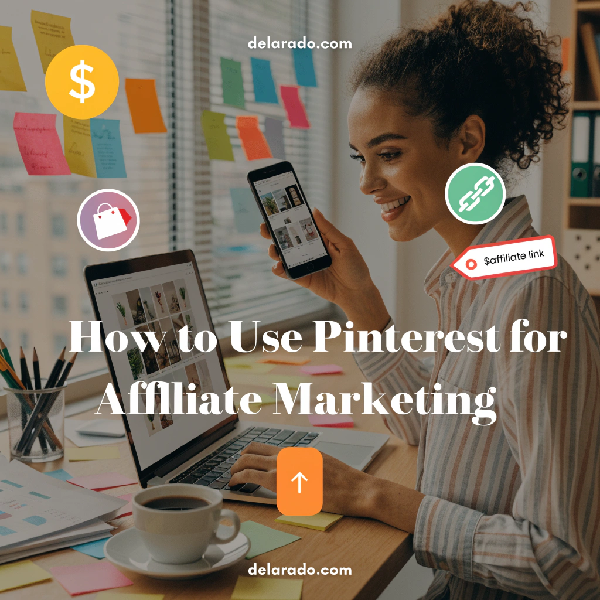
Pinterest can be a useful traffic source for affiliate marketers, bloggers, content creators, digital-product sellers, and online businesses. Unlike many social-media platforms, Pinterest functions largely as a visual discovery platform where users search for ideas, products, tutorials, inspiration, and solutions to problems.
Affiliate marketing on Pinterest works best when you create original, useful visual content that leads people to helpful articles, reviews, buying guides, tutorials, resource pages, or product pages. It does not work well as a shortcut for posting large volumes of direct affiliate links.
The safest long-term approach is to use Pinterest to drive visitors to a website you control. Your website can provide detailed information, clear affiliate disclosures, useful comparisons, email sign-up opportunities, and relevant next steps for readers.
Can You Use Pinterest for Affiliate Marketing?
Yes, Pinterest allows affiliate content under its policies, but the platform requires users to follow its affiliate guidelines, paid partnership rules, spam policies, and broader community guidelines.
Pinterest says affiliate content should be original, add unique value for Pinners, be transparent about its commercial nature and links, and avoid artificial traffic or algorithm manipulation. It specifically prohibits practices such as fake accounts, quid-pro-quo saves, repetitive high-volume affiliate Pins, and deceptive or unsafe links. [488]
Affiliate links may be permitted in some circumstances, but direct-link policies, partnership labels, regional rules, and affiliate-program restrictions can change. Review Pinterest’s current guidelines and the rules of every affiliate program you join before posting.
How Pinterest Affiliate Marketing Works
Pinterest affiliate marketing follows the same basic principle as affiliate marketing on a website, YouTube channel, or email newsletter: you recommend relevant products or services and may earn a commission if someone completes a qualifying action through your tracked link.
Two Common Approaches
1. Pinterest Pin to Your Website
You create a Pin that links to a helpful article, review, comparison, tutorial, or resource page on your website. That page may include relevant affiliate links and a clear disclosure.
This is generally the strongest approach because it gives you control over the full reader experience. You can explain the product, answer questions, compare alternatives, build an email list, and update information when details change.
2. Pinterest Pin With a Direct Affiliate Link
You create a Pin that directs visitors straight to a merchant through an affiliate link. This approach may be allowed under certain policies, but it requires extra care. You must follow Pinterest’s current rules, clearly disclose the commercial relationship, use an accurate destination link, and confirm that the affiliate program permits this method.
For beginners, sending Pins to a useful page on your own website is usually easier to manage and better for long-term brand building.
Why Use a Website First?
A website gives you an asset you control. Pinterest can help people discover your content, but your website can help them understand your expertise, read a full review, compare options, join your email list, and find related resources.
Benefits of Sending Pinterest Traffic to Your Website
- You can provide detailed, helpful content.
- You can use clear affiliate disclosures.
- You can create comparison tables and tutorials.
- You can collect email subscribers with permission.
- You can link to related articles.
- You can update product information easily.
- You can build your brand outside one platform.
- You can track traffic and conversions.
- You can recommend more than one relevant solution.
- You are less dependent on policy or algorithm changes.
Example Pinterest Funnel
Pinterest Pin → Helpful blog post → Clear affiliate disclosure → Product comparison or recommendation → Affiliate link → Merchant website
You may also add an email opt-in offer within the article:
Pinterest Pin → Tutorial article → Free checklist → Email list → Useful follow-up emails → Relevant recommendations
Choose a Pinterest-Friendly Affiliate Niche
Pinterest works especially well for topics where people search for ideas, visual inspiration, products, tutorials, plans, checklists, or buying guidance. However, the best niche depends on your audience, expertise, available affiliate programs, and ability to create original value.
Pinterest-Friendly Niche Examples
- Home organization.
- Home décor and DIY projects.
- Recipes and meal planning.
- Travel planning.
- Wedding planning.
- Fitness and wellness content.
- Fashion and beauty.
- Parenting and family activities.
- Personal finance printables and budgeting.
- Small business marketing.
- Blogging and online business.
- Productivity and planning.
- Digital templates and printables.
- Crafts and handmade products.
- Educational resources.
Affiliate Niche Questions
- Does my audience search Pinterest for this topic?
- Can I create useful visual content around it?
- Are there legitimate affiliate programs relevant to the audience?
- Can I publish helpful articles, tutorials, or guides on my website?
- Can I recommend products honestly and transparently?
- Can I keep content current as products and trends change?
Do not choose a niche only because someone claims it is profitable. Choose one where you can provide useful content consistently and build a trustworthy audience.
Set Up a Pinterest Business Account
A Pinterest business account gives you access to features that can help you manage your brand, track content performance, and understand audience behavior.
Basic Setup Steps
- Create a Pinterest business account or convert an existing account if appropriate.
- Use your business name or recognizable brand name.
- Choose a clear username that matches your brand when possible.
- Add a profile photo, logo, or recognizable image.
- Write a concise profile description explaining who you help.
- Add your website URL.
- Claim your website if Pinterest offers this option.
- Create relevant boards based on audience interests.
- Review current Pinterest business, community, and paid partnership guidelines.
Example Profile Description
Helping beginner bloggers build WordPress websites, create helpful content, grow email lists, and choose practical online-business tools.
Keep your profile focused. It should help a visitor understand what type of Pins, resources, and topics they can expect from your account.
Claim Your Website
Claiming your website connects your Pinterest account to your domain. It may allow you to access additional analytics and ensure that Pins from your website are associated with your account.
Website-claiming procedures can change, but Pinterest commonly provides verification options such as adding a meta tag, uploading an HTML file, or adding a DNS record. Follow the current instructions in your Pinterest business settings.
Why Website Claiming Helps
- Connects your account to your website content.
- May provide more analytics about Pins from your domain.
- Helps establish brand ownership.
- Supports a more professional business presence.
- Can make it easier to understand what content gets saved or clicked.
Adobe’s Pinterest business guidance recommends setting up a business account, claiming your website, and enabling appropriate business features such as Rich Pins where applicable. [487]
Create Pinterest Boards Strategically
Boards organize Pins by topic. They should reflect the interests and search behavior of your audience, not just your internal business categories.
Board Ideas for an Online Business Website
- WordPress Tips for Beginners.
- Blogging and Content Marketing.
- SEO Tips for Small Businesses.
- Email Marketing for Beginners.
- Affiliate Marketing Resources.
- Digital Product Ideas.
- Productivity Tools for Creators.
- Small Business Website Tips.
- Online Business Checklists.
- AI Tools for Content Creators.
Board Best Practices
- Use clear, descriptive board names.
- Write a keyword-relevant but natural board description.
- Choose a category when available.
- Organize Pins into the most relevant board.
- Avoid creating many nearly identical boards.
- Keep boards relevant to your business focus.
- Do not use misleading board titles.
For example, a Pin about “How to Build an Email List” belongs on a board about Email Marketing for Beginners, not a broad unrelated board simply because that board has more followers.
Create Original Pins That Provide Value
Pinterest emphasizes original content that adds unique value. Your Pins should accurately represent the destination page and help people understand why they may want to click.
Elements of a Strong Pin
- Vertical, high-quality image or graphic.
- Clear text overlay that describes the topic.
- Readable typography.
- Brand colors or logo used appropriately.
- Accurate and relevant title.
- Helpful Pin description.
- Correct destination URL.
- Clear alignment between the Pin and the linked page.
Adobe recommends using readable large text and notes that vertical images with a 2:3 aspect ratio are ideal for Pinterest Pins. [487]
Pin Text Overlay Examples
- How to Start a WordPress Blog in 10 Steps.
- Free Website Launch Checklist for Beginners.
- Best Email Marketing Tools for Small Businesses.
- 20 Blog Post Ideas for New Affiliate Websites.
- How to Build an Email List From Scratch.
- WordPress SEO Checklist for New Websites.
Use Canva, Adobe Express, or another design tool to create reusable Pin templates. Keep the design simple enough that the topic remains the focus.
Write Helpful Pin Titles and Descriptions
Pin titles and descriptions help Pinterest understand the content and help people decide whether the Pin is relevant to their search or interests.
Pin Title Tips
- Describe the actual content.
- Use natural search phrases where relevant.
- Focus on the reader benefit.
- Avoid misleading claims.
- Avoid keyword stuffing.
- Keep the title clear and easy to scan.
Pin Description Formula
Learn how to [desired outcome] with this [type of resource]. This guide covers [key steps or benefits] and is designed for [specific audience].
Example Pin Description
Learn how to start a WordPress website with this beginner-friendly guide. Discover how to choose a domain, select hosting, install WordPress, create essential pages, and begin building an email list.
Keep the description aligned with the landing page. A Pin promising “Free Website Checklist” should lead to the checklist landing page, not a generic homepage.
Use Pinterest Keywords Naturally
Pinterest users often search for ideas using keywords and phrases. Research the words your audience uses, then include them naturally in your profile, board names, board descriptions, Pin titles, Pin descriptions, and destination content.
Ways to Find Pinterest Keywords
- Use Pinterest search autocomplete.
- Review related suggested searches.
- Look at the language used in popular relevant Pins.
- Read comments and questions from your audience.
- Use Google search suggestions and keyword tools.
- Review Google Search Console queries for your website.
Example Keyword Ideas
For a beginner blogging website, relevant Pinterest keyword phrases might include:
- How to start a blog.
- WordPress for beginners.
- Blogging tips for beginners.
- Website launch checklist.
- Affiliate marketing for beginners.
- SEO tips for bloggers.
- Email list building.
Use keywords to clarify content, not to repeat the same phrase excessively. Clear, relevant descriptions are more useful than keyword-heavy text that is difficult to read.
Create Pins for Helpful Website Content
The best Pinterest affiliate strategy usually starts with helpful website content. Each article, tutorial, comparison, or resource page can have several original Pin designs created around different angles.
Good Pinterest Content Types
- Step-by-step tutorials.
- Beginner guides.
- Checklists.
- Product comparisons.
- Buying guides.
- Resource lists.
- Tool reviews.
- Printable templates.
- Infographics.
- How-to videos.
- Case studies.
- Seasonal planning guides.
Example Content-to-Pin System
For one article titled “How to Create an Email List for Beginners,” you could create several original Pins:
- How to Build an Email List From Scratch.
- 7 Email List Building Steps for Beginners.
- Free Lead Magnet Ideas for Online Businesses.
- How to Write Your First Welcome Email.
- Email Marketing Checklist for New Bloggers.
Each Pin can point to the same article if the Pin accurately represents a different useful angle within that article. Avoid creating duplicate Pins that are nearly identical or misleading.
Use Affiliate Links Responsibly
Affiliate links should be relevant, transparent, and useful. Your goal is to help people make a better decision, not to push as many links as possible.
Best Practices for Affiliate Links
- Recommend products that fit your audience’s needs.
- Use affiliate links only where they are relevant.
- Explain benefits and limitations.
- Do not make guaranteed income or performance claims.
- Do not use misleading product images or descriptions.
- Confirm that the affiliate program allows Pinterest promotion.
- Follow Pinterest’s current affiliate and paid partnership policies.
- Use visible, clear disclosures.
- Keep product information and links updated.
Website Affiliate Disclosure Example
This article may contain affiliate links. If you purchase through a qualifying link, I may earn a commission at no additional cost to you.
Pinterest Disclosure Example
Affiliate link: I may earn a commission if you make a qualifying purchase.
Do not assume that a disclosure only on your website is enough for a direct affiliate Pin. The disclosure should be clear in the context where the recommendation appears.
Follow FTC Disclosure Requirements
Affiliate commissions create a financial relationship between you and the brand or merchant. In the United States, the FTC says that when a social-media endorsement involves a material connection to a brand, the relationship should be made obvious to the audience.
The FTC explains that a material connection can include a financial relationship, such as a brand paying you or providing free or discounted products or services. It advises creators to disclose financial, employment, personal, or family relationships with brands when endorsing products on social media. [485]
Disclosure Best Practices
- Use simple language such as “Ad,” “Sponsored,” or “Affiliate link.”
- Place the disclosure where people will notice it.
- Do not hide disclosures in a long block of hashtags.
- Do not rely only on vague phrases such as “partner.”
- Use visual and verbal disclosures in video content when appropriate.
- Disclose before or near the recommendation.
- Follow both FTC guidance and Pinterest’s current policy requirements.
Disclosure practices can depend on your content format, audience location, and relationship with the merchant. Seek qualified legal guidance if you are unsure about requirements that apply to your business.
Understand Pinterest Affiliate Rules
Before posting affiliate content, read Pinterest’s current Community Guidelines, paid partnership requirements, spam policy, merchant rules where relevant, and any applicable advertising guidelines.
Pinterest’s affiliate guidance says creators should operate one authentic account, make original affiliate content that adds unique value, disclose the commercial nature of content and links, and avoid manipulative or spam-like behavior. [488]
Do Not:
- Create fake Pinterest accounts to distribute links.
- Ask others to save Pins in exchange for favors.
- Ask users to create Pins using your affiliate identifier.
- Create repetitive affiliate Pins in large volumes.
- Use deceptive redirects or hidden destinations.
- Link to unsafe, misleading, copied, or low-value pages.
- Use product images or trademarks without appropriate permission.
- Post affiliate content without required disclosures.
- Promote offers prohibited by Pinterest or the affiliate program.
Policy violations can lead to limited distribution, removed content, or account restrictions. Build slowly, use original content, and prioritize audience value over volume.
Create a Pinterest Publishing Plan
Consistency matters more than trying to publish a huge number of Pins in a short time. Create a sustainable schedule based on how much useful content you have and how much original visual content you can produce.
Simple Weekly Pinterest Plan
- Create two to five original Pins for existing helpful articles.
- Publish one new article, tutorial, or resource page when possible.
- Create one or two new Pins for that content.
- Review which Pins earned clicks, saves, or engagement.
- Update or improve content that receives traffic.
- Organize Pins into relevant boards.
- Respond to relevant comments or questions professionally.
Example Monthly Content Plan
| Week | Website Content | Pinterest Activity |
|---|---|---|
| Week 1 | Publish a beginner guide. | Create three original Pins with different headlines. |
| Week 2 | Update an existing comparison article. | Create two Pins highlighting different comparison angles. |
| Week 3 | Create a free checklist lead magnet. | Create two Pins directing visitors to the landing page. |
| Week 4 | Review top traffic content. | Create refreshed Pins for the strongest article. |
Focus on creating quality Pins linked to genuinely useful pages. Do not use automation or volume to replace good content and clear relevance.
Track Pinterest Analytics
Analytics helps you understand what content and visual formats resonate with your audience. Use Pinterest analytics along with website analytics and affiliate dashboards to see the complete journey.
Useful Pinterest Metrics
- Impressions.
- Pin clicks.
- Outbound clicks.
- Saves.
- Engagements.
- Top-performing Pins.
- Top-performing boards.
- Audience interests, where available.
- Traffic to your website.
Website and Affiliate Metrics
- Pinterest referral traffic in Google Analytics.
- Email sign-ups from Pinterest visitors.
- Affiliate-link clicks.
- Affiliate conversions and commissions.
- Top converting articles.
- Time on page and reader engagement.
- Product categories that produce interest.
Do not judge Pinterest success only by impressions. A Pin that receives fewer impressions but drives qualified visitors, email subscribers, or relevant affiliate conversions can be more valuable than a Pin that receives many views but no meaningful action.
Improve Pins Based on Data
Use your analytics to test and improve. Pinterest marketing involves learning what topics, keywords, visuals, and resource types help the right people find your content.
If a Pin Gets Impressions but Few Clicks
- Make the text overlay clearer.
- Improve the headline benefit.
- Use a more relevant image.
- Check whether the Pin matches the destination page.
- Improve the title and description.
- Make sure the topic matches audience search intent.
If a Pin Gets Clicks but Few Email Sign-Ups
- Improve the lead magnet.
- Make the opt-in form more visible.
- Clarify the benefit of subscribing.
- Improve page speed and mobile layout.
- Make sure the Pin accurately represents the landing page.
- Reduce unnecessary form fields.
If a Blog Post Gets Pinterest Traffic but Few Affiliate Clicks
- Make the affiliate recommendation more relevant.
- Improve the product comparison or review.
- Add pros, cons, and alternatives.
- Use clear affiliate disclosures.
- Improve calls to action.
- Check whether the audience is at the right buying stage.
Common Pinterest Affiliate Marketing Mistakes
- Posting direct affiliate links without checking policies.
- Failing to disclose affiliate relationships clearly.
- Creating low-value or copied Pins.
- Using misleading Pin images or titles.
- Linking Pins to irrelevant pages.
- Posting repetitive Pins in high volume.
- Trying to manipulate saves, clicks, or platform algorithms.
- Promoting products that do not fit the audience.
- Using affiliate programs that prohibit Pinterest promotion.
- Relying only on Pinterest without building a website or email list.
- Ignoring analytics and website conversion data.
- Not updating product details, prices, or broken links.
A 90-Day Pinterest Affiliate Plan
Days 1–30: Build the Foundation
- Choose a focused niche and audience.
- Create or update your Pinterest business account.
- Claim your website if available.
- Create five to 10 relevant topic boards.
- Publish helpful articles, guides, reviews, or comparison pages.
- Create clear Affiliate Disclosure and Privacy Policy pages.
- Review Pinterest and affiliate-program rules.
- Create five to 10 original Pins for your best content.
Days 31–60: Create and Promote
- Publish new helpful website content consistently.
- Create original Pins for each relevant article.
- Use clear titles, descriptions, and relevant keywords.
- Add a lead magnet to your website.
- Create Pins directing traffic to the lead magnet landing page.
- Track Pinterest traffic in Google Analytics.
- Review affiliate-link rules before using direct links.
Days 61–90: Improve and Expand
- Review top Pins, boards, articles, and traffic sources.
- Create new Pin variations for proven content.
- Improve pages that receive clicks but few conversions.
- Update affiliate reviews and comparisons.
- Build supporting content around strong topics.
- Grow your email list through relevant content upgrades.
- Create the next 90-day plan based on real data.
Do not expect guaranteed traffic or commissions in 90 days. Use the first three months to build a content library, learn your audience, create compliant systems, and identify which topics create meaningful engagement.
Final Thoughts
Pinterest can support affiliate marketing when you use it to share original, helpful visual content with a clear audience. The most durable strategy is to direct people to useful website content where they can learn, compare options, join your email list, and make informed decisions.
Follow Pinterest’s current policies, affiliate-program terms, and disclosure requirements. Avoid spam, deceptive links, fake engagement, repetitive affiliate Pins, and unrealistic income claims.
Focus on helping Pinners solve problems. Create useful articles, honest reviews, clear Pins, relevant lead magnets, and transparent recommendations. Over time, you can build a content-and-trust system that supports traffic, email growth, and affiliate income.
Frequently Asked Questions
Can I use affiliate links on Pinterest?
Pinterest permits affiliate content under certain conditions, but you must follow its current Community Guidelines, paid partnership requirements, spam policies, and the affiliate program’s terms. Clearly disclose affiliate relationships and use original, valuable content.
Should I send Pinterest traffic directly to affiliate links?
Direct affiliate links may be permitted in some cases, but sending people to a helpful page on your own website is often a stronger long-term strategy. A website lets you provide context, disclosures, comparisons, email sign-ups, and related content.
Do I need a website for Pinterest affiliate marketing?
A website is not always technically required, but it is highly recommended. It gives you control over your content, disclosures, email list, affiliate resources, and long-term brand presence.
How do I disclose affiliate links on Pinterest?
Use clear language in the content context, such as “Affiliate link” or “I may earn a commission if you make a qualifying purchase.” Follow Pinterest’s current disclosure and paid partnership requirements, as well as applicable laws.
How many Pins should I post per day?
There is no universal number. Focus on creating original, useful Pins at a sustainable pace. Avoid repetitive, high-volume affiliate posting that may violate Pinterest’s spam policies.
What types of affiliate content work best on Pinterest?
Useful content such as tutorials, checklists, product comparisons, resource lists, buying guides, templates, recipes, DIY projects, planning guides, and visual how-to content can be a good fit when they match audience interests.
How long does it take to get Pinterest affiliate results?
There is no guaranteed timeline. Results depend on content quality, niche demand, Pin relevance, account history, audience behavior, website conversion quality, affiliate offer fit, and consistency. Focus on useful content and analyze results over time.