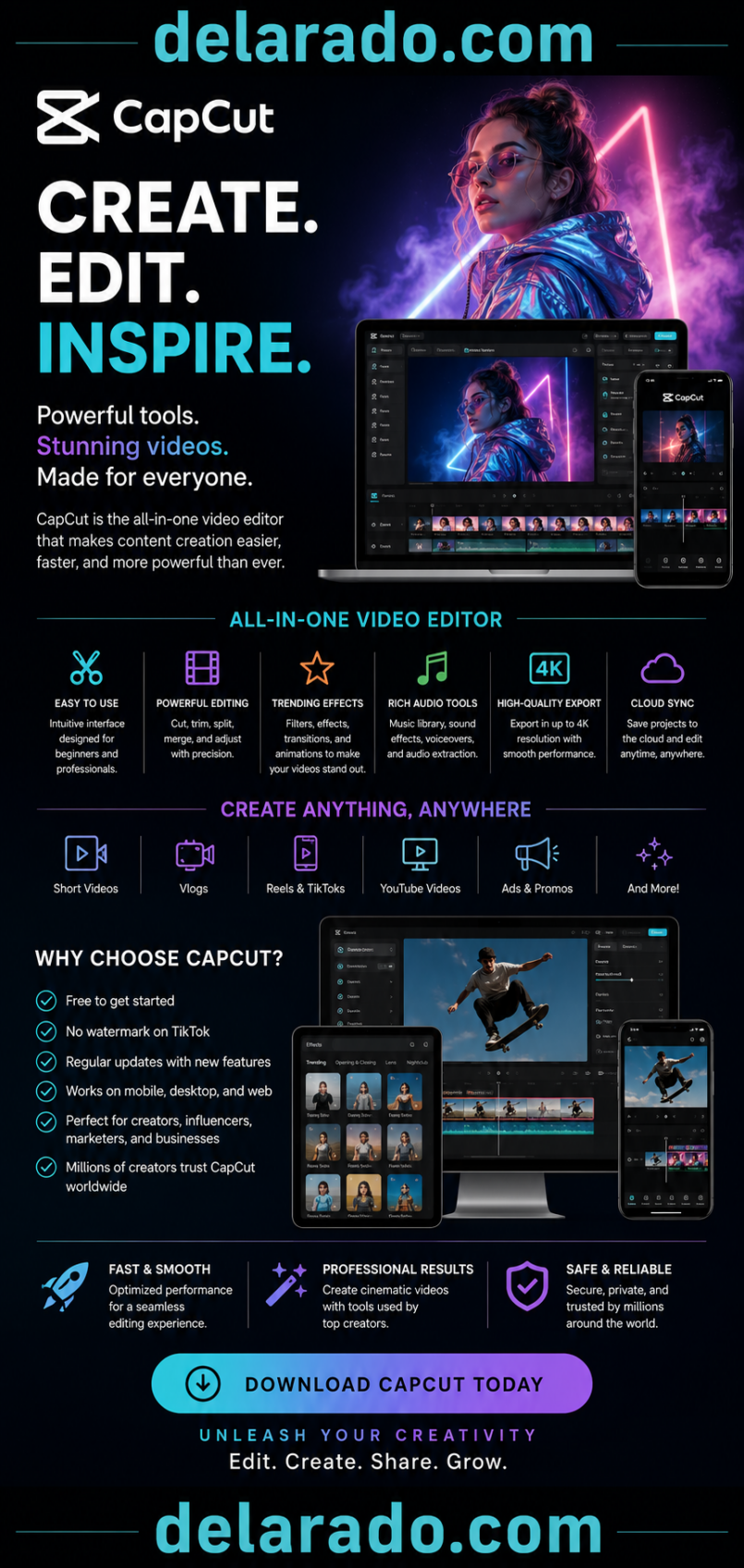
In today’s digital world, video content dominates social media, marketing campaigns, online education, and business communications. Whether you’re creating content for TikTok, YouTube, Instagram, Facebook, or your own website, having access to a powerful yet easy-to-use video editor is essential.
CapCut has emerged as one of the most popular video editing platforms available, attracting millions of users worldwide. Originally known for its mobile editing capabilities, CapCut has evolved into a comprehensive editing solution available on mobile devices, desktop computers, and web browsers.
Developed by ByteDance, the company behind TikTok, CapCut combines professional editing tools with artificial intelligence features that help creators produce high-quality videos quickly and efficiently.
This review explores CapCut’s purpose, target audience, key features, advantages, disadvantages, daily applications, and whether it is worth using for your video editing needs.
—
# What Is CapCut?
CapCut is an all-in-one video editing platform designed for content creators, businesses, marketers, educators, and casual users who want to create professional-looking videos without mastering complex editing software.
The platform offers:
* Video editing tools
* AI-powered content creation
* Special effects
* Transitions
* Audio editing
* Text animations
* Templates
* Motion graphics
* Social media optimization
CapCut provides both free and premium features, making it accessible to beginners while still offering advanced tools for experienced creators.
—
# Purpose of CapCut
The primary purpose of CapCut is to simplify professional video editing for everyone.
Traditional editing software often requires:
* Extensive training
* Powerful computers
* Large budgets
* Significant editing experience
CapCut removes many of these barriers by providing an intuitive editing environment combined with powerful AI-assisted tools.
The platform helps users:
* Create social media content
* Produce marketing videos
* Edit personal videos
* Build educational content
* Generate promotional materials
* Enhance visual storytelling
* Improve audience engagement
Its goal is to enable anyone to create polished videos quickly and efficiently.
—
# Who Is CapCut Designed For?
CapCut serves a broad audience ranging from beginners to professional creators.
## 1. Social Media Creators
TikTok, Instagram Reels, Facebook Reels, and YouTube Shorts creators can produce engaging short-form content with ease.
## 2. YouTubers
YouTube creators can edit long-form videos, tutorials, reviews, and vlogs using CapCut’s advanced editing features.
## 3. Small Business Owners
Businesses can create advertisements, product demonstrations, and promotional videos without hiring professional editors.
## 4. Digital Marketers
Marketing professionals can produce engaging campaigns for multiple platforms.
## 5. Influencers
Influencers can create polished content that strengthens their personal brand.
## 6. Educators
Teachers and course creators can develop instructional videos and online learning materials.
## 7. Freelancers
Video editors and content creators can streamline workflows and improve productivity.
## 8. Beginners
New users with little editing experience can quickly learn the platform and create professional-looking videos.
—
# Key Features of CapCut
## 1. Easy-to-Use Video Editor
CapCut features an intuitive timeline-based editor that makes cutting, trimming, splitting, and arranging clips simple.
Users can edit videos without advanced technical knowledge.
—
## 2. AI Video Editing Tools
CapCut includes numerous AI-powered features such as:
* Auto captions
* Background removal
* AI enhancement
* Auto cutout
* AI effects
* Smart tracking
These tools save significant editing time.
—
## 3. Text and Title Effects
Users can create attractive titles and animated text with:
* Custom fonts
* Motion graphics
* Animated captions
* Stylish text effects
These tools help videos stand out on social media.
—
## 4. Massive Template Library
CapCut offers thousands of ready-made templates that allow users to create professional content quickly.
Templates are available for:
* TikTok
* Instagram
* YouTube
* Marketing campaigns
* Product promotions
—
## 5. Special Effects and Filters
CapCut includes an extensive collection of:
* Filters
* Visual effects
* Color grading tools
* Motion effects
* Creative overlays
These features enhance video quality and creativity.
—
## 6. Audio Editing Tools
The platform provides:
* Music integration
* Voice recording
* Sound effects
* Noise reduction
* Audio synchronization
Users can create professional-quality audio tracks directly within the editor.
—
## 7. Auto Captions and Subtitles
CapCut can automatically generate captions from spoken audio.
Benefits include:
* Improved accessibility
* Increased engagement
* Better viewer retention
* Faster editing workflows
—
## 8. Multi-Platform Support
CapCut is available on:
* iOS
* Android
* Windows
* Mac
* Web browsers
Projects can often be accessed across devices for greater flexibility.
—
## 9. Cloud Storage and Syncing
Users can store projects online and continue editing from multiple devices.
This feature is especially valuable for teams and creators working remotely.
—
## 10. High-Quality Export Options
CapCut supports:
* HD exports
* Full HD exports
* 4K video exports
* Various aspect ratios
This makes it suitable for professional content creation.
—
# CapCut Pros
## 1. Beginner-Friendly Interface
The platform is extremely easy to learn, even for users with no editing experience.
## 2. Powerful Free Version
CapCut offers many advanced features without requiring payment.
## 3. AI-Powered Tools
Automation features significantly reduce editing time.
## 4. Cross-Platform Availability
Users can edit projects on mobile, desktop, and web platforms.
## 5. Excellent Social Media Integration
CapCut is optimized for TikTok, Instagram, YouTube Shorts, and other platforms.
## 6. Large Template Collection
Templates help users create professional content quickly.
## 7. Frequent Updates
New features and improvements are regularly added.
## 8. High-Quality Exporting
Users can export professional-grade videos suitable for commercial use.
## 9. Cloud-Based Workflow
Projects can be synchronized across devices.
## 10. Affordable Premium Plans
Compared to many professional editing tools, CapCut’s premium plans are competitively priced.
—
# CapCut Cons
## 1. Some Features Require Premium Access
Advanced AI tools and premium templates may require a subscription.
## 2. Internet Connection Needed for Certain Features
Cloud-based and AI functions often require online access.
## 3. Limited Compared to High-End Professional Software
Professional editors may still prefer specialized software for complex productions.
## 4. Resource Usage
Large projects can require substantial system resources.
## 5. Template Overuse
Popular templates may result in content that appears similar to other creators’ work.
## 6. Learning Curve for Advanced Features
While basic editing is simple, mastering advanced tools takes practice.
—
# Daily Use of CapCut
A typical day using CapCut may include:
### Morning
* Importing footage
* Organizing clips
* Planning content
### Midday
* Editing videos
* Adding effects
* Creating captions
* Adjusting audio
### Afternoon
* Reviewing edits
* Applying transitions
* Adding branding elements
### Evening
* Exporting videos
* Publishing content
* Scheduling posts across social platforms
Many creators use CapCut daily to maintain consistent content production schedules.
—
# Who Should Use CapCut?
CapCut is ideal for:
* TikTok creators
* YouTubers
* Instagram influencers
* Digital marketers
* Small businesses
* E-commerce sellers
* Educators
* Freelancers
* Content agencies
* Beginner video editors
Its balance of simplicity and power makes it suitable for a wide range of users.
—
# Is CapCut Worth It?
For most creators, the answer is yes.
CapCut offers a remarkable combination of:
* Ease of use
* AI-powered tools
* Professional features
* Cross-platform support
* Affordable pricing
The free version alone provides enough functionality for many creators, while premium plans unlock even greater creative possibilities.
Whether you’re creating social media content, marketing videos, tutorials, or business promotions, CapCut delivers substantial value.
—
# Final Verdict and Buy Recommendation
### Overall Rating: 9.5/10
CapCut has established itself as one of the leading video editing platforms available today. Its intuitive design, AI-powered features, extensive template library, and multi-device accessibility make it an excellent choice for modern content creators.
### Recommended For:
✔ Social media creators
✔ YouTubers
✔ Influencers
✔ Small businesses
✔ Marketers
✔ Educators
✔ Freelancers
✔ Beginner video editors
### Not Ideal For:
✘ Users requiring advanced Hollywood-level post-production tools
✘ Large-scale film production teams
✘ Editors seeking highly specialized professional workflows
## Buy Recommendation
**Yes — CapCut is highly recommended.**
If you want an affordable, powerful, and user-friendly video editing platform that helps create professional-quality content quickly, CapCut is one of the best options available. Its strong AI features, excellent editing tools, and seamless social media integration make it a valuable investment for content creators, businesses, and marketers looking to improve their video production capabilities.