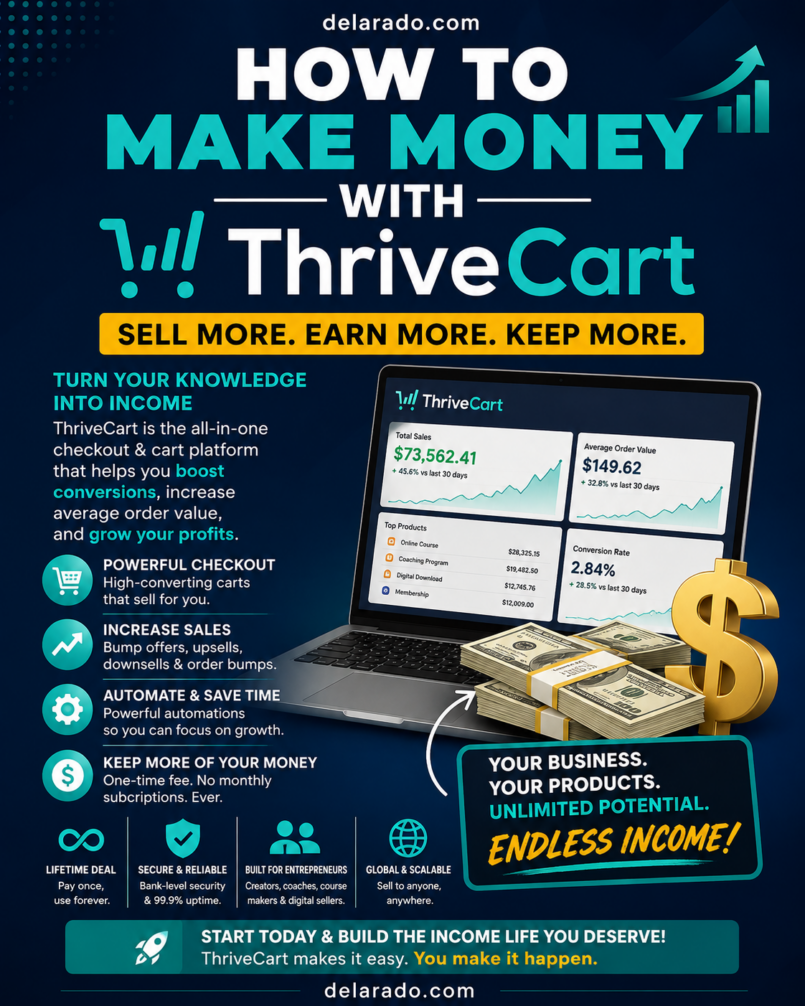
Quick verdict: ThriveCart is a checkout and sales platform designed for creators, coaches, course sellers, service providers, digital-product businesses, and online entrepreneurs who want to sell products through conversion-focused checkout pages, order bumps, upsells, subscriptions, affiliate programs, and automated workflows.
Its strongest advantage is that it combines several selling tools into one ecosystem. Rather than using separate software for checkout pages, affiliate tracking, upsells, course delivery, and basic sales automations, a business can manage many of these activities from a central platform. It is especially valuable for people selling digital products, courses, memberships, coaching, templates, software access, or services online.
What Is ThriveCart?
ThriveCart is an online checkout and sales platform that helps businesses sell products and services through customizable checkout pages. It is commonly used for digital products, online courses, memberships, coaching programs, software subscriptions, templates, eBooks, consulting packages, physical products, and other online offers.
At its core, ThriveCart helps a business create a product offer, collect payment through a connected processor, deliver purchase access, and track sales. It also includes tools intended to improve average order value and conversion potential, such as order bumps, one-click upsells, downsells, coupons, payment plans, affiliate management, and A/B testing.
ThriveCart can also support course and community delivery through its learning products. The platform has announced a transition from ThriveCart Learn and Learn+ toward ThriveAcademy, a newer learning environment with community-focused functionality. Users should confirm the current product access, transition terms, and feature availability before making a purchase decision.
What Is the Purpose of ThriveCart?
The main purpose of ThriveCart is to help online businesses sell more efficiently through streamlined checkout experiences and sales funnels. Instead of sending customers to a generic payment page, a seller can create a branded checkout flow that includes clear offer details, payment options, optional add-ons, subscriptions, coupons, and post-purchase offers.
ThriveCart is not a traffic-generation tool by itself. It does not automatically bring customers to a website. Its purpose is to improve the selling process after a prospective customer reaches an offer page, sales page, checkout link, email campaign, webinar, landing page, or social-media promotion.
Problems ThriveCart Can Help Solve
- Creating checkout pages for digital or physical products
- Accepting payments through supported payment processors
- Offering one-time purchases, subscriptions, payment plans, and trials
- Increasing average order value with order bumps and upsells
- Managing affiliate partners and commission tracking
- Creating a simple sales funnel without custom coding
- Delivering course access after purchase
- Automating customer tagging, notifications, and integrations
- Recovering abandoned carts through eligible workflows
- Testing checkout variations to improve conversion performance
Who Is ThriveCart For?
ThriveCart is best for people who sell something online or want to build a more organized checkout and post-purchase process. It can be useful for beginners with one simple digital product, but it becomes especially valuable for businesses with multiple offers, recurring billing, affiliate programs, online courses, or sales funnels.
ThriveCart Target Audience
- Digital-product creators: People selling eBooks, templates, printables, planners, prompts, guides, downloads, and toolkits.
- Course creators: Educators selling self-paced courses, workshops, training programs, memberships, and learning communities.
- Coaches and consultants: Service providers selling one-on-one coaching, group programs, calls, retainers, and premium consulting offers.
- Affiliate marketers: Businesses that want to recruit affiliates, track commissions, manage payouts, and provide promotional resources.
- Membership businesses: Creators offering recurring content, communities, software access, subscriptions, or premium resources.
- eCommerce businesses: Sellers who need checkout pages, upsells, bundles, payment plans, and conversion-focused product offers.
- Agencies: Agencies building checkout funnels and sales systems for clients.
- Software businesses: SaaS founders selling subscriptions, trials, onboarding packages, upgrades, and annual plans.
- Authors and publishers: Writers selling books, audiobooks, bundles, workshops, companion resources, and digital learning products.
Who May Not Need ThriveCart?
- People who are not currently selling a product, service, course, or subscription
- Businesses that only need a simple payment button and no sales funnel features
- Store owners requiring a full inventory-management and shipping-management system
- Users who want a complete website builder, SEO platform, or traffic-generation system
- Businesses that cannot commit time to creating offers, sales copy, customer support, and compliance policies
Benefits of ThriveCart
1. Conversion-Focused Checkout Pages
ThriveCart helps sellers create checkout experiences that are designed around a specific offer. A focused checkout page can reduce distractions and make it easier for a customer to understand what they are buying, what it costs, and what happens after purchase.
2. Order Bumps and One-Click Upsells
Order bumps allow a seller to offer a small, relevant add-on during checkout. One-click upsells can present an additional offer after the initial purchase. These features can increase average order value when the added offer is genuinely useful and clearly explained.
3. Flexible Payment Options
ThriveCart can support one-time payments, subscriptions, payment plans, trials, discounts, coupons, and pay-what-you-want offers, depending on connected payment processors and account features. Flexible payment options can help businesses match pricing to customer budgets and product value.
4. Affiliate Management
Affiliate management tools help businesses recruit partners, assign commissions, provide promotional links, track referred sales, and manage affiliate payments. An affiliate program can expand reach, but it requires clear terms, good communication, accurate tracking, and responsible promotion standards.
5. Course and Training Delivery
ThriveCart’s learning tools can help businesses sell and provide access to courses, modules, lessons, and training content. As the platform moves toward ThriveAcademy, course creators should verify the current course, community, video-hosting, and student-management features before launching.
6. Sales Automation
Automations can connect checkout activity with email marketing, customer relationship management tools, webinar platforms, membership systems, spreadsheets, and other business software. For example, a completed purchase can add a buyer to an email list and grant course access automatically.
7. A/B Testing
A/B testing allows sellers to compare variations of checkout pages or offers. Testing can help improve conversion rates, but results should be based on enough traffic and should be interpreted carefully. A better headline or offer structure may help, but no test guarantees a particular outcome.
8. Reduced Tool Overload
Combining checkout, upsells, affiliate management, course access, and sales automation in one system can reduce the need for multiple subscriptions and complicated integrations. This can simplify operations for small businesses and creators.
How to Use ThriveCart: Step-by-Step
- Define the offer: Decide exactly what will be sold, who it helps, the customer outcome, the price, the delivery method, and the refund policy.
- Create a ThriveCart account: Choose the plan and feature level that fits the business model, including affiliate, course, tax, reporting, and advanced sales needs.
- Connect a payment processor: Connect an eligible payment option, such as Stripe, PayPal, or another supported processor. Review processor availability, fees, payout schedules, disputes, and country eligibility.
- Create a product: Add the product name, price, billing type, payment plan, delivery settings, terms, refund policy, and customer-facing details.
- Build the checkout page: Add product benefits, clear pricing, testimonials only when genuine and permitted, guarantee terms, customer-support details, and required legal disclosures.
- Add an order bump: Offer a small, complementary product only if it genuinely improves the customer’s purchase experience.
- Create upsell and downsell offers: Use post-purchase offers carefully. Each offer should be relevant, transparent, and easy to decline.
- Set up delivery: Deliver a download, grant course access, send a booking link, activate a membership, or trigger an email sequence after payment.
- Connect integrations: Link email tools, CRM systems, webinar platforms, analytics software, automation platforms, or membership tools as needed.
- Test the entire funnel: Run a test purchase and verify checkout, receipts, payment confirmation, integrations, access delivery, customer emails, refunds, and affiliate tracking.
- Launch traffic sources: Promote the offer through content, email marketing, paid ads where permitted, webinars, affiliates, social media, partnerships, or SEO.
- Measure and improve: Review conversion rate, average order value, refund rate, customer feedback, cart abandonment, affiliate performance, and support questions.
Example Product Funnel
A course creator could sell a $49 beginner course through a ThriveCart checkout page. At checkout, the buyer sees an optional $9 workbook order bump. After purchase, the buyer may see a relevant $29 advanced template bundle. The purchase triggers course access, a welcome email, and a customer tag in the email platform. Every offer should be optional, clearly described, and aligned with the original purchase.
How to Make Money With ThriveCart
ThriveCart does not create guaranteed income. It is a sales and checkout tool that can support a real business model. Revenue depends on the usefulness of the offer, audience demand, traffic quality, pricing, marketing, customer support, product delivery, legal compliance, and ethical selling practices.
1. Sell Digital Products
Use ThriveCart to sell eBooks, templates, planners, checklists, swipe files, prompt packs, stock assets, printables, design kits, tutorials, and other downloadable resources. The product should solve a specific problem and deliver what the sales page promises.
2. Sell Online Courses
Create a course that teaches a defined skill or solves a practical problem. Use ThriveCart to process payment and provide access to an eligible course-delivery environment. High-quality courses need clear learning outcomes, organized lessons, accurate content, support resources, and updates.
3. Sell Coaching and Consulting
Coaches, consultants, and service providers can sell one-time sessions, group programs, retainers, discovery calls, audits, and packages. ThriveCart can manage the checkout while calendar software and email automations handle scheduling and onboarding.
4. Build a Membership or Subscription
Recurring billing can support membership communities, premium newsletters, monthly template libraries, subscription resources, coaching communities, or software access. A subscription must provide continuing value and include transparent cancellation terms.
5. Launch an Affiliate Program
Use affiliate tools to recruit partners who promote a product for a commission. Provide affiliates with clear rules, approved promotional materials, commission terms, tracking links, refund policies, and guidance against misleading earnings or results claims.
6. Offer Funnel-Building Services
Agencies and freelancers can build ThriveCart checkout pages, order bumps, upsells, integrations, course funnels, affiliate programs, and automations for clients. Charge for strategy, copywriting, setup, design, integration, testing, and ongoing optimization.
7. Sell Product Bundles
Bundle related products together to create a more complete solution. For example, an eBook can be bundled with templates, checklists, a mini-course, and a workshop recording. The bundle should provide real value rather than using artificial discounts or misleading urgency.
8. Use Content to Drive Sales
Create helpful blog posts, videos, tutorials, email newsletters, webinars, podcast episodes, and social content that solve problems for the target audience. Content can lead readers to a relevant ThriveCart offer when the call to action is honest and useful.
Example Service Offer
“Course Checkout Funnel Setup Package”: One ThriveCart checkout page, product setup, Stripe connection, one order bump, one upsell, email integration, automated course access, customer receipt setup, test purchase, and launch support. Pricing should reflect the complexity of the funnel, copywriting, design, integrations, revisions, product count, and ongoing support.
ThriveCart Key Features
Custom Checkout Pages
ThriveCart allows sellers to create checkout pages for specific products and offers. Pages can be customized with product details, pricing, branding, payment options, testimonials, terms, and calls to action.
One-Click Upsells
One-click upsells present an additional offer after a customer completes an initial purchase. The offer should be relevant, priced clearly, and easy to decline. Upsells should improve customer value rather than pressure buyers into unnecessary purchases.
Order Bumps
Order bumps are optional checkout add-ons. They work best when they solve an immediate related problem, such as a workbook for a course, templates for an eBook, or an implementation guide for a software product.
Subscriptions and Payment Plans
Businesses can offer recurring subscriptions, installment plans, trials, and other payment structures. Sellers should clearly state billing frequency, total payment amount, cancellation instructions, and refund policy.
Affiliate Center
ThriveCart’s affiliate features can help sellers recruit and manage affiliates, provide links, set commission structures, track referrals, and manage payouts through supported workflows. Affiliate features may depend on the selected plan or add-on.
Course Delivery and ThriveAcademy
ThriveCart has offered course-delivery tools through ThriveCart Learn and Learn+. The platform is transitioning toward ThriveAcademy, which is intended to provide a more community-centered learning experience. Confirm current product access and feature availability before relying on a specific course-delivery workflow.
Cart Abandonment Workflows
Cart recovery tools can help businesses follow up with people who begin but do not complete a purchase. Follow-up messages should comply with email marketing rules, respect consent, and avoid excessive pressure.
A/B Testing
A/B testing can compare checkout page or offer variations. Sellers can test headlines, pricing presentation, page structure, bonuses, order bumps, and calls to action. Use test results responsibly and avoid drawing conclusions from very small sample sizes.
Coupons and Discounts
Coupons can support launches, limited promotions, partner campaigns, customer retention, and special events. Use deadlines honestly and do not create false scarcity.
Sales Tax and Compliance Tools
Some plans may provide sales-tax support and related features. Businesses remain responsible for understanding and complying with their own tax, consumer-protection, privacy, refund, and financial-recordkeeping obligations.
Integrations and Automations
ThriveCart can connect with payment processors, email marketing software, automation platforms, membership tools, webinar systems, analytics services, and other business applications. Integration availability can change, so confirm compatibility before building a workflow around a specific tool.
Reporting and Business Metrics
Reporting tools can help sellers monitor sales, refunds, conversion rates, affiliate activity, subscription performance, average order value, and other metrics. Review data alongside customer feedback and actual profit, not sales numbers alone.
Daily Use of ThriveCart
ThriveCart can be used daily by businesses that actively sell products, courses, services, or subscriptions. The most productive workflow is not simply checking sales; it involves monitoring customer experience, responding to support needs, reviewing funnel data, and improving offers over time.
Daily ThriveCart Workflow
- Check completed sales, refunds, failed payments, chargebacks, and customer-support messages.
- Confirm that checkout pages, order bumps, upsells, payment links, and integrations are working properly.
- Review automated emails, product delivery, course access, booking links, and membership access.
- Monitor affiliate referrals and respond to legitimate affiliate questions.
- Review marketing performance from email, content, ads, partnerships, or social traffic.
- Check conversion rate and average order value for important offers.
- Improve one part of the customer journey, such as checkout copy, FAQ content, onboarding, support instructions, or product delivery.
- Document changes so performance data can be interpreted accurately later.
Weekly ThriveCart Checklist
- Complete a test purchase to confirm the full checkout and delivery process.
- Review refund reasons and customer questions for offer or product improvements.
- Check subscription cancellations, failed-payment recovery, and customer retention patterns.
- Review affiliate performance and remove or address any misleading promotional activity.
- Update product pages, pricing, bonuses, legal terms, and affiliate materials when needed.
- Review A/B tests only after enough data has been collected.
- Back up important customer, product, and reporting records where appropriate.
Monthly ThriveCart Checklist
- Review total sales, refunds, payment-processor fees, affiliate commissions, advertising costs, and net profit.
- Analyze the best-performing products, traffic sources, and customer segments.
- Update tax settings, policies, terms, and privacy disclosures when necessary.
- Review customer feedback and create improvements for the product or course.
- Plan the next campaign, product launch, evergreen funnel update, or affiliate promotion.
- Audit all links, integrations, tags, automations, and access-delivery rules.
ThriveCart Pros and Cons
| Pros | Cons |
|---|---|
| Combines checkout pages, upsells, order bumps, subscriptions, and affiliate tools in one platform | Does not generate traffic or customers automatically |
| Useful for digital products, courses, coaching, memberships, software, and services | Can be more functionality than a business with only one simple payment link needs |
| Order bumps and upsells can increase average order value when used ethically | Poorly designed upsells can harm customer trust and increase refunds |
| Affiliate management can support partner-led sales growth | Affiliate features may require a higher plan or add-on |
| Supports payment plans, subscriptions, and recurring billing workflows | Payment processors charge their own fees, and payment access varies by country |
| Course tools and ThriveAcademy can support course creators | The transition from Learn and Learn+ to ThriveAcademy requires checking current feature availability |
| Automations can reduce manual work after a purchase | Complex automations and integrations require thorough testing |
| A/B testing helps sellers improve checkout experiences using data | Testing requires enough traffic and does not guarantee higher conversions |
ThriveCart Pricing and Cost Considerations
ThriveCart pricing, plan names, add-ons, feature access, and annual charges can change. Review the official pricing page before buying. Recent pricing structures have included a one-time Standard account cost with an optional annual Pro+ upgrade for advanced features, but current terms should always be verified directly before purchase.
When comparing the cost of ThriveCart, consider more than the upfront platform price. Include payment-processor fees, affiliate commissions, taxes, refund costs, advertising spend, email marketing software, membership or course tools, customer support, design costs, and the time required to build and maintain an effective funnel.
Questions to Ask Before Buying
- What product, service, course, or subscription will be sold?
- Is a simple payment link enough, or are checkout funnels and upsells needed?
- Will recurring subscriptions, trials, or installment plans be offered?
- Does the business need affiliate management?
- Is course hosting or community access required?
- Which payment processors are available in the business location?
- What tax, privacy, refund, and consumer-protection obligations apply?
- How will customer support, refunds, cancellations, and chargebacks be handled?
- What integrations are required for email, CRM, analytics, webinars, or memberships?
- Will the expected sales volume justify the platform and operating costs?
Sales, SEO, and Compliance Best Practices
ThriveCart can improve the mechanics of selling, but a checkout page alone does not create a sustainable business. Long-term success depends on a useful offer, honest messaging, audience trust, clear product delivery, customer support, ethical marketing, and legal compliance.
Best Practices for Better Results
- Clearly explain who the product is for, what problem it solves, and what the buyer receives.
- Use accurate product descriptions, real testimonials, and transparent pricing.
- State refund, cancellation, delivery, subscription, and support policies clearly before checkout.
- Make every order bump and upsell optional, relevant, and easy to decline.
- Do not use fake countdown timers, false scarcity, fabricated testimonials, or misleading income claims.
- Use a secure website, HTTPS, a privacy policy, terms of use, and required consent disclosures.
- Follow applicable tax, consumer-protection, email marketing, and data-privacy rules.
- Create helpful content that attracts the right audience before asking for a sale.
- Test the checkout process from a customer perspective before every major launch.
- Use feedback, refund reasons, and support questions to improve the offer continuously.
SEO Content Ideas for a ThriveCart Website
- How-to guides related to the product’s core problem
- Beginner tutorials and implementation checklists
- Product comparison articles
- Customer questions and FAQ pages
- Case studies using real, permission-based results
- Templates, calculators, checklists, and free resources
- Video demonstrations and product walkthroughs
- Use-case pages for different customer types
- Transparent pricing and product-delivery pages
Final Verdict: Is ThriveCart Worth Buying?
ThriveCart is worth considering for creators and businesses that sell digital products, courses, coaching, memberships, subscriptions, services, software access, or other online offers. Its main strength is the ability to bring together checkout pages, order bumps, upsells, affiliate management, payment options, sales automation, and course-related workflows within one system.
It is most valuable when a business already has a clear offer and a realistic plan for attracting potential customers through content, SEO, email marketing, partnerships, affiliates, webinars, advertising, or an existing audience. It is less useful for someone who has not yet decided what to sell or expects software to create sales without traffic and customer trust.
Start by building one clear offer, a simple checkout page, and a reliable delivery process. Add order bumps, upsells, affiliates, subscriptions, and advanced automations only when they genuinely improve the buyer experience and support the business model. For the right online-selling workflow, ThriveCart can be a strong long-term checkout and funnel solution.
Top 10 ThriveCart Buyer Questions and Answers
1. What is ThriveCart used for?
ThriveCart is used to sell products and services online through checkout pages, order bumps, upsells, subscriptions, payment plans, affiliate programs, sales automations, and course-delivery workflows.
2. Is ThriveCart good for selling digital products?
Yes. ThriveCart is commonly used for digital products such as eBooks, templates, printables, downloads, courses, memberships, workshops, coaching programs, and software access.
3. Does ThriveCart process payments?
ThriveCart connects to supported payment processors rather than acting as the payment processor itself. Available options can include Stripe, PayPal, Authorize.net, and payment methods enabled through those providers, depending on account eligibility and location.
4. Can ThriveCart manage affiliates?
Yes. ThriveCart includes affiliate-management capabilities that can help sellers recruit affiliates, create tracking links, set commissions, monitor referrals, and manage payouts through supported workflows. Feature availability can depend on the selected plan.
5. Can I sell courses through ThriveCart?
Yes. ThriveCart can be used to sell courses and grant customer access to learning content. The platform has been transitioning from ThriveCart Learn and Learn+ to ThriveAcademy, so confirm the current course and community features before building a new course business around them.
6. Does ThriveCart work for subscriptions?
Yes. ThriveCart can support recurring billing, subscriptions, payment plans, and trials when connected to compatible payment processors. Sellers should clearly explain billing frequency, cancellation steps, and refund terms.
7. What is an order bump in ThriveCart?
An order bump is an optional add-on offered during checkout. It should be a relevant, lower-cost item that complements the main purchase, such as a workbook, template bundle, implementation guide, or product upgrade.
8. Can ThriveCart help increase sales?
ThriveCart can improve checkout flows, payment options, offer presentation, order bumps, upsells, and automation. It cannot guarantee sales. Results depend on the product, pricing, audience, traffic, sales copy, marketing, trust, and customer experience.
9. Is ThriveCart better than a full eCommerce store?
ThriveCart is especially strong for focused offers, digital products, courses, coaching, subscriptions, and sales funnels. A full eCommerce platform may be better for businesses that need large product catalogs, inventory tracking, shipping operations, extensive product filtering, and complex storefront management.
10. Is ThriveCart worth the price?
ThriveCart can be worth the price when a business consistently sells online and uses its checkout, upsell, affiliate, automation, course, or subscription tools. The value depends on the number of offers, sales volume, saved software costs, and how effectively the business uses the platform.