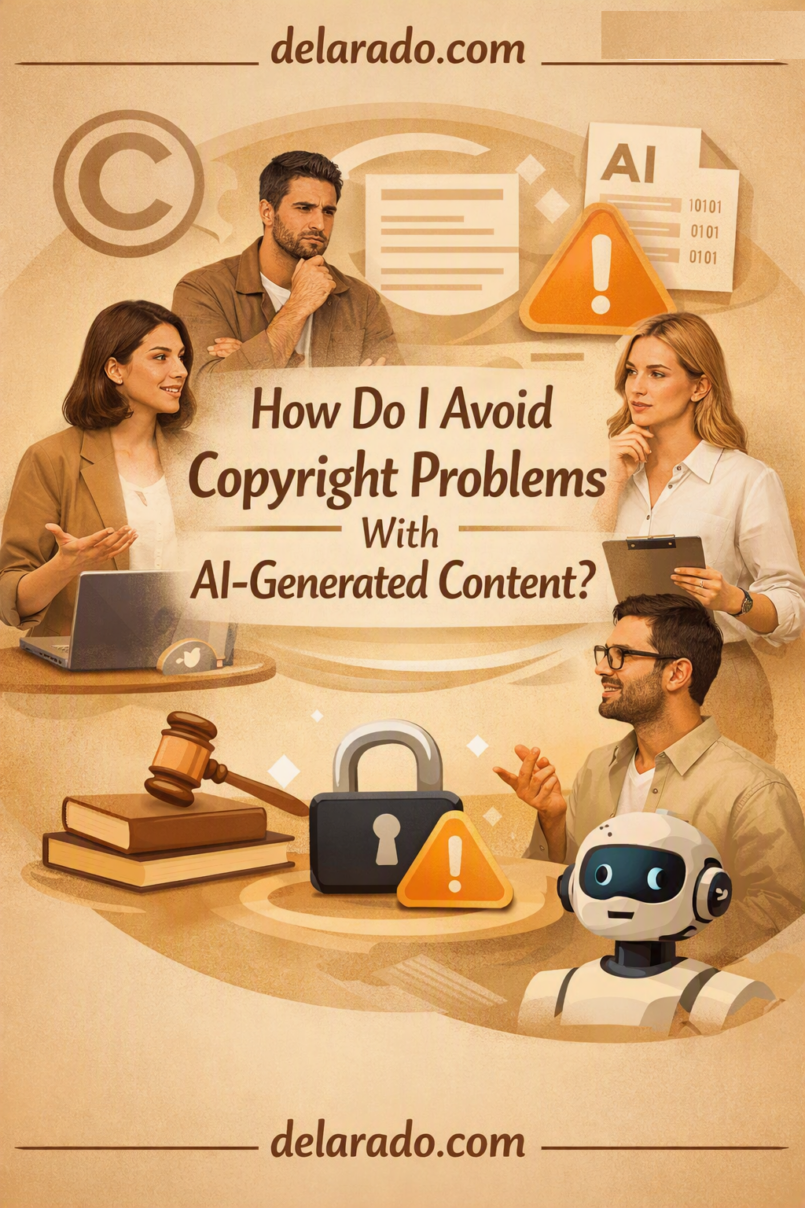
You can reduce copyright risk with AI-generated content by using authorized tools, creating original direction and edits, avoiding copied prompts and references, keeping records, checking license terms, and never presenting AI output as someone else’s work or as proof of something real that did not happen.
AI does not automatically make content copyright-safe. A generated image, video, script, voice, song, or design can still create risk if it copies protected material, uses an unauthorized reference image, imitates a living artist too closely, includes a trademark, uses a person’s likeness without permission, or violates a tool’s contract terms.
In the United States, the Copyright Office says AI-generated output is copyrightable only where a human author determines sufficient expressive elements. Human-authored selection, arrangement, or creative modification can be protected, but prompting alone generally is not enough. [1345][1346]
Start With the Right Mindset
Think of AI as a creative tool, not a legal shield. You are responsible for how you prompt, what you upload, which output you select, how you edit it, how you describe it, and where you publish it.
AI Can Create Risk Through:
- Copied or unauthorized reference images
- Artist-style imitation
- Trademarked logos and packaging
- Copyrighted characters and scenes
- Celebrity or public-figure likenesses
- Cloned voices
- Fake customer testimonials
- Misleading realistic images or video
- Unlicensed music or stock assets
- Violations of an AI tool’s terms
- Private or confidential uploaded material
- False claims made with polished visuals
Safer Principle
Create something new from your own ideas, brand direction, original materials, and human edits. Do not use AI to recreate someone else’s art, identity, brand, product, story, music, or evidence.
Copyright Is Only One Issue
Many AI-content problems are not strictly copyright problems. Review several rights and risks before publishing.
| Issue | Example Risk | Safer Approach |
|---|---|---|
| Copyright | Generating a close copy of an artwork, song, video, article, or character | Create original concepts and avoid copying protected expression |
| Trademark | Using a brand logo or confusingly similar packaging in marketing | Remove logos, brand names, and distinctive trade dress unless authorized |
| Right of publicity | Using a celebrity or private person’s likeness or voice without consent | Use authorized people, fictional designs, or generic non-identifying subjects |
| Privacy | Uploading customer photos, private messages, or internal data | Use only information and media you have permission to process |
| Contract terms | Using output commercially on a plan that permits personal use only | Verify the tool, model, stock asset, and account-plan terms |
| Consumer protection | Using AI images as fake testimonials or product proof | Use real, supportable evidence and clear disclosures |
| Platform policy | Posting realistic synthetic content without required disclosure | Follow each platform’s synthetic-media and metadata rules |
Copyright clearance is not the same as permission to use a real person, a brand, a customer story, a private image, or a misleading product claim.
Understand Human Authorship
Copyright protection in the United States requires human authorship. AI can assist human creativity, but a work generated entirely by AI may not receive copyright protection as a whole.
Human Contributions That May Matter
- Writing original text or script
- Creating original source artwork
- Making creative selections from outputs
- Arranging AI elements into an original composition
- Editing images or video manually
- Combining AI output with original photography
- Adding original design, typography, and layout
- Writing an original narration
- Creating original music or performance
- Making creative revisions that shape the final work
What May Not Be Enough by Itself
- Typing a simple prompt
- Choosing the first generated output
- Making minor automated changes
- Applying an AI filter without meaningful human editing
- Claiming authorship only because you paid for the tool
The U.S. Copyright Office states that prompting alone generally does not give a user sufficient control over the expressive elements of an AI output. It recognizes possible protection for sufficiently creative human selection, arrangement, or modification of AI-generated material. [1345][1346]
Use Original Creative Direction
Start with your own idea, audience need, content goal, composition plan, color palette, brand rules, and message. The more your work reflects human creative decisions, the less it relies on generic output or borrowed expression.
Original Direction Can Include:
- Your own campaign concept
- Your own customer education topic
- Your own visual brief
- Your approved brand palette
- Your original script
- Your own product photography
- Your own layout and typography
- Your own process diagrams
- Your own video editing choices
- Your own examples and case studies
Example: Safer Image Direction
Create a clean editorial illustration for a beginner website-launch guide. Use an abstract laptop, a checklist, a generic domain card, and a cloud-backup icon. Use navy, light blue, and yellow accents. Leave space for a headline. No logos, no readable text, no people, no brand names, and no imitation of a specific artist.
Higher-Risk Direction
Create a website-launch graphic in the exact style of [living artist], using the layout from [specific competitor’s campaign], with [well-known character] holding a laptop.
Describe visual characteristics instead of asking the tool to copy a named artist, brand, character, or existing artwork.
Do Not Copy Living Artists
Avoid prompts asking for “the exact style of” a living artist, illustrator, photographer, designer, filmmaker, or musician. Even if the tool allows the prompt, the output can create legal, ethical, client, and reputational risk.
Use Descriptive Alternatives
| Avoid | Use Instead |
|---|---|
| In the style of a named living watercolor artist | Soft watercolor texture, muted landscape palette, loose brushwork |
| Make it look like a specific graphic designer | Bold geometric editorial poster, limited palette, strong negative space |
| Copy this illustrator’s character design | Friendly original character with rounded shapes and simple line art |
| Sound exactly like a specific singer or narrator | Warm, clear, measured voice with a calm instructional tone |
| Make a scene from a named movie or show | Original futuristic city scene with rain, neon reflections, and a solitary traveler |
Describing qualities such as lighting, composition, medium, color, era, mood, or camera angle gives the tool direction without explicitly targeting an identifiable creator’s work.
Use Reference Images Carefully
Reference images can help guide style, layout, color, pose, or composition. Only upload content that you own, licensed, created yourself, or have permission to use with the AI tool.
Generally Safer References
- Your original photos
- Your original illustrations
- Your original sketches
- Your brand mood board
- Your logo and approved brand colors
- Client assets provided with permission
- Licensed stock images within the license scope
- Your own product mockups
- Original diagrams and layouts
Higher-Risk References
- Artwork found through image search
- Competitor advertisements
- Celebrity photos
- Movie screenshots
- Other creators’ social posts
- Paid stock images outside their allowed use
- Customer photos without permission
- Employee photos without permission
- Private family photos without consent
- Confidential documents or dashboards
Keep a record of where each important source asset came from and what permission or license supports your use.
Check Tool and Asset Licenses
Before using AI-generated content commercially, verify the terms that apply to the specific tool, plan, model, asset, and output type. A general statement that a platform supports “commercial use” may have important restrictions.
Questions to Ask
- Does my plan allow commercial use?
- Can I use the output in paid advertising?
- Can I use it for client work?
- Can I use it in a monetized YouTube video?
- Can I use it in a paid course?
- Can I use it on product packaging?
- Do I need to provide attribution?
- Do I own, license, or merely have permission to use output?
- Is the output exclusive or non-exclusive?
- Can I resell the output as a standalone asset?
- What restrictions apply to music, voices, stock assets, or templates?
- What rights do I give the tool when uploading source materials?
Keep Records Of:
- Tool name and plan
- Terms version or date
- Subscription invoice
- License certificate where available
- Prompt used
- Source assets uploaded
- Permission documents
- Generated output files
- Human edits and source files
- Final published work
Terms can change, so save a copy or dated record of the terms that applied when you generated or licensed important content.
Use Stock Assets Properly
AI and stock content are often combined in the same project. A license may allow commercial use inside a completed project but prohibit resale, redistribution, on-demand merchandise, or standalone downloads.
Appropriate Uses May Include:
- Using licensed music in an edited video
- Using licensed stock footage as B-roll
- Using a font in a completed client design
- Using a template as part of a customized presentation
- Using a stock photo in a blog post
- Using licensed illustrations inside a marketing campaign
Do Not Assume You Can:
- Resell the original asset file
- Give raw assets to clients for unrelated reuse
- Use an asset as a trademarkable logo
- Create print-on-demand merchandise without checking terms
- Bundle assets into a downloadable template
- Use stock people as fake customers
- Use stock footage as documentary evidence of your business
Read the license for each source asset. “Commercial use” is not always the same as unlimited use in every context.
Do Not Use AI to Impersonate
Do not use AI to make a real person appear to say, do, endorse, review, purchase, promote, or experience something they did not.
Do Not Create:
- Celebrity endorsements
- Fake customer testimonials
- Fake employee statements
- Fake expert recommendations
- Political endorsements
- Cloned voices without consent
- Deepfake interviews
- Fake product-review videos
- Fake social-media messages
- Fake before-and-after results
Safer Alternatives
- Use your own voice
- Use an authorized library voice
- Use a clearly fictional avatar
- Use real customer testimonials with permission
- Use real experts who approve the wording
- Use original illustrations instead of realistic people
- Use a clearly labeled example scenario
Even if no copyright issue exists, impersonation can trigger privacy, publicity, consumer-protection, platform-policy, or defamation concerns.
Do Not Use AI as Fake Evidence
A generated visual can be attractive and persuasive, which makes it especially important not to use it as fake proof. If an image looks like a real photo, viewers may assume it shows something real.
Do Not Present AI Content As:
- A real customer
- A real review
- A real employee
- A real business location
- A real product demonstration
- A real event
- A real news image
- A real scientific result
- A real financial result
- A real before-and-after transformation
Use Clear Labels When Needed
- AI-generated illustration.
- Concept image for illustrative purposes.
- This scene is AI-generated and does not depict a real event.
- Illustration only; product appearance may vary.
- Fictional example for educational purposes.
Use real photography, actual screen recordings, real product footage, and authorized testimonials when you make factual claims about people, products, events, locations, or results.
Disclose Realistic Synthetic Content
Some platforms require disclosure when realistic synthetic content could make viewers think they are seeing a real person, place, scene, or event. Use the platform’s disclosure setting and clear on-screen language where appropriate.
Disclosure May Be Appropriate When Content:
- Shows a realistic AI-generated person
- Uses a cloned or realistic synthetic voice
- Depicts a realistic event that did not happen
- Shows a fictional business location as realistic footage
- Uses a realistic AI avatar
- Creates a realistic product visualization
- Alters a real person’s image or voice
- Could be mistaken for news, documentary, or evidence
YouTube says it requires creators to disclose altered or synthetic content when the content is realistic, including AI-generated media that could be mistaken for something real. [1092]
Keep a Creation Record
A simple recordkeeping system can make it easier to answer client questions, respond to platform claims, document permissions, and understand what human work went into the final result.
Suggested AI Asset Record
| Field | What to Record |
|---|---|
| Project name | The specific campaign, video, article, course, or client deliverable |
| Tool and plan | AI tool, model, account plan, and relevant terms date |
| Prompt | The final prompt and key variations used |
| Reference assets | Source files, origin, and proof of permission or license |
| Generated files | Selected outputs and version names |
| Human edits | Design changes, copywriting, arrangement, retouching, narration, and editing |
| Licenses | Tool terms, stock licenses, music licenses, voice permissions, client rights |
| Disclosure | Any platform setting or on-screen language used |
| Final use | Where the asset was published and when |
For a major campaign, keep the final exported media, editable source file, original assets, signed permissions, license records, and publication screenshots together.
Build a Human Editing Layer
Do not publish raw AI output when the project matters. Add human authorship, accuracy checks, and editorial judgment.
For AI Images
- Select the best version
- Remove unwanted logos or gibberish
- Add verified text manually
- Apply your own layout and brand system
- Combine with original photography where appropriate
- Label as illustrative when needed
For AI Video
- Write or heavily revise the script
- Add original narration or authorized voiceover
- Use original screen recordings or product footage
- Review every visual claim
- Add captions and disclosures
- Check music, footage, and template licenses
For AI Writing
- Fact-check all claims
- Add original examples and experience
- Remove generic filler
- Quote and cite sources properly where needed
- Check for copied language
- Verify product, legal, health, and financial details
For AI Audio
- Use an authorized voice
- Confirm commercial-use terms
- Do not imitate real people
- Review pronunciations and claims
- Add disclosure when synthetic audio could mislead
The Copyright Office says that use of AI assistance or inclusion of AI material does not bar copyrightability of a larger work where sufficient human-authored expressive elements exist. [1345][1346]
Responding to Copyright Claims
If you receive a complaint, takedown notice, platform claim, or client concern, do not ignore it or assume AI output is automatically safe.
Initial Response Steps
- Preserve the original files, prompts, source assets, licenses, and publication details
- Identify the exact content being challenged
- Review the relevant tool, asset, and platform terms
- Compare the challenged material with your source files and output
- Pause or remove the content if appropriate while reviewing
- Do not make public admissions or accusations without understanding the facts
- Seek legal advice for material claims, lawsuits, repeat complaints, or high-value projects
Do Not:
- Delete evidence before reviewing the issue
- Assume “AI made it” is a defense
- Send aggressive legal responses without advice
- Reuse the same disputed content elsewhere
- Ignore platform deadlines
- File a counter-notice unless you understand the consequences
A copyright claim can involve deadlines and legal consequences. Seek qualified legal advice before filing formal responses, especially a counter-notification.
Practical Pre-Publish Checklist
Ownership and Permissions
- Did I create this source material myself?
- If not, do I have a license or written permission?
- Did I upload any confidential or private content?
- Do I have model or voice consent where needed?
- Does my AI plan allow commercial use?
- Do I have the relevant stock, font, music, or template licenses?
Creative Originality
- Is the idea my own?
- Did I avoid copying a living artist, brand, character, or creator?
- Did I make meaningful human edits?
- Did I add original copy, design, narration, or arrangement?
- Does the final work reflect my own creative direction?
Accuracy and Honesty
- Does the content make factual claims?
- Are those claims verified?
- Could viewers think a generated image or video is real?
- Is a disclosure needed?
- Does the content create a false customer, product, event, or result?
- Does the title, thumbnail, caption, and description match the content?
Platform and Client Requirements
- Does the destination platform require AI disclosure?
- Does the client require asset records?
- Have I saved licenses and source files?
- Does the output comply with ad-platform rules?
- Are affiliate or sponsorship disclosures required?
Common Mistakes
Assuming AI Output Is Automatically Copyright-Free
AI output can still create copyright, trademark, publicity, privacy, contract, and consumer-protection risks. Review the full context of the project.
Using “In the Style Of” Prompts
Avoid asking AI to imitate a living artist, illustrator, photographer, designer, musician, filmmaker, or voice actor. Describe visual or audio attributes instead.
Uploading Images Without Permission
Only upload reference images, customer photos, employee photos, private screenshots, product materials, and creative work you own or are authorized to use.
Using Celebrity or Customer Likenesses
Do not generate images, voices, or videos that suggest a real person endorsed, purchased, reviewed, or used your product without permission.
Using AI Images as Fake Proof
Do not present generated images as real customers, real offices, real products, real events, real performance results, or real documentary footage.
Ignoring Tool Terms
Do not assume a free plan allows commercial use or that a paid plan grants exclusive rights. Review the current terms for your exact account and intended use.
Failing to Save Records
Keep prompts, source assets, permissions, licenses, human edits, and final files. This is especially important for client projects, advertising, and high-value content.
Using Unlicensed Music
Music, sound effects, fonts, templates, video clips, and stock assets have separate licenses. Confirm rights for the exact project and platform.
Ignoring Synthetic-Media Disclosures
When realistic AI content could mislead viewers, use appropriate labels and platform disclosure tools. YouTube requires disclosure for applicable realistic altered or synthetic content. [1092]
Claiming Full Copyright in Wholly AI Output
In the United States, fully AI-generated material may not be copyrightable. Focus on documenting and protecting your meaningful human contributions, not making broad ownership claims about raw AI output. [1345][1346]
Frequently Asked Questions
Can AI-generated content infringe copyright?
Yes. Risk can arise when output copies protected expression, is generated from unauthorized references, imitates protected work too closely, includes copyrighted characters, uses unlicensed media, or is published contrary to a tool’s terms.
Do I own AI-generated content?
Your contractual rights depend on the AI tool’s terms. Separately, in the United States, copyright protection depends on human authorship. The Copyright Office says AI output can be copyrightable only where a human determines sufficient expressive elements, such as through creative selection, arrangement, or modification. [1345][1346]
Is prompting enough to claim copyright?
Generally, no. The U.S. Copyright Office says that prompts alone do not usually provide enough control over the expressive elements of an AI output to establish human authorship. [1345][1346]
Can I use AI content commercially?
Possibly, if your tool, plan, model, and source assets permit commercial use. Check the current license terms, restrictions, attribution requirements, exclusivity limits, and platform policies before publishing commercially.
Can I use an artist’s style in an AI prompt?
It is safer to avoid prompts designed to imitate a living artist’s recognizable style. Describe general characteristics such as medium, color palette, composition, lighting, and mood instead.
Can I use AI-generated people in advertising?
Use caution. Do not present an AI-generated person as a real customer, employee, expert, reviewer, or product user. If the person appears realistic and could confuse viewers, clearly identify the image or video as AI-generated or use a clearly illustrative style.
Can I use AI-generated music in commercial videos?
Only if your music-generation tool and account plan permit the intended commercial use. Check terms for YouTube, client work, advertising, streaming, standalone music distribution, and monetization.
Do I need to disclose AI-generated content?
Disclosure is especially important when realistic synthetic content could be mistaken for a real person, event, location, product demonstration, or result. Follow each platform’s rules; YouTube requires disclosure for applicable realistic altered or synthetic content. [1092]
What records should I save?
Save prompts, source assets, proof of permission, tool and plan details, licenses, generated files, human-edited source files, final exports, disclosures, and publication details.
What should I do if I receive a copyright claim?
Preserve records, identify the exact disputed material, review relevant licenses and terms, consider pausing the content, meet platform deadlines, and seek qualified legal advice before making formal legal responses or filing a counter-notice.