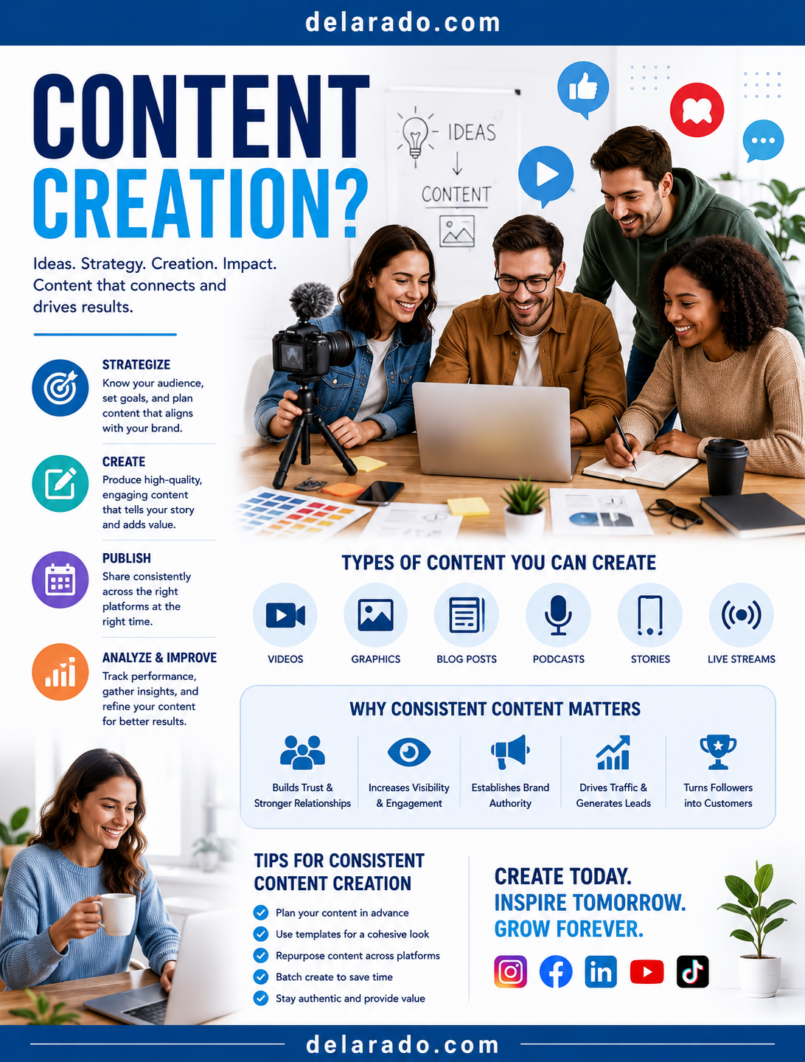
Content, video, and AI creation is the process of producing useful written, visual, audio, and video materials that help an audience learn, solve problems, make decisions, or understand your business. It can include blog posts, product reviews, tutorials, social media posts, short videos, YouTube videos, email newsletters, lead magnets, graphics, podcasts, webinars, and AI-assisted drafts.
For an online business, content is not only marketing material. It is an asset that can build trust, answer customer questions, improve search visibility, support social media, grow an email list, explain products or services, and give people a reason to return to your website.
AI can make content creation faster by helping with brainstorming, outlines, editing, image concepts, scripts, captions, and repurposing. However, AI should support human judgment—not replace it. The content still needs to be accurate, original, useful, transparent, and appropriate for the people you want to help.
Google states that appropriate use of AI or automation is not against its guidelines, but content should be original, high-quality, helpful, reliable, and created primarily for people rather than to manipulate rankings. [1090]
Who Is This Topic For?
This guide is for bloggers, affiliate marketers, small businesses, local businesses, freelancers, consultants, eCommerce sellers, course creators, social media managers, agencies, creators, YouTubers, and online entrepreneurs.
This Guide Is Helpful If You Want To:
- Create blog posts and pillar articles
- Make short-form videos for TikTok, Instagram, and YouTube Shorts
- Create long-form videos and tutorials
- Use AI to brainstorm and draft content
- Promote products or services
- Build an email list
- Grow website traffic
- Repurpose one idea into multiple formats
- Create lead magnets and digital products
- Build a content system for a business
What Is Content Creation?
Content creation is the process of planning, producing, publishing, and improving useful information for an audience. The content may educate, entertain, inspire, answer questions, explain an offer, demonstrate a product, or help someone complete a task.
Common Content Types
- Blog posts
- Pillar articles
- Product reviews
- Comparison guides
- How-to tutorials
- Short videos
- YouTube videos
- Instagram Reels
- TikTok videos
- Facebook posts
- LinkedIn posts
- Pinterest Pins
- Email newsletters
- Lead magnets
- Checklists and worksheets
- Webinars and live streams
- Podcasts
- Infographics and graphics
Simple Example
A website about beginner blogging creates a detailed article titled “How to Start a WordPress Blog.” That article becomes a YouTube tutorial, five TikTok videos, an Instagram carousel, several Pinterest Pins, a free Website Launch Checklist, an email sequence, and a social media content series.
One helpful idea can become a complete content system when it is adapted for different platforms and audience needs.
What Is AI-Assisted Content Creation?
AI-assisted content creation uses artificial intelligence tools to support tasks such as brainstorming, outlining, drafting, editing, summarizing, organizing research, creating images, generating captions, writing video scripts, turning long content into short content, and planning a content calendar.
AI Can Help With:
- Brainstorming article ideas
- Creating outlines
- Generating headline options
- Drafting video scripts
- Writing social media captions
- Summarizing your own notes
- Creating content calendars
- Repurposing blog posts
- Suggesting FAQ questions
- Improving grammar and readability
- Generating visual concepts
- Creating first drafts of graphics or presentations
AI Should Not Replace:
- Fact-checking
- Personal experience
- Expert judgment
- Legal or financial advice
- Medical or safety guidance
- Customer service judgment
- Original product testing
- Real testimonials
- Human review of claims
- Ethical business decisions
AI can create a first draft quickly, but it cannot verify whether the final content is accurate, current, suitable for your audience, legally compliant, or true to your business.
Benefits of Content, Video, and AI Creation
Builds Trust
Helpful content lets people see how you think, what you know, and whether your business understands their needs. Over time, this can build trust before someone buys, books, subscribes, or contacts you.
Supports Search Visibility
Useful articles, tutorials, reviews, and comparison guides can help people discover your website through search engines when they are looking for answers.
Supports Social Media Marketing
Blog posts and videos provide the raw material for Reels, TikToks, Pins, carousels, Stories, LinkedIn posts, emails, and other social content.
Creates Long-Term Marketing Assets
A useful article, video, checklist, or resource can continue helping people after it is published. Updating high-value content can extend its usefulness.
Improves Customer Education
Content can answer common questions before a customer contacts you. This can make consultations, sales conversations, onboarding, and customer support more efficient.
Helps Grow an Email List
Useful lead magnets such as checklists, templates, guides, worksheets, mini-courses, and webinars can turn anonymous visitors into email subscribers.
AI Can Save Time
AI can help reduce repetitive work, speed up brainstorming, organize ideas, create draft scripts, summarize long content, and repurpose materials into multiple formats.
Allows Content Repurposing
One detailed pillar article can become short videos, social posts, Pins, email content, checklists, webinar outlines, FAQs, and product education resources.
Risks and Limitations
AI Can Be Inaccurate
AI may invent facts, misstate product features, use outdated information, misunderstand context, or produce confident-sounding but incorrect statements. Verify every important claim before publishing.
Generic Content Can Harm Trust
Unedited AI content often sounds repetitive, vague, overly polished, or detached from real experience. Add original examples, clear opinions, firsthand knowledge, research, and practical context.
Mass-Produced Content Can Create Search Risk
Publishing large quantities of low-value content mainly to rank in search can violate search engine spam policies. Focus on fewer, stronger pieces that help real people.
Copyright and Licensing Matter
Do not use images, video clips, music, graphics, screenshots, text, or AI outputs without considering whether you have the right to use them. Review the terms of every tool and asset source.
Privacy Matters
Do not put customer information, private messages, payment details, medical information, addresses, screenshots of private data, or confidential business information into content without permission.
AI Images Can Mislead
Do not use synthetic images to create fake customer testimonials, fake product demonstrations, false business locations, fake employees, fabricated before-and-after results, or fake evidence of real events.
Disclosures May Be Needed
Affiliate links, sponsorships, gifted products, paid partnerships, and other material relationships should be disclosed clearly. Do not hide commercial relationships from your audience.
Realistic Synthetic Video May Require Disclosure
YouTube requires creators to disclose altered or synthetic content when it is realistic enough that viewers could mistake it for a real person, place, scene, or event. [1091][1092]
AI Cannot Build Real Relationships by Itself
Content can start a conversation, but customer trust comes from honest communication, reliable products, good service, clear policies, and human follow-through.
Step-by-Step Content Strategy
Step 1: Define Your Business Goal
Start with what you want content to accomplish. Content without a goal can create activity without creating business value.
Possible Goals
- Grow website traffic
- Build an email list
- Generate leads
- Book consultations
- Sell products
- Promote affiliate products transparently
- Build authority in a topic
- Support local business awareness
- Educate customers
- Improve customer onboarding
Goal Template
Create content that helps [specific audience] solve [specific problem] and encourages them to [relevant next action].
Example
Create content that helps beginner bloggers build WordPress websites and encourages them to join an email list for checklists, tutorials, and honest tool guides.
Step 2: Define Your Audience
Content works best when it is made for a real person or group. Avoid trying to create content for everyone.
Audience Questions
- Who is my ideal reader, viewer, or customer?
- What problem are they trying to solve?
- What level of experience do they have?
- What questions do they ask?
- What mistakes are they trying to avoid?
- What language do they use?
- What content format do they prefer?
- What action should they take after consuming my content?
Example Audience
A beginner blogger with a limited budget who wants to build a WordPress website, does not understand domains or hosting, and needs practical instructions without hype or complicated technical language.
Customer questions, comments, sales calls, support emails, reviews, Search Console data, and community discussions can reveal useful content topics.
Step 3: Choose Content Pillars
Content pillars are three to six core topics that your brand covers consistently. They help your website and social channels stay focused.
Example Content Pillars for a Beginner Blogging Website
- WordPress setup
- SEO and keyword research
- Blogging and content planning
- Email list building
- Website tools and reviews
- Beginner troubleshooting
Example Content Pillars for a Local Service Business
- Customer education
- Service explanations
- Common problems and solutions
- Seasonal tips
- Local community content
- Behind-the-scenes process content
Example Content Pillars for an eCommerce Business
- Product demonstrations
- How-to-use product tutorials
- Product care
- Customer FAQs
- Gift guides and seasonal content
- Customer stories with permission
Content pillars should align with your audience, products, services, and long-term goals.
Step 4: Research Content Topics
Choose content topics based on real audience questions and search behavior, not only on what you want to promote.
Topic Research Sources
- Google Search suggestions
- Google Search Console queries
- Customer emails
- Support tickets
- Sales calls
- Social media comments
- Direct messages
- Online forums and communities
- Competitor content gaps
- Keyword research tools
- Product reviews
- Frequently asked questions
Good Topic Questions
- What does my audience not understand?
- What mistakes do they make?
- What decision are they trying to make?
- What would help them take the next step?
- What questions do people ask before buying?
- What questions do customers ask after buying?
- What can I explain with firsthand experience?
Step 5: Choose the Right Format
Different topics work better in different formats. Match the content format to the audience need and platform.
| Audience Need | Useful Content Format |
|---|---|
| Detailed explanation | Blog post, pillar guide, YouTube tutorial |
| Quick answer | Reel, TikTok, Short, Story, FAQ post |
| Step-by-step process | Carousel, tutorial video, checklist, infographic |
| Product decision | Review, comparison, buying guide, demonstration video |
| Visual inspiration | Pinterest Pin, Instagram post, product photos, video |
| Professional insight | LinkedIn post, document post, webinar, case study |
| Lead generation | Landing page, checklist, template, worksheet, webinar |
| Customer support | FAQ, tutorial, email sequence, knowledge-base article |
Do not force every idea into video or every idea into a long article. Use the format that best helps the person understand and act.
Step 6: Create a Content Brief
A content brief is a plan for one piece of content. It helps you stay focused and makes the writing or production process faster.
Content Brief Template
- Working title
- Target audience
- Primary goal
- Main question to answer
- Content format
- Key points to include
- Examples or evidence needed
- Visuals needed
- Relevant internal links
- Call to action
- Affiliate or sponsorship disclosure needed
- Platforms where it will be repurposed
Example Brief
Title: How to Choose WordPress Hosting for Beginners
Audience: New bloggers building their first website
Goal: Help readers understand hosting options and encourage email signup for a Website Launch Checklist.
Format: Pillar article, YouTube tutorial, Instagram carousel, Pinterest Pins, and short video series.
Step 7: Create Helpful Written Content
Written content should answer the question in the title, use clear structure, provide accurate information, and give readers a useful next step.
Helpful Article Structure
- Direct answer or introduction
- Who the topic is for
- Benefits and limitations
- Definitions and context
- Step-by-step process
- Examples
- Tools or resources
- Common mistakes
- Frequently asked questions
- Relevant next step or related reading
Writing Checklist
- Answer the main question early
- Use descriptive headings
- Use short readable paragraphs
- Define technical terms
- Use examples
- Explain limitations honestly
- Link to relevant internal pages
- Use current facts
- Include disclosures when needed
- Review content on mobile
Do not create lengthy content simply to reach a word count. Make it as detailed as necessary to help the reader.
Step 8: Create Useful Video Content
Video can show a process, demonstrate a product, answer a question, tell a story, or provide a short lesson. Keep each video focused on one main idea.
Short Video Structure
Hook: Start with a problem, question, or benefit.
Value: Give one clear lesson, demonstration, or answer.
Call to action: Invite viewers to save, share, comment, follow, or visit a relevant resource.
Example
Hook: “Before you choose WordPress hosting, check these three things.”
Value: Explain support, backups, and growth options.
Call to action: “Save this video, then download the free Website Launch Checklist from the link in our profile.”
Video Content Ideas
- How-to tutorials
- Product demonstrations
- Customer FAQs
- Common mistakes
- Myth versus fact
- Behind-the-scenes content
- Comparison videos
- Checklists
- Quick tips
- Story-based lessons
Step 9: Create No-Face Content
You do not need to appear on camera to create useful content. Many businesses can make effective videos through demonstrations, screen recordings, text, voiceovers, and visual storytelling.
No-Face Content Ideas
- Screen recordings
- Hands-only product demonstrations
- Slides with voiceover
- Text-based short videos
- Website walkthroughs
- Product close-ups
- Animated graphics
- Before-and-after screen recordings
- Behind-the-scenes workspace clips
- Licensed stock footage with original commentary
Example
Record your screen while showing how to find low-competition keyword ideas. Add a voiceover, readable captions, and a call to action linking to the full keyword research guide.
Even no-face content should be original, accurate, useful, and easy to understand.
Step 10: Use AI for Brainstorming and Drafting
AI can help you work faster, but it should not become an automatic publishing system.
Useful AI Prompts
For Blog Ideas
Create 25 beginner-friendly article ideas for people learning WordPress. Focus on setup, hosting, content creation, SEO, email marketing, and website security. Avoid income claims and use a clear practical tone.
For Video Scripts
Write a 30-second short-video script for beginner bloggers explaining three things to check before choosing WordPress hosting. Start with a strong hook, use simple language, avoid guarantees, and end with a call to action for a free Website Launch Checklist.
For Repurposing
Turn this blog outline into five Instagram carousel ideas, five TikTok topics, three Pinterest Pin headlines, one LinkedIn post, and one email newsletter. Keep every idea accurate, useful, and appropriate for beginner bloggers.
For Editing
Review this draft for vague claims, repetitive wording, unclear explanations, unsupported statements, and missing beginner context. Suggest improvements without changing the meaning.
Use AI to create a starting point, then improve the content through human review and real experience.
Step 11: Fact-Check and Add Original Value
Before publishing, check every important claim. Add what AI cannot provide reliably: your firsthand experience, original examples, product testing, customer insights, documented process, and honest limitations.
Original Value Can Include:
- Your own screenshots
- Original product photos
- Real step-by-step examples
- Hands-on testing notes
- Transparent comparison criteria
- Customer questions
- Case studies with permission
- Original checklists
- Industry interviews
- Personal experience and lessons learned
Fact-Checking Checklist
- Are product features current?
- Are prices and plans accurate?
- Are statistics supported by reliable sources?
- Are links working?
- Are screenshots current?
- Are claims realistic?
- Have commercial relationships been disclosed?
- Does the content need a legal, financial, health, or safety disclaimer?
The FTC has taken action against deceptive AI-related practices, including services that enabled users to generate false and deceptive written reviews. Do not use AI to create fake testimonials, reviews, or endorsements. [512]
Step 12: Use AI Images and Video Ethically
AI images and video can be useful for abstract illustrations, concept art, visual backgrounds, presentation graphics, and creative ideas. They should not be used to falsely represent real people, real products, real events, or real customer outcomes.
Appropriate AI Visual Uses
- Abstract blog illustrations
- Decorative backgrounds
- Concept graphics
- Social media quote designs
- Visual metaphors
- Presentation graphics
- Storyboarding concepts
- Non-realistic educational illustrations
Uses to Avoid
- Fake customer testimonials
- Fake employee or team photos
- False product demonstrations
- Fake before-and-after results
- False office or store locations
- Fake news or real-world events
- Impersonating real people
- Creating a person’s likeness or voice without permission
- Misleading health, financial, legal, or safety evidence
Disclosure Example
Note: This image is AI-generated for illustration and does not depict a real customer, employee, location, or event.
Transparency is particularly important when a realistic image or video could cause viewers to mistake synthetic media for a real person, scene, place, or event.
Step 13: Disclose Synthetic or Altered Video
When realistic altered or synthetic media could mislead viewers, use platform disclosure tools and clear language. This is especially important for realistic AI voices, AI avatars, face swaps, fabricated events, altered locations, or content involving sensitive topics.
Consider Disclosure When Content Includes:
- A realistic AI avatar
- A synthetic voice that sounds human
- A clone of a real person’s voice
- A face swap or altered real person
- A realistic but fake scene
- AI-generated footage presented as real
- Altered footage of a real event
- Realistic synthetic product demonstrations
YouTube requires creators to disclose realistic altered or synthetic content that a viewer could easily mistake for a real person, place, scene, or event. [1091]
Simple Disclosure Example
This video contains AI-generated visual elements used for illustration. It does not show a real event, real customer, or real product result.
Always review the current disclosure requirements of the platform where you publish.
Step 14: Create a Content Calendar
A content calendar helps you organize blog posts, videos, social posts, campaigns, lead magnets, and promotions in advance.
Useful Calendar Columns
- Publish date
- Content title
- Content pillar
- Target audience
- Format
- Primary goal
- Keyword or topic
- Call to action
- Destination link
- Visual assets needed
- Disclosure needed
- Status
- Performance notes
Example Weekly Content Plan
| Day | Content | Format | Goal |
|---|---|---|---|
| Monday | How to Choose WordPress Hosting | Blog post | SEO traffic and email signups |
| Tuesday | Three Hosting Mistakes Beginners Make | Instagram Reel / TikTok | Reach and checklist promotion |
| Wednesday | WordPress Hosting Comparison Checklist | Instagram carousel | Saves and profile visits |
| Thursday | Hosting Setup Guide | Pinterest Pin | Website traffic |
| Friday | What Beginners Should Compare Before Buying Hosting | Email newsletter | Website visits and trust |
Start with a schedule you can maintain. One high-quality article and several repurposed posts can be more effective than daily low-value publishing.
Step 15: Repurpose Content
Repurposing turns one strong piece of content into several useful formats. This helps you save time and reach people who prefer different platforms.
Example Repurposing Map
Source article: How to Find Low-Competition Keywords
- Reel: “Do not choose keywords only by volume”
- TikTok: “One free way to find keyword ideas”
- Carousel: “Five Ways to Find Low-Competition Keywords”
- Pinterest Pin: “Keyword Research Checklist for Beginners”
- LinkedIn post: “Why high search volume is not always the best business opportunity”
- Facebook post: “What customers search before they contact your business”
- Email: “A simple way to find your next blog topic”
- Lead magnet: “Beginner Keyword Research Worksheet”
Adapt the content to each platform. Do not copy and paste the same post everywhere without considering format, audience, and purpose.
Step 16: Publish and Distribute
Publishing content is only one part of the process. Share it through appropriate channels where your audience is active.
Distribution Channels
- Website blog
- Email newsletter
- TikTok
- YouTube
- Relevant communities where sharing is allowed
- Partnerships and collaborations
- Podcast or webinar appearances
Distribution Checklist
- Share a useful summary, not only a link
- Adapt the message to the platform
- Use a relevant call to action
- Make sure the destination page works
- Use disclosures where needed
- Respond to legitimate comments and questions
- Track what content drives useful action
Do not spam communities or post links without context. Contribute useful information first and follow group or platform rules.
Step 17: Measure Results
Measure content based on the goal you set at the beginning. Different formats can have different success metrics.
Website Content Metrics
- Organic clicks
- Search impressions
- Time on page
- Internal link clicks
- Email signups
- Form submissions
- Product clicks
- Affiliate link clicks
Video Metrics
- Views
- Watch time
- Completion rate
- Likes
- Comments
- Shares
- Saves
- Profile visits
- Website clicks
Business Metrics
- Email subscribers
- Qualified leads
- Consultation bookings
- Quote requests
- Product sales
- Course enrollments
- Customer retention
- Revenue where accurately tracked
Questions to Ask
- Which topic earned the most useful engagement?
- Which format drove the most website traffic?
- Which article led to email signups?
- Which video led to profile visits?
- Which content attracted qualified leads?
- What questions should become future content?
- Which content should be updated or repurposed again?
Programs That Can Help
WordPress
WordPress can help publish blog posts, pillar pages, landing pages, product reviews, resource libraries, lead magnet pages, and business content.
Google Search Console
Google Search Console can help identify search queries, page impressions, organic clicks, indexing issues, and content opportunities.
Google Analytics
Google Analytics can help measure traffic sources, engagement, email signups, form submissions, sales, bookings, and other content-driven conversions.
Canva
Canva can help create social graphics, Pinterest Pins, Instagram carousels, lead magnet covers, presentation slides, infographics, thumbnails, and branded content templates.
CapCut
CapCut can help edit short-form video, create captions, add text overlays, record voiceovers, create transitions, and produce vertical video for Reels, TikTok, and Shorts.
Adobe Express
Adobe Express can help create graphics, edit videos, resize assets, add captions, remove backgrounds, and create branded social content.
ChatGPT and Other AI Writing Tools
AI writing tools can help brainstorm, outline, draft, edit, summarize, create scripts, generate captions, and organize content. Review all output carefully before publishing.
Descript
Descript can help edit audio and video, create transcripts, remove filler words, produce captions, and repurpose long video or podcast content into clips.
ElevenLabs and AI Voice Tools
AI voice tools can help create narration, but do not clone or imitate a real person’s voice without permission. Disclose synthetic or altered media when realistic content could mislead viewers.
Meta Business Suite
Meta Business Suite can help manage Facebook and Instagram content, messages, scheduling, ads, and performance insights.
YouTube Studio
YouTube Studio can help upload videos, manage comments, edit titles and descriptions, add thumbnails, review analytics, and use available disclosure tools for altered or synthetic content.
Notion and Google Sheets
Notion and Google Sheets can help organize content ideas, content briefs, editorial calendars, scripts, assets, workflows, links, and performance notes.
Common Mistakes
Creating Content Without a Clear Audience
Content created for “everyone” often feels vague. Define who the content serves and what problem it helps solve.
Publishing AI Drafts Without Review
AI output can include errors, generic statements, fabricated information, outdated details, or claims that do not fit your business. Edit and fact-check every piece.
Using AI to Create Fake Testimonials
Do not create fake reviews, fictional customers, fabricated results, or invented expert endorsements. The FTC has taken action involving AI-generated deceptive review content. [512]
Creating Content Only for Search Rankings
Do not create pages primarily to manipulate search rankings. Publish helpful, original, audience-focused content that provides real value.
Ignoring Copyright and Licensing
Do not assume any image, song, video clip, screenshot, AI output, or template is free to use commercially. Review licenses and permissions before publishing.
Using AI Visuals as Fake Evidence
Do not use AI images as fake customer photos, fake offices, fake team members, fake products, fake results, or fake event footage.
Not Disclosing Commercial Relationships
Disclose affiliate links, sponsorships, gifted products, paid partnerships, and other material relationships clearly and close to the endorsement.
Not Disclosing Realistic Synthetic Content
Use platform disclosure tools and clear language when realistic altered or synthetic media could cause viewers to mistake it for real people, events, or footage. [1091][1092]
Trying to Create Everything From Scratch
Use content repurposing. One detailed article can become videos, carousels, Pins, emails, checklists, posts, and a webinar.
Measuring Only Views and Likes
Track website visits, email signups, leads, bookings, sales, and customer quality—not only follower counts, views, or likes.
Frequently Asked Questions
What is content creation?
Content creation is the process of planning, producing, publishing, and improving written, visual, audio, or video materials that help an audience learn, solve problems, make decisions, or understand a business.
Can I use AI to create blog posts?
Yes. AI can help with brainstorming, outlines, drafts, and editing. However, you should review every article for accuracy, originality, brand voice, current information, disclosures, and usefulness before publishing. [1090]
Can AI-generated content rank on Google?
Content can appear in Google Search regardless of how it was created, but Google emphasizes helpful, reliable, people-first content. AI does not guarantee rankings, and low-value automated content created mainly to manipulate rankings can create risk. [1090]
What type of content should a small business create?
Small businesses can create customer FAQs, how-to tutorials, service explanations, product demonstrations, blog posts, checklists, short videos, local content, testimonials with permission, case studies, and lead magnets.
How often should I create content?
Create content at a pace you can maintain while keeping it useful and accurate. One detailed article, one video, and several repurposed social posts per week or month can be more effective than publishing high volumes of weak content.
Do I need to show my face in videos?
No. You can create screen recordings, voiceover tutorials, text-based videos, hands-only demonstrations, product videos, slides, animations, website walkthroughs, and licensed visual content.
Can I use AI-generated images for my business?
Yes, for appropriate uses such as abstract illustrations, backgrounds, visual concepts, and graphics. Do not use AI images to misrepresent real people, customers, products, business locations, events, reviews, or results.
Do I need to disclose AI-generated videos?
You should disclose realistic synthetic or altered video when it could mislead viewers. YouTube requires disclosure for realistic altered or synthetic content that could be mistaken for real people, places, scenes, or events. [1091]
How do I repurpose one blog post?
Extract the main answer, steps, FAQs, mistakes, examples, and checklists. Turn them into Reels, TikToks, carousels, Pinterest Pins, LinkedIn posts, Facebook posts, email content, lead magnets, and video scripts.
What is the best AI content tool?
The best tool depends on your workflow. Use writing tools for drafts and editing, Canva for graphics, CapCut for video, WordPress for publishing, and analytics tools to measure results. Choose tools that save time without reducing accuracy or trust.
How do I know whether content is working?
Track metrics connected to your goal: organic traffic, video watch time, social shares, profile visits, website clicks, email signups, qualified leads, bookings, product sales, and customer questions.
Further Reading
- How Do I Create Content That Builds Trust and Drives Sales?
- How Do I Use AI Without Publishing Low-Quality Content?
- How Do I Write a Blog Post That People Actually Want to Read?
- How Do I Turn a Blog Post Into a YouTube Video?
- How Do I Create Faceless Videos Ethically?
- Can AI Voiceovers Be Used for YouTube Videos?
- How Do I Create Short-Form Videos With CapCut?
- Is InVideo.io Good for Creating Marketing Videos?
- How Do I Edit Videos by Editing Text With Descript?
- How Do I Use Canva to Create Consistent Social Media Content?
- How Do I Create Video Thumbnails That Get Clicks?
- Is Synthesia.io Good for Business Videos and Online Courses?
- How Do I Use ElevenLabs for Video Voiceovers?
- How Can Kling AI Help Create Video Content?
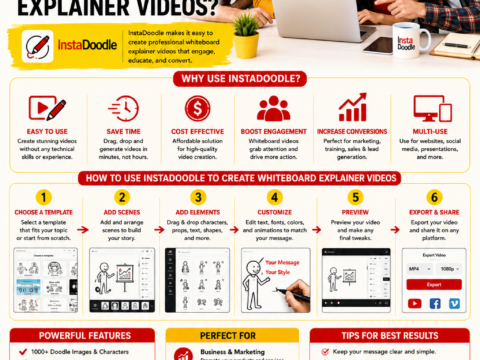
- How Do I Use InstaDoodle to Create Whiteboard Explainer Videos?
- How Do I Create Original AI Images With ImagineArt?
- Is Envato Worth Using for Commercial Design Assets?
- How Do I Add Captions and Transcripts to My Videos?
- How Do I Use Tube Claw AI Bundle for YouTube Marketing?
- How Do I Create a Content Plan Using AI?
- How Do I Avoid Copyright Problems With AI-Generated Content?
- Content Creation: A Complete Guide for Online Businesses