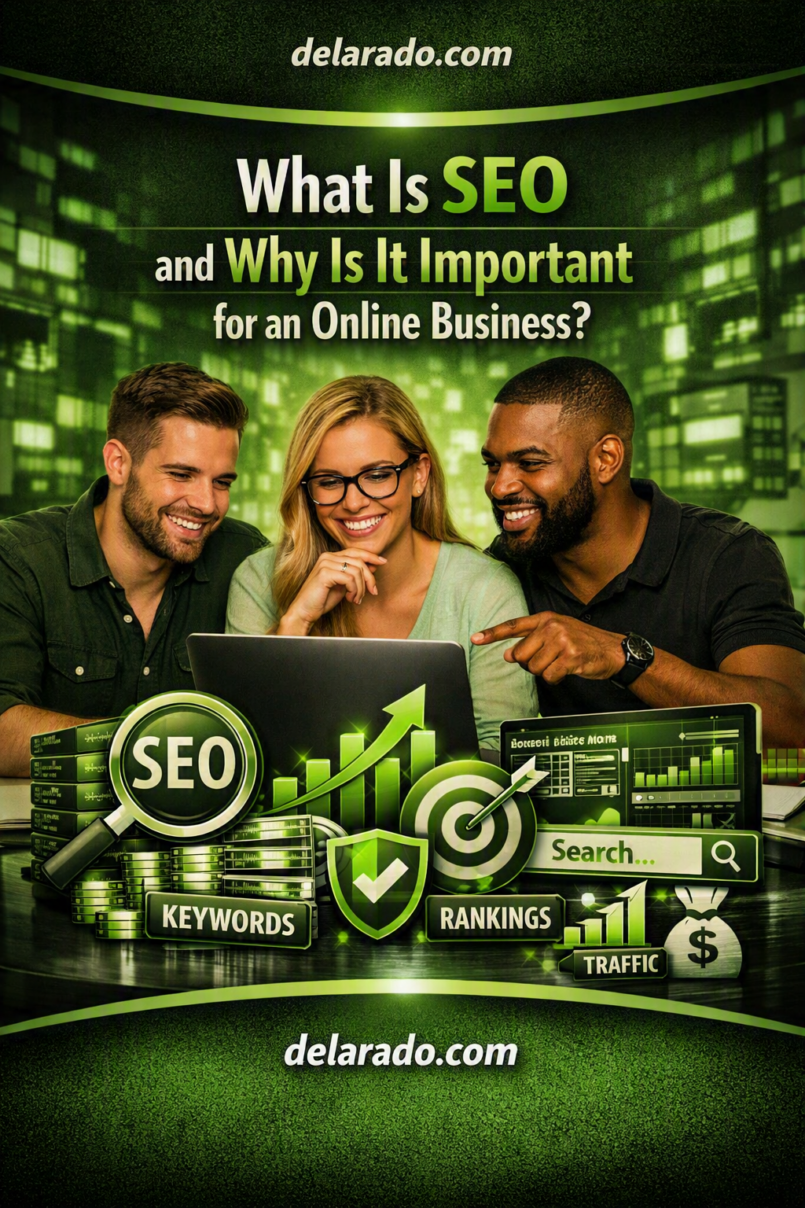
SEO, or search engine optimization, is the process of improving a website so search engines can find, understand, index, and potentially show its pages to people searching for relevant information, products, or services. For an online business, SEO matters because it can help the right audience discover your website without paying for every individual visit through advertising.
Good SEO is not about tricks, keyword stuffing, or guaranteeing a number-one ranking. It is about building a useful, technically accessible website that answers real questions, provides trustworthy information, and gives visitors a clear next step.
Google describes Search Essentials as the core requirements, spam policies, and best practices that help web content become eligible to appear and perform well in Google Search. However, Google does not guarantee that a page will be indexed or rank for a particular search. [194]
Who Is This Topic For?
This guide is for website owners, WordPress users, bloggers, affiliate marketers, freelancers, consultants, local businesses, online stores, creators, course sellers, service providers, and beginners who want to understand how SEO supports online visibility.
SEO Can Be Useful If You Want To:
- Get more visitors from Google and other search engines
- Build a blog or content website
- Promote a local service business
- Generate leads or quote requests
- Grow an email list
- Sell products, courses, or digital downloads
- Publish affiliate product reviews and comparisons
- Build long-term brand awareness
- Reduce dependence on paid advertising
- Create helpful resources for your audience
What Does SEO Mean?
SEO stands for search engine optimization. It includes the work involved in helping search engines access your website, understand its pages, and determine when those pages may be useful for a person’s search.
SEO involves several connected areas:
- Creating helpful content for a specific audience
- Researching the words and questions people search for
- Using clear titles, headings, URLs, and internal links
- Making the site mobile-friendly and secure
- Improving page speed and usability
- Helping search engines crawl and index important pages
- Building trust through accurate information and transparent business practices
- Measuring search traffic and improving pages over time
Simple SEO Example
A beginner searches Google for “how to start a WordPress blog.” A website publishes a detailed guide that explains domains, hosting, WordPress setup, essential pages, basic SEO, and common mistakes. If the page is useful, accessible, and relevant, it may become eligible to appear for related searches.
The business can then help the visitor take a relevant next step, such as reading another guide, downloading a checklist, joining an email list, booking a consultation, or viewing a relevant product recommendation.
How Search Engines Work
To understand SEO, it helps to understand the basic process search engines use before a page can appear in results.
1. Crawling
Search engines use automated programs, often called crawlers or bots, to discover pages across the web. They can find pages through links, XML sitemaps, previously known URLs, and other sources.
2. Indexing
After discovering a page, a search engine may process its text, images, videos, links, and other information. If the page is eligible, the search engine may store information about it in an index.
3. Serving Search Results
When someone performs a search, the search engine attempts to return results it considers relevant and useful for that query. Rankings can vary by search wording, location, device, language, freshness needs, personalization, competition, and many other signals.
Google explains its process as crawling, indexing, and serving search results. Not every page makes it through each stage. [737]
Why SEO Is Important for an Online Business
SEO Helps Customers Discover You
People often use search engines when they have a question, problem, product need, or service need. SEO can help your business appear when someone is actively looking for information related to what you offer.
SEO Can Create Long-Term Traffic
A useful article may continue attracting visitors long after it is published. Unlike a paid advertisement, where traffic generally stops when the budget stops, a strong content library can provide ongoing visibility.
SEO Builds Trust
Helpful articles, transparent product information, clear service pages, real examples, accurate comparisons, easy navigation, and honest policies can make visitors more comfortable working with or buying from your business.
SEO Supports the Customer Journey
Not every visitor is ready to buy immediately. SEO content can help people at different stages of their decision-making process.
- Early stage: “What is WordPress hosting?”
- Research stage: “Best WordPress hosting for beginner bloggers”
- Decision stage: “SiteGround vs DreamHost comparison”
- Action stage: “Buy WordPress hosting”
SEO Can Improve Marketing Efficiency
SEO can support your other marketing channels. A helpful blog post can be shared in email newsletters, Pinterest pins, YouTube descriptions, social media posts, lead magnet campaigns, and customer support messages.
SEO Gives You Audience Insights
Search data can reveal the questions people ask, the topics that bring visitors to your site, and pages that need improvement. This can guide future content, products, services, and customer support materials.
Benefits of SEO
More Relevant Website Traffic
SEO can attract visitors who are already searching for a topic related to your business. This is often more valuable than general traffic from people who have little interest in your offer.
Lower Reliance on Paid Ads
SEO does not eliminate the value of advertising, but it can reduce your dependence on paying for every click. A balanced marketing strategy may use organic search, email, referrals, partnerships, local marketing, and paid advertising where appropriate.
Better Website Structure
SEO encourages clear navigation, useful internal links, readable pages, mobile usability, and content organization. These improvements can help both search engines and real visitors.
Stronger Brand Awareness
When people repeatedly find helpful content from your business, they may remember your brand even if they do not act immediately.
Supports Leads and Sales
SEO can bring visitors to articles, product pages, service pages, comparison pages, local pages, and landing pages. Those pages can then encourage relevant next actions such as joining a newsletter, booking a call, requesting a quote, or making a purchase.
Useful for Many Business Models
SEO can support local businesses, eCommerce stores, affiliate websites, freelance services, online education, digital products, SaaS tools, nonprofit organizations, publishers, and personal brands.
SEO Risks and Limitations
SEO Takes Time
SEO is usually a long-term activity. New websites may take time to be crawled, indexed, and evaluated. Competitive topics can require significant content quality, expertise, reputation, and consistency.
No One Can Guarantee Rankings
Be cautious of anyone promising a guaranteed number-one Google ranking or instant traffic. Search engines control their own results, and rankings can change.
Low-Quality Content Can Hurt Trust
Publishing many thin, repetitive, inaccurate, or generic pages can create a poor visitor experience. Focus on useful content rather than publishing solely to increase page count.
Search Algorithms Change
Search engines regularly change how they interpret pages and present results. Build a site around helping people instead of relying on loopholes or temporary tactics.
Technical Problems Can Block Visibility
Broken pages, accidental noindex tags, poor mobile performance, blocked crawling, slow pages, duplicate content, insecure connections, and bad redirects can affect whether pages are accessible and useful.
SEO Is Not the Same as Revenue
More traffic does not automatically produce leads or sales. Your offer, pricing, user experience, trust signals, calls to action, customer service, and follow-up process also matter.
Step-by-Step SEO Process
Step 1: Define Your Business Goal
Start by identifying what you want your website to accomplish.
Possible Goals
- Generate local service inquiries
- Grow an email list
- Sell products or digital downloads
- Book consultations
- Promote affiliate products responsibly
- Build brand awareness
- Increase course enrollments
- Drive event registrations
Example Goal
This website helps beginner bloggers learn how to build WordPress websites and encourages them to join an email list for useful tutorials and resources.
Step 2: Identify Your Audience
Know who you are creating content for. A website that tries to help everyone often fails to answer anyone’s needs clearly.
Ask:
- Who is my ideal visitor?
- What problem are they trying to solve?
- What questions do they ask?
- What level of experience do they have?
- What words do they use to describe the problem?
- What would they need to trust my advice?
- What action should they take after reading?
Step 3: Research Search Topics and Keywords
Keyword research helps you identify the language people use in search engines. The goal is not to force keywords into a page. The goal is to understand what your audience wants and create the most useful response.
Keyword Research Sources
- Google autocomplete suggestions
- Google “People also ask” questions
- Google Search Console data
- Google Trends
- Customer emails and questions
- Comments on your content
- Forums and community discussions
- Competitor topic research
- Keyword research tools
Example
Broad topic: WordPress security
Specific article ideas: How to secure a WordPress login page, how often to back up a WordPress website, best WordPress security practices for beginners, and what to do if a WordPress website is hacked.
Step 4: Create Helpful, People-First Content
Create content primarily for people, not just to attract a search ranking. The content should answer the question, explain key steps, use clear language, and include relevant details a visitor needs to make progress.
Helpful Content Checklist
- Answer the main question early
- Use a descriptive title and clear heading structure
- Explain terms for beginners when needed
- Include practical steps
- Use real examples
- State limitations honestly
- Link to useful related pages
- Keep information accurate and updated
- Avoid unnecessary filler
- Give visitors a clear next step
Google’s guidance emphasizes creating helpful, reliable, people-first content, rather than content designed primarily to manipulate search rankings. [194][179]
Step 5: Optimize the Page Structure
Use a clear structure that helps both visitors and search engines understand the page.
On-Page SEO Checklist
- Use one clear primary topic per page
- Write a descriptive SEO title
- Use one clear H1 heading
- Organize sections with H2 and H3 headings
- Use readable URLs
- Include the topic naturally in the introduction
- Add useful images where appropriate
- Use descriptive alt text for images
- Link to relevant internal pages
- Add a helpful call to action
Example
Weak title: SEO Tips
Stronger title: What Is SEO and Why Is It Important for an Online Business?
Step 6: Build Internal Links
Internal links connect pages on your own website. They help visitors find related content and help search engines discover and understand the structure of your site.
Internal Link Examples
- Link from an SEO guide to a keyword research tutorial
- Link from a product review to a product comparison page
- Link from a blog post to a relevant service page
- Link from a pillar guide to more specific supporting articles
- Link from an email marketing article to a lead magnet page
Use descriptive anchor text. For example, write “learn how to find low-competition keywords” instead of “click here.”
Step 7: Improve Technical SEO Basics
Technical SEO helps make important pages accessible, secure, and usable. You do not need to be a developer to start with the basics.
Technical SEO Basics
- Use HTTPS
- Make the site mobile-friendly
- Use a reliable hosting provider
- Keep WordPress, themes, and plugins updated
- Fix broken links
- Use clear navigation
- Create an XML sitemap
- Set up redirects for changed URLs
- Avoid accidentally blocking important pages
- Check page speed and usability
Step 8: Set Up Google Search Console
Google Search Console is a free service that helps you monitor search performance and understand whether Google can find and index your pages.
Use Search Console To:
- Verify website ownership
- Submit an XML sitemap
- Check whether important pages are indexed
- View search clicks and impressions
- Find search queries bringing visitors to your site
- Identify crawl and indexing problems
- Monitor security issues
- Review mobile usability and other reports
Google notes that Search Console can help website owners monitor, maintain, and troubleshoot how a site appears in Google Search. [473]
Step 9: Promote Helpful Content
SEO does not mean you should wait passively for visitors. Promote your useful content through relevant channels where your audience already spends time.
Content Promotion Ideas
- Share new articles with email subscribers
- Create Pinterest graphics for visual topics
- Turn article sections into short videos
- Answer related questions on social media
- Participate helpfully in relevant communities
- Build partnerships with complementary businesses
- Create original resources people may want to share
- Update older articles and re-share them
Google recommends telling people about your website and being active in relevant communities where you can help people discover useful content and services. [194]
Step 10: Measure and Improve
SEO is an ongoing process. Review performance data, identify opportunities, update content, and improve pages that do not fully satisfy visitors.
Useful Metrics to Track
- Organic clicks
- Search impressions
- Top search queries
- Top landing pages
- Indexing status
- Email signups
- Form submissions
- Bookings or quote requests
- Product sales
- Affiliate link clicks
Questions to Ask
- Which pages attract the most organic visitors?
- Which queries have high impressions but low clicks?
- Which pages need clearer titles or descriptions?
- Which articles need updating?
- Which calls to action are working?
- Where are visitors leaving without taking action?
Programs That Can Help With SEO
Google Search Console
Google Search Console is a free tool for monitoring search visibility, indexing, crawl issues, security reports, and search queries. It is one of the first tools a website owner should set up.
Google Analytics
Google Analytics can help you understand where visitors come from, how they interact with pages, and whether they complete important actions such as email signups, contact forms, purchases, or bookings.
WordPress
WordPress is a flexible platform for publishing articles, pillar pages, landing pages, product reviews, service pages, and resource libraries. It is especially useful for content-focused websites that need long-term control.
Yoast SEO and Rank Math
Yoast SEO and Rank Math are WordPress plugins that can help manage titles, meta descriptions, XML sitemaps, schema settings, and basic on-page SEO checks. They are support tools, not automatic ranking tools.
SE Ranking
SE Ranking can help with keyword research, rank tracking, competitor research, website audits, backlink monitoring, and content planning. It may be useful for beginners and small businesses that want more SEO data in one platform.
Ahrefs and Semrush
Ahrefs and Semrush offer keyword research, competitor analysis, backlink research, rank tracking, and site audit tools. They can be powerful, but may be more expensive than a new website needs at the beginning.
Google Trends
Google Trends can help you compare search interest over time, identify seasonal topics, and explore related search ideas.
Canva
Canva can help create original blog graphics, lead magnet covers, Pinterest pins, simple charts, social media visuals, and other images that support content marketing.
Common SEO Mistakes
Expecting Instant Rankings
SEO takes time. Focus on publishing useful content, improving technical basics, and building a strong site over time instead of looking for quick guarantees.
Keyword Stuffing
Repeating a keyword unnaturally makes content difficult to read. Use relevant terms naturally while answering the visitor’s question fully.
Writing Only for Search Engines
Pages built only to attract clicks often fail to build trust. Create content for real visitors first, then apply sensible SEO practices.
Publishing Thin or Unedited AI Content
AI can assist with brainstorming, research organization, outlines, and drafts. However, do not publish generic or inaccurate output without review. Add expertise, fact-checking, original examples, clear explanations, and useful insight.
Ignoring Search Intent
Match the page to what the searcher wants. Someone looking for a how-to guide wants practical steps, while someone comparing products may need transparent features, pricing context, pros, cons, and alternatives.
Ignoring Technical Problems
A great article cannot perform well if search engines cannot access it or visitors cannot use it. Check indexing, page speed, HTTPS, mobile layout, redirects, and broken links.
Not Using Internal Links
Internal links help visitors explore your site and connect related content. Add them naturally whenever one article provides useful context for another.
Buying Low-Quality Backlinks
Buying large quantities of low-quality links or participating in link schemes can create risk. Focus on earning relevant mentions by making useful resources, building relationships, and contributing genuinely helpful content.
Ignoring Conversions
Traffic is not the only goal. Track whether visitors join your email list, contact you, request a quote, buy a product, or take the action that matters to your business.
Frequently Asked Questions
What does SEO stand for?
SEO stands for search engine optimization. It is the process of improving a website so search engines can discover, understand, index, and potentially rank it for relevant searches.
Is SEO free?
You can begin SEO with free tools such as Google Search Console, Google Analytics, Google Trends, Google Search suggestions, and WordPress. However, SEO requires time, content creation, website maintenance, and sometimes costs for hosting, software, design, or professional support.
How long does SEO take to work?
There is no fixed timeline. It depends on your website, topic, competition, content quality, technical health, search demand, and consistency. SEO should be treated as a long-term business activity rather than a quick result.
Can I guarantee a first-page Google ranking?
No. No one can honestly guarantee a first-page ranking because search engines control rankings and results can change. Focus on creating useful content and following best practices instead.
Do I need to know how to code to do SEO?
No. Beginners can handle many SEO basics, including keyword research, content planning, titles, headings, internal links, image alt text, Search Console setup, and content updates. More advanced technical issues may require a developer or SEO professional.
What is organic traffic?
Organic traffic is unpaid traffic that comes from search engine results. It does not include traffic from paid search advertisements.
What is a keyword?
A keyword is a word or phrase people enter into a search engine. It can be a broad term, such as “SEO,” or a specific phrase, such as “how to find low-competition keywords for a new website.”
What is search intent?
Search intent is the reason behind a person’s search. Common intents include learning something, comparing options, finding a specific website, purchasing a product, or finding a local service.
Can AI-written content rank in Google?
Google focuses on whether content is helpful, reliable, and created for people rather than whether it was created with a particular tool. AI output should still be reviewed for accuracy, originality, usefulness, and relevance. Content created mainly to manipulate rankings can violate spam policies. [194][179]
Do I need backlinks for SEO?
Relevant links from other websites can help search engines discover your pages and may contribute to how your site is understood. Focus on earning links naturally by creating valuable resources, building relationships, and offering useful expertise.
What is the best SEO tool for beginners?
Start with Google Search Console because it is free and provides direct information about your website’s performance in Google Search. You can add tools such as SE Ranking, Rank Math, Yoast SEO, or Google Trends as your needs grow.
How often should I publish SEO content?
Publish at a pace you can sustain without sacrificing quality. One detailed, accurate, useful article per week or month can be more valuable than publishing many low-quality pages.