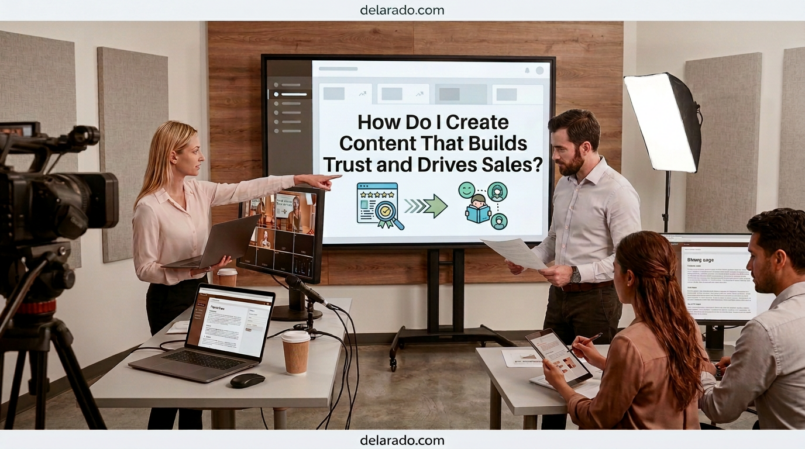
Content builds trust and drives sales when it helps the right person understand a real problem, make a better decision, and take a relevant next step. The strongest content does not pressure every visitor to buy immediately. It educates, answers questions, shows evidence, explains limitations, and makes it clear how your product or service may help.
Trust-building content is honest, specific, useful, and easy to verify. Sales-focused content gives people a clear path to act after they understand the value. When these two elements work together, content can support website traffic, email signups, consultations, product sales, affiliate clicks, and long-term customer relationships.
Google’s guidance emphasizes helpful, reliable, people-first content. For reviews specifically, Google recommends evidence of firsthand experience, such as visuals, audio, or links that support the authenticity of the reviewer’s experience. [1090][1101]
Who Is This Topic For?
This guide is for bloggers, affiliate marketers, small business owners, freelancers, consultants, local businesses, eCommerce sellers, course creators, agencies, service providers, and anyone using content to attract and convert an audience.
This Article Is Helpful If You Want To:
- Build more trust with website visitors
- Turn useful content into leads or sales
- Create better blog posts, videos, and landing pages
- Promote products or services without sounding pushy
- Create ethical affiliate content
- Improve product reviews and comparisons
- Get more email subscribers
- Generate consultation requests
- Improve customer education
- Build a long-term content marketing system
What Is Trust-Building Content?
Trust-building content helps people feel confident that your information, business, recommendation, product, or service is credible. It does this by answering questions honestly, showing how you know what you know, making important details clear, and avoiding exaggerated promises.
Trust-Building Content Often Includes:
- Clear explanations
- Accurate information
- Real examples
- Firsthand experience where relevant
- Transparent pros and cons
- Product or service limitations
- Clear pricing or pricing process
- Customer testimonials with permission
- Case studies with appropriate context
- About pages and author information
- Contact information
- Privacy Policy and Terms of Use
- Affiliate and sponsorship disclosures
- Clear next steps
Simple Example
Weak content: “This is the best website platform. It will make your business successful.”
Trust-building content: “This website platform may be a good fit for local service businesses that need a simple site, contact forms, and easy updates. It may be less suitable for companies that need complex eCommerce, advanced memberships, or highly customized integrations.”
The second version helps readers decide whether the product fits their situation rather than making a vague promise.
What Is Sales-Driving Content?
Sales-driving content helps a person move from interest to action. It explains the value of an offer, addresses common concerns, and gives a clear way to buy, book, request information, or take another meaningful next step.
Sales-Driving Content Can Include:
- Service pages
- Product pages
- Landing pages
- Product reviews
- Comparison articles
- Case studies
- Buying guides
- Webinars
- Email sequences
- Product demonstrations
- Free trials
- Consultation pages
- Lead magnets
- Frequently asked questions
Sales Content Should Answer:
- What is the offer?
- Who is it for?
- What problem does it help solve?
- What does the customer receive?
- How does it work?
- What does it cost or how is pricing determined?
- What are the limitations?
- What alternatives exist?
- What should the person do next?
Sales content should make the decision easier, not hide important details or create pressure through misleading claims.
Benefits of Trust-First Content
Creates Better Customer Relationships
People are more likely to return, subscribe, refer others, or buy when they feel your business gives clear, useful, and honest information.
Improves Lead Quality
Good content helps people understand whether your product or service fits their needs before they contact you. This can lead to more relevant inquiries and fewer mismatched expectations.
Supports Long-Term Sales
Not everyone buys after one article or video. Trust-building content gives people reasons to stay connected through your website, social media, and email list until they are ready.
Reduces Customer Confusion
Clear content can answer questions about pricing, setup, product features, service processes, timelines, refunds, support, and next steps before a customer reaches out.
Strengthens Reviews and Recommendations
Transparent product reviews, comparisons, tutorials, and case studies can help visitors make informed decisions and may support affiliate or product sales ethically.
Supports Search and Social Visibility
Helpful content can become a long-term resource that people find through search, share on social media, save for later, link to, or recommend to others.
Risks and Limitations
Trust Takes Time
One blog post, video, or social post rarely creates instant trust. Most people need repeated useful interactions before they are ready to buy or contact a business.
Content Does Not Replace a Good Offer
Great content cannot fix poor customer service, unclear pricing, weak products, broken checkout pages, slow delivery, or misleading policies. Your business must deliver what the content promises.
Overpromising Can Damage Trust
Guaranteed results, exaggerated income claims, fake urgency, manipulated before-and-after images, and vague “best ever” statements may bring attention but can harm your reputation.
Fake Proof Can Create Serious Problems
Do not create fake testimonials, buy reviews, invent case studies, or use AI-generated people as fake customers. These practices can be deceptive and may create legal or platform risk.
Not Every Visitor Is Ready to Buy
Some visitors need education first. Others are comparing options. Some are ready to act. Create content for different stages rather than pushing every person toward the same offer immediately.
Content Needs Updates
Product features, prices, policies, laws, availability, screenshots, and recommendations can change. Update high-value content regularly to keep it accurate.
Step-by-Step Trust and Sales Process
Step 1: Define Your Audience
Start with the people you want to help. Trust-building content is specific because it addresses a real audience and a real problem.
Audience Questions
- Who is my ideal customer or reader?
- What problem are they trying to solve?
- What level of experience do they have?
- What questions do they ask before buying?
- What concerns or objections do they have?
- What information would help them feel confident?
- What action should they take after reading or watching?
Example
A beginner blogger wants to start a WordPress website but feels overwhelmed by domain names, hosting, themes, plugins, SEO, and email marketing. They need practical, non-technical explanations and realistic next steps.
Step 2: Identify Customer Questions
Content should answer questions people genuinely have. Customer questions are often more valuable than generic content ideas because they reveal what may prevent someone from buying or taking action.
Question Sources
- Customer emails
- Sales calls
- Support tickets
- Social media comments
- Direct messages
- Product reviews
- Search engine suggestions
- Google Search Console queries
- Forums and communities
- Competitor reviews and FAQs
Examples of Trust-Building Questions
- How much does this service cost?
- Who is this product best for?
- What happens after I book a consultation?
- What are the limitations of this tool?
- What is included in the service?
- How long does the process typically take?
- What should I prepare before getting started?
- What alternatives should I consider?
Answer these questions honestly in articles, videos, FAQs, service pages, emails, and social posts.
Step 3: Create Content for Each Stage
Different people need different content depending on how close they are to taking action.
| Audience Stage | What They Need | Useful Content Types |
|---|---|---|
| Awareness | Understand a problem or opportunity | Blog posts, short videos, checklists, social content, beginner guides |
| Consideration | Compare options and understand solutions | Reviews, comparisons, case studies, tutorials, buying guides |
| Decision | Feel confident taking action | Service pages, pricing pages, demos, FAQs, testimonials, consultation pages |
| Customer success | Use the product or service successfully | Onboarding emails, tutorials, documentation, customer support content |
Example Content Path
Beginner blog post: “What Is WordPress Hosting?” → Comparison guide: “Shared Hosting vs Managed WordPress Hosting” → Review: “Best WordPress Hosting for Beginner Bloggers” → Landing page: “Start Your Website With a Beginner Hosting Checklist.”
Each page serves a different need and helps the visitor move forward at their own pace.
Step 4: Be Specific and Honest
Specificity builds trust. Explain what you do, who you help, what people receive, how your process works, and where your offer may not be the right fit.
Weak Claim
We create amazing websites that grow your business.
Stronger Claim
We design simple, mobile-friendly websites for local service businesses. Our process includes a service-focused homepage, contact forms, basic SEO setup, and pages that help customers understand how to request a quote.
Honesty Checklist
- Do not promise guaranteed outcomes
- Do not hide important limitations
- Do not use vague superlatives without support
- Explain what is included and excluded
- Use accurate pricing or explain the pricing process
- State who the product or service is not for
- Use current product information
- Correct errors when you find them
People may not buy immediately, but honest content can make them more likely to return when they are ready.
Step 5: Show Evidence and Experience
Show why a reader should trust your recommendation, review, or service. Evidence may include firsthand experience, original screenshots, examples, documented processes, case studies, data, or expert credentials.
Ways to Show Evidence
- Original screenshots
- Product demonstration videos
- Original product photos
- Behind-the-scenes process explanations
- Case studies with permission
- Real customer testimonials with permission
- Transparent review methodology
- Relevant qualifications or credentials
- Links to primary or official sources
- Clearly labeled personal experience
Example: Product Review
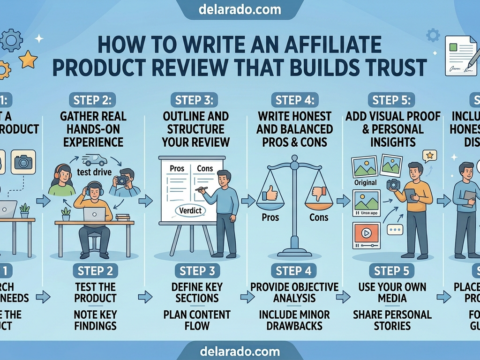
Instead of saying, “This is the best email marketing tool,” explain which plan you tested, what tasks you completed, what features were useful, what limitations you encountered, who it may be best for, and what alternatives may fit different needs.
Google’s review guidance encourages evidence of firsthand experience, including visuals, audio, links to experience, and original research or measurements where appropriate. [1101][1103]
Step 6: Use Testimonials Correctly
Testimonials can build trust when they are genuine, used with permission, and presented honestly. They should reflect the real customer experience and should not imply that every customer will receive the same result.
Good Testimonial Practices
- Get permission before using a testimonial
- Use the customer’s real words accurately
- Do not edit the meaning of the statement
- Include context when needed
- Do not imply typical results without support
- Do not create fake customer photos
- Do not pay for positive reviews without disclosure
- Do not suppress legitimate negative reviews
Testimonial Example
“The website checklist helped me understand which pages my local service business was missing. I used it to organize my first website redesign project.” — Customer, used with permission
Do not turn a testimonial into a claim that cannot be supported, such as “This checklist guarantees more customers.”
Step 7: Explain Your Process
People often trust businesses more when they understand how something works. Explain your process, what happens next, what you need from the customer, and how long key steps may take.
Process Content Ideas
- What happens after booking a consultation
- How a product is made or packaged
- How you test products before reviewing them
- How you create a custom service plan
- What is included in onboarding
- How long a project typically takes
- What customers should prepare
- How support works after purchase
Example
Our website design process begins with a short consultation to understand your services, audience, and priorities. Next, we organize the site structure, create a design draft, collect feedback, test the site on mobile, and provide launch support.
Clear process content can reduce uncertainty and help visitors decide whether they are ready to work with you.
Step 8: Create Clear Calls to Action
Trust-building content should guide visitors to a relevant next step. The call to action should match the topic and the person’s stage of decision-making.
Awareness Calls to Action
- Read the full guide
- Watch the tutorial
- Save this checklist
- Follow for more tips
- Share this with someone who needs it
Lead Generation Calls to Action
- Download the free checklist
- Join the email list
- Register for the webinar
- Get the comparison chart
- Request a free resource
Sales Calls to Action
- Request a quote
- Book a consultation
- View product details
- Compare plans
- Start a free trial
- Shop the collection
Example
After reading a guide about building a WordPress website, offer a free Website Launch Checklist. After a product comparison article, invite readers to view the product details or start a free trial.
Do not use the same hard sales call to action in every piece of content. Make the next step feel useful and relevant.
Step 9: Create Landing Pages That Match the Content
When a person clicks a content link, the landing page should continue the same conversation. A mismatch between the content and landing page can reduce trust.
Landing Page Checklist
- Headline matches the content promise
- Clear explanation of the offer
- Relevant benefits
- Simple call to action
- Clear pricing or pricing process
- Trust signals
- Mobile-friendly design
- Fast loading
- Working forms and buttons
- Privacy Policy link
- Terms, refund policy, or disclosure links where relevant
Example
Social post: “Get the Free WordPress Website Launch Checklist.”
Landing page: Explains exactly what the checklist includes, who it is for, and how to receive it—not a generic homepage.
Match the language, topic, and offer from the content to the landing page so visitors know they are in the right place.
Step 10: Build an Email Follow-Up System
People often need time before buying. Email follow-up allows you to continue helping after someone downloads a resource or joins your list.
Simple Welcome Sequence
- Deliver the promised resource
- Introduce your business and what subscribers can expect
- Share a useful tip related to the resource
- Explain a common mistake
- Offer a relevant product, service, or consultation
Example
- Email 1: Deliver the Website Launch Checklist
- Email 2: Explain three hosting mistakes beginners make
- Email 3: Share a guide to choosing a domain name
- Email 4: Explain basic WordPress security steps
- Email 5: Offer a relevant hosting comparison or website consultation
Do not overwhelm subscribers with promotions. Deliver useful information and make it easy to unsubscribe.
Step 11: Use Social Proof Responsibly
Social proof includes reviews, testimonials, customer stories, community engagement, expert mentions, media coverage, certifications, and documented results. Use it only when it is real and relevant.
Responsible Social Proof
- Verified customer testimonials
- Case studies with permission
- Real product reviews
- Authentic user-generated content
- Professional credentials
- Memberships or certifications you actually hold
- Media mentions with permission or accurate citation
- Relevant data with source information
Avoid:
- Fake reviews
- Purchased testimonials
- Invented customer counts
- Fake notification pop-ups
- Fabricated revenue screenshots
- Copied logos without permission
- Made-up endorsements
- AI-generated people presented as real customers
The FTC defines endorsements broadly as marketing messages that consumers are likely to believe reflect the opinions, beliefs, findings, or experiences of someone other than the sponsoring advertiser. [1100]
Step 12: Disclose Affiliate and Sponsored Relationships
If you earn commissions, receive payment, get free products, accept sponsorships, or have another material relationship with a brand, disclose it clearly and near the recommendation.
Affiliate Disclosure Example
Disclosure: This article may contain affiliate links. If you purchase through a qualifying link, I may earn a commission at no additional cost to you.
Sponsored Content Example
Sponsored by [Brand]. I received compensation to create this content. All opinions are my own.
Disclosure Best Practices
- Use clear, plain language
- Place disclosures near the endorsement
- Make disclosures visible on mobile and desktop
- Do not hide disclosures in a footer only
- Use visual and spoken disclosure for video where appropriate
- Do not use vague wording when you know you earn a commission
- Do not claim independence if you have a paid relationship
FTC standards describe a clear and conspicuous disclosure as one that is difficult to miss and easily understandable. When an endorsement is presented through visual and audible means, the disclosure should be presented in both forms. [1100]
Step 13: Use AI Without Losing Trust
AI can help create content efficiently, but trust depends on how you use it. Be transparent when needed, review output, and never use AI to mislead people.
Use AI for:
- Brainstorming ideas
- Creating outlines
- Drafting captions and scripts
- Improving readability
- Repurposing your own content
- Creating visual concepts
- Organizing research notes
- Planning a content calendar
Do Not Use AI for:
- Fake testimonials
- Fake customer photos
- Fabricated product testing
- Invented statistics
- False expert credentials
- Misleading before-and-after images
- Imitating a person’s voice without permission
- Creating deceptive health, financial, legal, or safety claims
AI Disclosure Example
Note: This illustration was created with AI for visual explanation and does not depict a real customer, employee, event, or product result.
AI can help improve efficiency, but it should not be used to create false evidence or manipulate consumer decisions.
Step 14: Measure Trust and Sales Results
Trust is not measured by one metric. Look at a combination of engagement, return visits, email behavior, customer questions, leads, sales, reviews, and retention.
Trust Signals to Monitor
- Time on page
- Return visitors
- Email replies
- Comments and meaningful engagement
- Saves and shares
- Customer questions
- Positive reviews
- Referral traffic
- Repeat purchases
- Customer retention
Sales and Lead Metrics
- Email signups
- Lead magnet downloads
- Contact form submissions
- Consultation bookings
- Quote requests
- Product purchases
- Affiliate link clicks
- Free trial starts
- Course enrollments
- Revenue where accurately tracked
Questions to Ask
- Which content earns the most useful engagement?
- Which topics lead to email signups?
- Which pages generate qualified leads?
- Which videos drive website visits?
- What objections appear repeatedly?
- Which questions need a clearer answer?
- Which content needs updating?
Use data to improve your content, but do not remove honesty or helpfulness simply because a sensational claim gets more clicks.
Content Examples That Build Trust
For a Local Service Business
- What happens during a service appointment
- How to prepare before requesting a quote
- Common customer questions
- Local service area information
- Team introductions
- Before-and-after process explanations with permission
- Seasonal maintenance checklists
- Clear pricing process explanation
For an Affiliate Website
- How products were tested
- Honest pros and cons
- Who the product is and is not for
- Comparison guides
- Alternatives articles
- Pricing explanations
- Setup tutorials
- Clear affiliate disclosures
For an eCommerce Store
- Product demonstrations
- Product care instructions
- Sizing or selection guides
- Customer reviews with permission
- Shipping and returns information
- Frequently asked questions
- Behind-the-scenes packaging or production
- Comparison guides
For a Consultant or Freelancer
- Case studies with permission
- Process explanations
- Client preparation checklists
- Professional FAQs
- Common mistakes in your industry
- Frameworks and guides
- Behind-the-scenes workflow examples
- Consultation expectations
Programs That Can Help
WordPress
WordPress can help publish articles, service pages, product reviews, landing pages, FAQ pages, resource hubs, lead magnets, disclosures, and customer education content.
Google Search Console
Google Search Console can help you identify questions people search for, monitor organic clicks and impressions, find high-opportunity pages, and improve content based on real search data.
Google Analytics
Google Analytics can help track website traffic, email signups, form submissions, purchases, bookings, and other actions that show whether content supports business goals.
Canva
Canva can help create graphics, product guides, social media carousels, lead magnets, checklists, infographics, presentation slides, and visual case studies.
CapCut and Adobe Express
CapCut and Adobe Express can help create short videos, add captions, create product demonstrations, edit tutorials, and prepare visual social content.
MailerLite, ConvertKit, Brevo, HubSpot, and ActiveCampaign
Email marketing platforms can help create signup forms, landing pages, lead magnets, welcome sequences, segments, and follow-up campaigns.
SE Ranking
SE Ranking can help with keyword research, competitor research, search visibility, content planning, rank tracking, and website audits.
Trustpilot, Google Reviews, and Other Review Platforms
Review platforms can help collect authentic customer feedback. Never create fake reviews, selectively suppress legitimate negative feedback, or incentivize only positive ratings.
CRM and Booking Tools
CRM and booking tools can help track leads, customer questions, follow-up activity, consultation requests, and sales outcomes connected to your content.
Common Mistakes
Writing Only to Sell
Content that only promotes your offer may not help people who are still learning or comparing options. Create useful education before asking for a sale.
Making Vague Claims
Replace phrases such as “best,” “game-changing,” or “guaranteed results” with clear explanations of what the product or service does and who it may help.
Hiding Limitations
Every product or service has limitations. Explain who may need an alternative or a different level of support.
Using Fake Testimonials
Do not invent customer quotes, create fake reviews, use stock photos as fake customers, or use AI-generated people as real testimonials.
Not Disclosing Affiliate or Paid Relationships
Disclose commissions, sponsorships, gifted products, and paid relationships clearly and close to the endorsement.
Publishing AI Content Without Human Review
AI may produce inaccurate, generic, outdated, or misleading content. Add fact-checking, original examples, and your own knowledge before publishing.
Using AI Images as False Evidence
Do not use synthetic visuals to claim customer results, product use, business locations, team members, or real events that did not happen.
Using the Wrong Call to Action
Match your call to action to the visitor’s stage. A beginner guide may need a checklist, while a comparison page may need a product page or consultation link.
Ignoring Customer Questions
Customer questions are a valuable source of content. Use them to improve FAQs, product pages, emails, videos, and social posts.
Not Measuring Results
Track trust and business metrics, including return visitors, email signups, lead quality, bookings, purchases, customer reviews, and retention.
Frequently Asked Questions
How does content build trust?
Content builds trust when it is accurate, useful, specific, transparent, and relevant to a real audience. It should answer questions honestly, show evidence where appropriate, explain limitations, and avoid misleading claims.
How does content drive sales?
Content can drive sales by helping people understand a problem, compare options, evaluate your offer, resolve objections, and take a clear next step such as downloading a resource, booking a consultation, starting a trial, or buying a product.
What content is best for building trust?
Helpful guides, tutorials, honest product reviews, comparisons, case studies with permission, customer FAQs, process explanations, product demonstrations, transparent pricing information, testimonials, and useful lead magnets can all build trust.
Can I use AI to create sales content?
Yes. AI can help brainstorm, outline, draft, edit, and repurpose content. You should still review all claims, add original value, verify facts, avoid fake evidence, and disclose commercial relationships where relevant.
Do I need testimonials to build trust?
Testimonials can help, but they are not the only trust signal. Clear service explanations, real examples, useful content, transparent policies, product demonstrations, qualifications, customer support, and honest limitations also matter.
Where should I put affiliate disclosures?
Place an affiliate disclosure near the beginning of content and close to affiliate recommendations or links. It should be clear, easy to notice, and understandable to ordinary readers or viewers. [1100]
How do I write content without sounding salesy?
Focus on helping the reader first. Explain the problem, give useful context, share practical steps, be transparent about limitations, and offer a relevant next step rather than forcing a sales message into every paragraph.
What should I measure to know if content is working?
Track traffic, email signups, lead magnet downloads, contact forms, consultation bookings, sales, affiliate clicks, repeat visits, comments, customer questions, reviews, and retention based on your business goal.
How long does content take to build trust?
There is no fixed timeline. Trust usually develops through repeated useful interactions, consistent information, reliable customer service, honest marketing, and a business that delivers what it promises.
Can helpful content improve SEO?
Helpful, people-first content can support search visibility because it better serves the needs of searchers. Rankings are not guaranteed and depend on many factors, including competition, search intent, technical accessibility, and content quality. [1090]