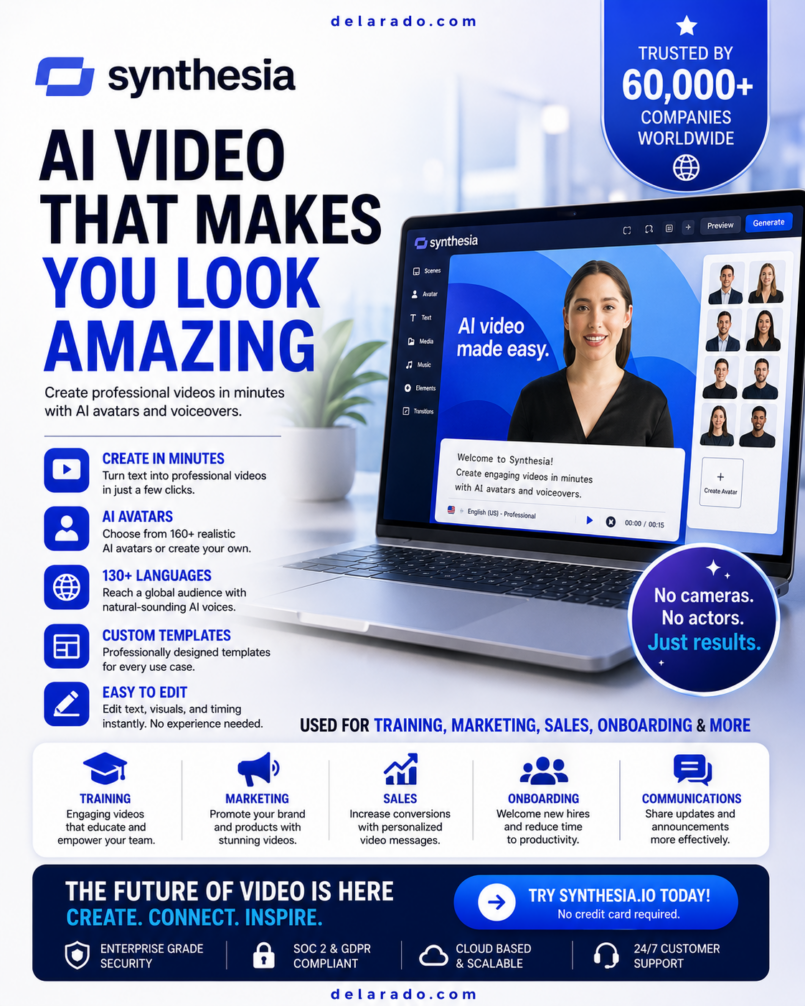
Quick verdict: Synthesia is a powerful AI video platform for businesses, educators, marketers, agencies, trainers, and content teams that want to create presenter-style videos without filming a human presenter for every project. It is especially useful for training videos, product explainers, internal communications, onboarding, tutorials, localized content, and scalable business video production.
Synthesia is not intended to replace every form of video production. A real person, professional camera crew, or custom animation may be better for highly emotional brand campaigns, cinematic storytelling, personal influencer content, and projects requiring complex live-action scenes. However, for repeatable, informative, script-led videos, Synthesia can save significant time and production effort.
What Is Synthesia?
Synthesia is an AI video-generation platform that lets users create videos from written scripts. Instead of recording a person on camera, users can choose an AI avatar, select a voice and language, add a script, customize scenes, include visuals, and generate a finished video.
The platform is commonly used to create informative, presenter-style videos. These can include employee-training modules, software tutorials, product walkthroughs, customer-support videos, onboarding content, sales enablement assets, internal company announcements, educational lessons, and multilingual business communications.
The key idea is simple: write the message, choose how it should look and sound, then generate a video without arranging a camera shoot for every update. This can be especially valuable for teams that need to update content frequently or create versions of the same message for different audiences.
What Is the Purpose of Synthesia?
The purpose of Synthesia is to make professional-looking business and educational video production more accessible, faster, and easier to scale. It reduces the need to coordinate presenters, cameras, studios, lighting, locations, reshoots, and editing for every script revision.
Instead of treating video as a high-cost, occasional production project, businesses can use Synthesia to make video part of their regular communication workflow. A training team can update a policy video, a software company can revise a product walkthrough, and a marketing team can create localized explainers without starting a full filming process from scratch.
Problems Synthesia Can Help Solve
- Creating videos when there is no on-camera presenter available
- Updating a video after product, policy, pricing, or process changes
- Producing training content at scale for employees or customers
- Creating product walkthroughs and software tutorials
- Making internal communication videos more engaging than text-only announcements
- Localizing video content for audiences that speak different languages
- Producing consistent presenter-led videos across departments or clients
- Reducing the time and cost associated with traditional video shoots
- Turning written knowledge-base material into more engaging visual content
- Testing video messages before investing in higher-cost production
Who Is Synthesia For?
Synthesia is best suited to people who need structured, informative, script-based videos. It can be useful for solo creators, but its strongest use cases are often found in business communication, learning and development, software education, marketing operations, and scalable multilingual content.
Synthesia Target Audience
- Businesses: Companies creating internal announcements, training resources, customer education, recruitment videos, and operational communications.
- Marketing teams: Teams producing product explainers, landing-page videos, sales videos, feature announcements, advertisements, and lead-generation assets.
- Course creators: Educators building lessons, module introductions, slide-based training, tutorials, and learning resources.
- Software companies: SaaS businesses creating onboarding videos, knowledge-base tutorials, feature walkthroughs, release updates, and customer-support content.
- Human-resources teams: Teams producing onboarding, policy, compliance, benefits, safety, and workplace-training videos.
- Agencies: Marketing, localization, training, and content-production agencies creating videos for multiple clients.
- Affiliate marketers: Publishers creating software tutorials, tool walkthroughs, educational content, comparison videos, and product explainers.
- eCommerce brands: Businesses creating product demonstrations, customer education videos, post-purchase guides, and international marketing assets.
- Global organizations: Teams that need video content translated or adapted for audiences in multiple countries.
Who May Not Need Synthesia?
- Creators who want cinematic, highly emotional, documentary-style, or influencer-led videos
- Users who only need simple slideshow videos without an AI presenter
- Businesses that need advanced live-action product filming, physical demonstrations, or location-based footage
- People who need unlimited, high-volume video production but do not have the budget for a suitable plan
- Anyone intending to create deceptive content, impersonate another person, or use an avatar without appropriate authorization
Benefits of Synthesia
1. Faster Video Production
Synthesia can shorten the production process for script-based videos. Instead of booking a presenter and recording multiple takes, users can revise the written script and generate an updated video. This is helpful when content changes frequently.
2. Reduced Filming Costs
Traditional video production can involve cameras, microphones, lighting, studios, presenters, editors, travel, and reshoots. Synthesia can reduce or eliminate some of those production steps for appropriate video types.
3. Consistent Brand Communication
Using approved templates, colors, fonts, scenes, and avatars can help a team maintain a more consistent visual style. This can be useful for businesses producing training, marketing, sales, or support videos across multiple departments.
4. Easier Content Updates
When an offer, software interface, policy, or process changes, the written script can be updated and the video can be regenerated. This is often easier than scheduling a new production session for a small change.
5. Multilingual Video Opportunities
Translation and dubbing tools can help businesses adapt content for more audiences. Every translated version should still be reviewed for terminology, accuracy, cultural meaning, pacing, and correct pronunciation.
6. More Accessible Communication
Video can help people absorb information through visual and spoken formats. Add captions, clear audio, readable on-screen text, downloadable transcripts, and a logical structure to make videos more useful for a wider audience.
7. Scalable Training and Onboarding
Training teams can create repeatable lessons for employees, contractors, partners, customers, or students. A library of short, focused videos can be easier to update and organize than a long document with no visual explanation.
8. Useful for Remote Teams
Remote organizations often need better ways to communicate updates, explain procedures, and support new team members. Synthesia can make internal communication more personal and engaging than long text-only messages.
How to Use Synthesia: Step-by-Step
- Create an account: Choose the available plan that fits your expected video volume, team size, branding needs, and commercial requirements.
- Define the video goal: Decide whether the video is for training, onboarding, customer support, product education, marketing, a course, or internal communication.
- Write a clear script: Use simple language, short sentences, natural transitions, and one main purpose per video.
- Choose a template: Start with a relevant template or create a blank project that matches the message and visual style.
- Select an AI avatar: Choose an avatar that fits the audience, topic, language, and brand tone.
- Select a voice and language: Review voice options and generate a short sample before producing the complete project.
- Create scenes: Divide the script into short sections and use one clear idea per scene.
- Add visual support: Include screen recordings, product images, icons, charts, slides, screenshots, captions, and licensed media where appropriate.
- Review the video: Check pronunciation, pacing, lip synchronization, on-screen text, brand colors, image quality, and factual accuracy.
- Generate and export: Produce the video when the draft is approved, then export it in the appropriate format for the publishing platform.
- Add captions and a transcript: Captions improve usability, while transcripts help people read, search, and understand the content.
- Publish and measure results: Track completion rates, viewer retention, clicks, leads, support-ticket reduction, course completion, and other relevant outcomes.
Best Script Structure for a Synthesia Video
- Hook: State the problem, outcome, or reason to keep watching.
- Context: Explain what the video will cover and who it helps.
- Main steps: Present the information in a clear, logical order.
- Visual support: Add screenshots, product demonstrations, slides, examples, or diagrams.
- Recap: Repeat the most important point in a concise way.
- Call to action: Tell viewers what to do next, such as start a trial, read a guide, book a demo, complete a lesson, or contact support.
How to Make Money With Synthesia
Synthesia is a production tool, not a guaranteed income source. It can support revenue-generating services and content when combined with a valuable offer, useful expertise, ethical marketing, strong client communication, and consistent distribution.
1. Offer AI Training Video Services
Create training videos for small businesses, online educators, human-resources teams, consultants, coaches, software companies, and franchises. A service package can include script writing, video design, avatar selection, captions, visual assets, revisions, and delivery.
2. Create Product Explainer Videos
Many businesses have products or services that are difficult to explain in text alone. Offer short explainer videos for websites, landing pages, software tools, eCommerce stores, presentations, and sales funnels.
3. Build Course Content
Create educational modules, tutorials, lesson introductions, product training, downloadable guides, and membership content. Strong course content should include original expertise, clear outcomes, examples, exercises, and accurate information.
4. Create Content for Local Businesses
Local businesses may need welcome videos, service explainers, appointment preparation videos, staff-training modules, FAQ videos, and review-request videos. These assets can be sold as individual projects or recurring monthly packages.
5. Offer Video Localization Services
Help businesses adapt their existing videos for new language audiences. A professional localization service can include translation review, dubbing, subtitles, scene adaptation, terminology checks, and quality assurance.
6. Create Internal Communication Videos
Organizations often need clear videos for new policies, workplace procedures, safety training, software changes, benefits information, and company updates. These projects can be sold to human-resources, operations, and learning-and-development departments.
7. Create Affiliate Marketing Tutorials
Publish honest tutorials, product walkthroughs, comparisons, and demonstrations about tools you have genuinely researched or tested. Disclose affiliate relationships clearly and avoid exaggerated earnings, performance, or results claims.
8. Sell Video Templates and Content Packages
Create reusable video concepts for niche audiences, such as real-estate agents, coaches, online stores, course creators, accountants, fitness professionals, or software companies. Sell a package that includes scripts, video templates, content calendars, and customization.
Example Client Offer
“Monthly AI Training Video Package”: Four short training videos each month, script editing, branded templates, captions, stock-media selection, two revision rounds, and final delivery for a company learning portal. Pricing should account for planning time, script length, revisions, commercial use, platform costs, and the complexity of the project.
Synthesia Key Features
AI Avatars
AI avatars are digital presenters that can deliver a script on screen. They are useful when a video needs a professional presenter format but recording a live person is not practical. Choose avatars carefully to fit the intended audience and brand tone.
AI Voices
Synthesia provides AI voice options that can narrate a script. Voice choice matters because pacing, accent, tone, language, and pronunciation can affect how credible and engaging a video feels.
Text-to-Video Creation
Text-to-video tools allow users to create a video from a written script. The script becomes the foundation of the project, while scenes, avatars, visual assets, layouts, and branding support the message.
Video Templates
Templates help users create videos faster by providing prebuilt scene layouts and design structures. They can be useful for training, marketing, product announcements, social-media content, onboarding, and internal communications.
Personal Avatars
Personal-avatar features can allow an approved individual to create a digital version of themselves for video generation. This can help business leaders, educators, and creators produce consistent videos without filming every script. Always use clear consent and follow platform requirements.
Custom Avatars
Custom avatars can give a company a more distinct on-screen identity. They may be useful for large organizations, brands, educators, and teams that want a recurring presenter across their video library.
Translation and Dubbing
Translation and dubbing features can help users adapt videos for additional language audiences. Review every translated version before publishing, especially for technical terms, legal content, health-related content, product names, dates, numbers, and calls to action.
Lip-Synced Dubbing
Supported dubbing workflows can align translated audio more closely with the original speaker or avatar presentation. Results should be reviewed because synchronization, speech rhythm, and language differences can affect the final video.
Screen Recording
Screen-recording capabilities can help users demonstrate software, websites, dashboards, workflows, and tutorials. Combining screen recordings with an AI avatar can create clearer product education videos.
Branding Controls
Branding features can help teams add brand colors, logos, fonts, and visual styles to video projects. This is useful for keeping sales, training, and marketing materials visually consistent.
Interactive Video Features
Interactive features may include quizzes, calls to action, forms, clickable elements, or branching video paths. These can be valuable for training, lead generation, product education, and viewer engagement.
Collaboration Tools
Team-oriented tools can help multiple people write scripts, review drafts, manage assets, maintain brand consistency, and approve video content before publication.
API Access on Eligible Plans
API access may allow developers and businesses to connect Synthesia video generation to internal workflows, software products, customer systems, learning platforms, or automation tools.
Daily Use of Synthesia
Synthesia can be used daily by content teams, educators, agencies, and businesses that need a consistent flow of video communication. The most effective workflow includes planning, scripting, generation, human review, publishing, and performance tracking.
Daily Workflow for a Content Creator or Marketer
- Review the content calendar and select the day’s highest-priority topic.
- Research the audience question, customer pain point, product update, or keyword opportunity.
- Write a concise script with one clear purpose.
- Create or select a branded video template.
- Choose the approved avatar and voice for the content type.
- Add visual support, such as screenshots, slides, diagrams, screen recordings, or licensed media.
- Generate a preview and check every scene for errors.
- Add captions, a title, a description, a thumbnail, and a call to action.
- Publish the video on the website, YouTube, learning portal, social platform, email campaign, or sales funnel.
- Review analytics and document what improves viewer retention, clicks, conversions, or engagement.
Daily Workflow for an Agency
- Review client approvals, content briefs, deadlines, and branding rules.
- Use approved templates, avatars, fonts, colors, and voice styles.
- Maintain a script approval process before generating final videos.
- Track video length, revisions, language versions, and usage costs for accurate billing.
- Store client consent documentation for personal avatars and brand assets.
- Deliver videos with captions, transcripts, source files where agreed, and publishing instructions.
Daily Workflow for Training Teams
- Prioritize training content that is outdated, difficult to understand, or repeatedly requested by employees.
- Turn one long procedure into several shorter, focused training videos.
- Use quizzes or interactions when the training platform supports them.
- Gather feedback from learners and update videos when policies or software change.
- Maintain a clear version history so employees know which training material is current.
Synthesia Pros and Cons
| Pros | Cons |
|---|---|
| Creates presenter-style AI videos without filming a live person for every project | May not match the emotional connection or creative nuance of a real human presenter |
| Useful for training, onboarding, tutorials, product explainers, and internal communications | Video minutes and advanced capabilities can be limited by plan |
| Can reduce the time and cost of repeatable script-led video production | Higher-volume business use can require a more expensive subscription |
| Supports multilingual translation and dubbing workflows | Translation, pronunciation, and lip synchronization require human review |
| Brand templates can help teams keep videos visually consistent | Templates can look repetitive if they are not customized thoughtfully |
| Screen recording and visual assets can improve software tutorials | Not ideal for cinematic storytelling, physical product shoots, or complex live-action scenes |
| Can support team collaboration and repeatable business workflows | Users still need strong scripts, visual judgment, and quality control |
| Personal avatars can support consistent presentations with consent | Personal-avatar use requires clear permission, responsible practices, and policy compliance |
Synthesia Pricing Considerations
Synthesia typically offers a free option, self-serve paid plans, and enterprise pricing. Plan names, included video minutes, available avatars, branding features, language support, personal-avatar access, API features, and collaboration tools can change over time.
Before choosing a plan, estimate how many videos and total video minutes are needed each month. Consider whether videos will be created for one person, a team, multiple clients, multiple languages, training courses, customer support, or marketing campaigns. The right plan is the one that supports the actual production workflow without creating unnecessary unused capacity.
Questions to Ask Before Buying
- How many video minutes will be created each month?
- Are downloadable videos required?
- Is a custom logo or brand-control feature needed?
- Will multiple people need to edit, comment on, or approve videos?
- Are personal avatars or custom avatars necessary?
- Will videos need translation, dubbing, subtitles, or multilingual versions?
- Does the workflow require interactive video, quizzes, or calls to action?
- Is API access required for automation or software integration?
- What are the plan’s video-minute, editor, guest, and export limitations?
- Does the expected value of saved production time justify the subscription cost?
Responsible AI Video Use
AI video tools should be used responsibly. Do not create deceptive videos, fake testimonials, fraudulent endorsements, misleading news-style content, or videos designed to impersonate another individual. Only use personal avatars, images, recordings, logos, brand assets, and third-party media when there is a clear right to use them.
- Obtain documented consent before creating a personal or custom avatar of any person.
- Do not imply that an AI avatar is a real person when that would mislead the audience.
- Review all scripts for factual accuracy, especially legal, financial, health, safety, and compliance topics.
- Use licensed visuals, music, screenshots, and brand assets.
- Follow employer, client, publisher, advertising-network, and platform rules.
- Disclose AI use when required by law, policy, contract, or audience expectations.
- Keep source materials, approvals, and consent records for client projects.
How to Make Synthesia Videos More SEO-Friendly
Creating a video does not guarantee search rankings. Video SEO depends on relevance, viewer satisfaction, video quality, watch time, engagement, keyword targeting, page context, thumbnails, titles, captions, structured data, backlinks, and the overall quality of the website or video channel.
Video SEO Best Practices
- Create videos that answer a specific question or solve a real problem.
- Use a clear keyword-focused title without keyword stuffing.
- Write a detailed video description that summarizes the topic and includes useful links.
- Add accurate captions and a transcript.
- Create a custom thumbnail that clearly communicates the video’s benefit.
- Embed important videos into a relevant, detailed article rather than publishing a thin page.
- Add VideoObject schema through a trusted SEO plugin when the markup accurately represents the published video.
- Use original screen recordings, examples, research, demonstrations, and commentary.
- Include internal links to related articles, tutorials, products, and category pages.
- Keep the video short enough to maintain attention while still answering the question completely.
- Track retention, average watch time, clicks, leads, sales, and viewer feedback.
Helpful Additions for This Review Article
- Add original screenshots of the Synthesia editor, template options, avatar selection, and scene builder.
- Embed an original Synthesia test video showing a short sample project.
- Add a comparison section, such as “Synthesia vs. traditional video production” or “Synthesia vs. other AI video tools.”
- Add a clear author bio, publication date, last-updated date, and affiliate disclosure.
- Include a transparent description of what was tested, what worked well, and what required editing.
- Link to relevant internal posts about AI tools, AI video, video marketing, online courses, or business automation.
- Update plan details, features, and pricing statements whenever Synthesia changes its offers.
Final Verdict: Is Synthesia Worth Buying?
Synthesia is worth considering for people and businesses that regularly create training, educational, informational, or presenter-led videos. It is especially useful when video content must be updated frequently, produced in multiple languages, distributed across teams, or created without the time and expense of repeated live video shoots.
The strongest value comes from a repeatable workflow. Businesses that use Synthesia for onboarding, customer education, product tutorials, internal communications, sales enablement, or multilingual content can potentially save significant production time. The platform is less suitable for projects that depend on authentic human storytelling, complex live-action visuals, or highly artistic film production.
Start with a small test project, evaluate avatar quality, script accuracy, voice delivery, visual branding, and video workflow, then choose a plan based on actual video-minute requirements. For the right business, education, marketing, or content-production use case, Synthesia can be a practical investment in faster video communication.
Top 10 Synthesia Buyer Questions and Answers
1. What is Synthesia used for?
Synthesia is used to create AI-generated videos from written scripts. Common uses include employee training, customer onboarding, product explainers, software tutorials, internal communication, sales enablement, online courses, marketing videos, and multilingual content.
2. Is Synthesia easy to use?
Synthesia is designed to be accessible to non-video professionals. Users can choose a template, add a script, select an avatar and voice, customize scenes, generate the video, and export it. High-quality results still require good scripts, clear visual design, and careful review.
3. Can Synthesia create videos in different languages?
Yes, Synthesia offers language-related features such as translation and dubbing. The exact languages and capabilities may depend on the selected plan and product updates. Review translated videos carefully before publishing.
4. Can I create a personal avatar in Synthesia?
Personal-avatar options may be available on eligible plans. A personal avatar should only be created with the explicit consent of the individual whose likeness is used and in accordance with platform policies.
5. Is Synthesia good for YouTube?
Synthesia can be useful for YouTube tutorials, software explainers, educational content, product walkthroughs, and business videos. To perform well, videos should include useful information, original examples, screen recordings, strong editing, captions, and a clear point of view.
6. Can Synthesia replace a human video presenter?
Synthesia can replace a human presenter for many informational and repeatable video formats, especially training and product education. It may not be the best replacement for emotional storytelling, live interviews, influencer content, cinematic production, or highly personal brand communication.
7. Can I make money with Synthesia?
Synthesia does not guarantee income, but it can support paid services and products such as training-video production, client explainers, course creation, video localization, business communication packages, and affiliate tutorials. Results depend on demand, skill, pricing, marketing, and content quality.
8. Does Synthesia include video templates?
Yes, Synthesia provides templates that can help users create videos faster. Templates should be customized with relevant scripts, brand colors, visuals, screenshots, and calls to action so the final video does not look generic.
9. Is Synthesia suitable for businesses?
Yes. Synthesia is particularly suited to business use cases such as training, onboarding, HR communications, product education, customer support, sales enablement, and multilingual video communication.
10. What are the main limitations of Synthesia?
The main limitations are that AI avatars may not provide the same emotional authenticity as a real human, advanced features can require higher-tier plans, video minutes may be limited, and every video still requires human review for accuracy, pronunciation, translation quality, branding, and visual clarity.