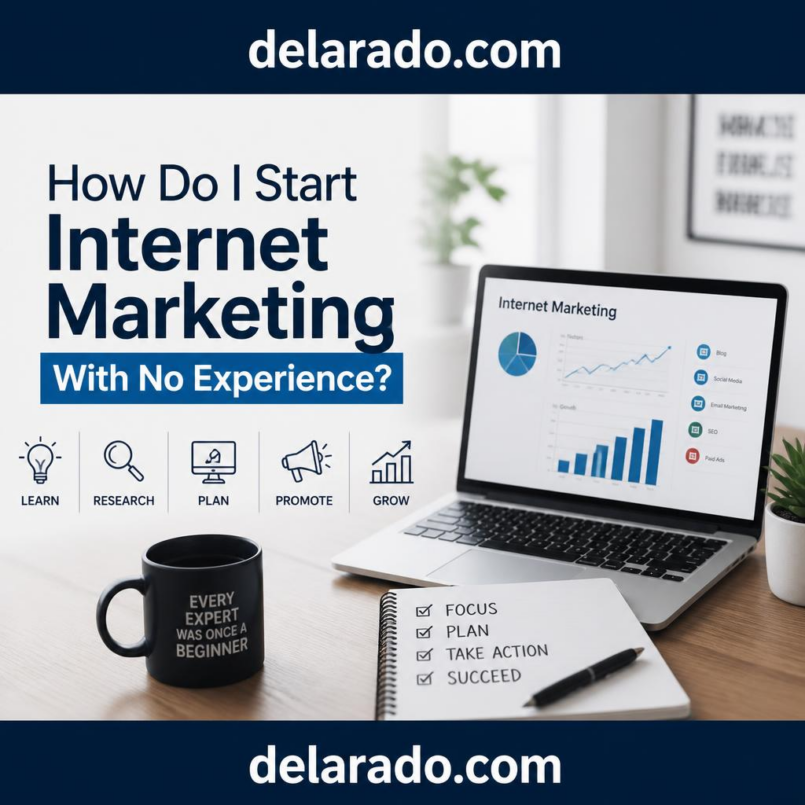
Starting internet marketing with no experience can feel overwhelming because there are so many platforms, tools, strategies, courses, and opinions available. A beginner may hear about SEO, social media, affiliate marketing, paid advertising, sales funnels, email marketing, AI tools, blogging, YouTube, Pinterest, eCommerce, and online courses all at the same time.
The good news is that you do not need to master everything before getting started. Most successful online marketers started with basic skills, a simple website or platform, one audience, and a willingness to learn through consistent action. The key is to build a foundation first instead of trying every trend or buying every tool.
This guide explains how to start internet marketing with no experience, what to focus on first, what tools may help, how to avoid common mistakes, and how to create a practical beginner action plan.
What Does It Mean to Start Internet Marketing?
Starting internet marketing means learning how to use online channels to help people discover a product, service, website, business, or idea. You may promote your own products, sell services, build an audience, recommend affiliate products, generate leads for a business, create content, or help other businesses with marketing tasks.
You do not need to begin with a company, a large budget, or advanced technical knowledge. You can start with a small project, learn one skill at a time, and improve as you gain experience.
For example, a beginner may start by creating a WordPress blog about a topic they understand. They can publish helpful articles, learn basic SEO, share content on Pinterest or social media, build an email list, and later add affiliate links, digital products, services, or sponsored content.
Common Ways Beginners Start Internet Marketing
- Starting a niche blog or content website
- Creating a product-review and affiliate marketing website
- Offering freelance services such as writing, social-media management, web design, or video editing
- Creating short-form video content for TikTok, Instagram, or YouTube
- Building a local-business lead-generation website
- Selling templates, eBooks, guides, checklists, or digital products
- Creating an online course or coaching offer
- Opening an eCommerce store
- Helping businesses create websites, landing pages, or marketing content
- Building an email newsletter around a useful topic
The best starting point depends on your available time, interests, skills, budget, target audience, and willingness to learn.
Start With One Audience and One Problem
The fastest way to become overwhelmed is trying to help everyone with everything. Internet marketing becomes easier when you focus on a specific group of people and a clear problem.
For example, instead of creating a general website about “making money online,” you could focus on one of these topics:
- Helping beginners create WordPress websites
- Helping small businesses use social media
- Helping content creators make video tutorials
- Helping affiliate marketers learn SEO basics
- Helping local businesses improve their online visibility
- Helping online sellers create better product pages
- Helping beginners use AI tools for content creation
Use This Simple Formula
I help [specific audience] solve [specific problem] using [your content, service, product, or process].
Example:
I help beginner online business owners learn how to build websites, create useful content, use SEO, and choose practical web tools.
This statement does not have to be perfect. It gives you a starting direction and helps you choose what content to create first.
Choose a Beginner-Friendly Business Model
There are many ways to make money through internet marketing, but not every method is equally easy for beginners. Some models require money for inventory or advertising. Others require more time but can begin with low costs.
Affiliate Marketing
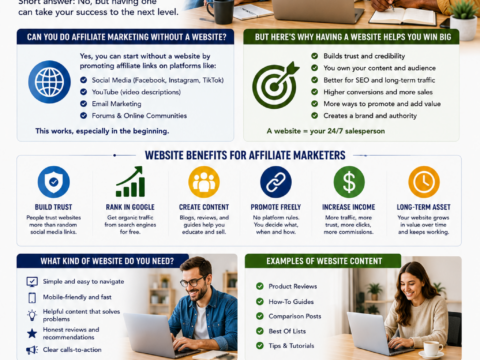
Affiliate marketing allows you to earn a commission when someone purchases a product or service through your tracked recommendation link. It can work well for people who enjoy writing reviews, creating tutorials, comparing tools, making videos, or building niche websites.
Affiliate marketing should be done ethically. Only recommend products that are relevant to your audience. Explain pros and cons. Use clear disclosures. Avoid guaranteed income claims, fake testimonials, and exaggerated promises.
Freelance Services
Freelancing is often one of the fastest ways to begin earning online because you can sell a service before building a large audience. Services may include writing, graphic design, website setup, WordPress support, SEO audits, social-media management, video editing, email marketing, or virtual assistance.
For example, if you learn how to create simple WordPress websites, you can offer a basic website setup package to local businesses, coaches, consultants, and freelancers.
Digital Products
Digital products can include eBooks, templates, checklists, printables, worksheets, guides, prompt packs, Notion templates, Canva templates, mini-courses, and resource lists. They can be created once and sold repeatedly, although they still require marketing, customer support, updates, and quality control.
Content Website or Blog
A content website can earn income through affiliate commissions, ads, digital products, services, sponsorships, email marketing, or memberships. This model requires patience because SEO and audience building usually take time, but it can become a long-term online asset.
eCommerce
eCommerce involves selling physical or digital products online. It can be rewarding but may require more planning around product sourcing, shipping, customer service, returns, taxes, inventory, and advertising. Beginners should validate demand before ordering a large amount of inventory.
Build a Simple Online Presence
You do not need an expensive website or a perfect logo to start. You need a clean, trustworthy online presence that explains what you do and gives people a way to contact you, learn from you, or take the next step.
Start With a Domain Name
A domain name is your website address, such as yourbusiness.com. Choose a domain that is easy to spell, easy to remember, relevant to your topic, and not too similar to another brand.
Choose Website Hosting
Website hosting stores your website files and makes the website available online. DreamHost and SiteGround are examples of hosting providers that can support WordPress websites, blogs, resource sites, service businesses, and online stores.
For a beginner, focus on hosting that includes security, backups, SSL, support, and a simple WordPress setup process. Do not choose a high-level VPS or dedicated server unless your website actually requires it.
Use WordPress
WordPress is a practical choice for beginners because it allows you to create pages, write blog posts, organize content into categories, add plugins, create menus, use internal links, build landing pages, and grow the site over time.
Essential Pages for a New Website
- Homepage
- About page
- Contact page
- Privacy Policy
- Terms of Use
- Affiliate Disclosure
- Blog or resource section
- Service, product, or recommendation pages
Do not delay publishing because the design is not perfect. A simple, helpful, mobile-friendly website is more valuable than an unfinished site with advanced features.
Learn Basic Content Marketing
Content marketing is one of the most useful skills for internet marketers. It involves creating articles, videos, emails, social-media posts, guides, and other content that helps people solve problems.
Helpful content can attract visitors from Google, YouTube, Pinterest, social media, email sharing, and referrals. It also helps build trust because people can see that you understand their needs.
Beginner Content Ideas
- What is [topic] and how does it work?
- How do I get started with [topic]?
- Best tools for [specific use case]
- [Tool A] vs. [Tool B]
- Common mistakes beginners make in [topic]
- Step-by-step guide to [specific outcome]
- Frequently asked questions about [topic]
- Product review based on research or personal testing
- Checklist for [specific task]
- Beginner guide to [topic]
Write Helpful Content, Not Just Keyword Content
Google recommends people-first content that is helpful, reliable, and created to benefit people rather than manipulate search rankings. This means your articles should answer real questions, explain steps clearly, include examples, avoid unsupported claims, and provide useful next actions. [237]
Do not publish dozens of short, repetitive articles that say the same thing. Create fewer but better guides that genuinely help your audience.
Learn Basic SEO
SEO can help your content appear in search results when people look for answers. It takes time, but it can create long-term traffic without paying for every visitor.
Simple SEO Process for Beginners
- Choose one question or keyword people search for.
- Search the topic on Google and review the types of pages currently ranking.
- Create a better, clearer, more useful version of the answer.
- Use the main phrase naturally in the title and headings.
- Add related questions and answers.
- Add internal links to related articles on your website.
- Use a clear URL.
- Add useful images and descriptive alt text.
- Publish the article and promote it through email or social media.
- Update it when information changes.
Beginner SEO Tools
- Google Search Console
- Google Analytics
- Google Trends
- Google Keyword Planner
- SE Ranking
- AnswerThePublic
- Ahrefs
- Semrush
SE Ranking can help beginners research keywords, monitor rankings, review competitors, perform website audits, and identify SEO opportunities. Google Search Console can help show which keywords bring visitors to your website and whether Google has found indexing problems.
Choose One Primary Traffic Source
Beginners often try to be active on every platform at once. This usually leads to inconsistent content and burnout. Instead, choose one main traffic source and learn how to use it well.
SEO and Blogging
Best for people who enjoy writing, research, tutorials, product reviews, long-term content, and building a website asset. SEO usually takes time but can create evergreen traffic.
YouTube
Best for people who enjoy teaching, demonstrating products, reviewing tools, recording tutorials, or creating educational videos. YouTube content can also appear in Google search results.
Best for visual topics, blog traffic, products, lifestyle content, home, food, education, templates, digital products, and evergreen content. Pinterest works more like a visual search engine than a traditional social platform.
Best for creators, visual businesses, lifestyle brands, personal brands, short-form video, direct-message engagement, product demonstrations, and building relationships.
TikTok
Best for short educational content, entertaining videos, product discovery, fast experimentation, trends, and audience growth. TikTok can be useful for awareness, but a business should still direct interested followers to a website or email list.
Best for business-to-business services, consulting, agencies, professional services, freelancers, SaaS products, and business content.
Start Building an Email List Early
An email list gives you a way to communicate directly with people who want to hear from you. It is one of the best ways to build a long-term audience because you are not completely dependent on social-media algorithms.
Create a Simple Lead Magnet
A lead magnet is a free resource someone receives in exchange for joining an email list. It should solve a small but useful problem quickly.
Lead Magnet Ideas for Beginners
- Internet marketing checklist
- Beginner SEO guide
- Social-media content calendar
- Affiliate marketing disclosure template
- Website launch checklist
- Keyword research worksheet
- AI tools resource list
- Content planning template
- Free mini-course
- Tool comparison chart
Use email marketing tools such as HubSpot, MailerLite, ConvertKit, Brevo, Systeme.io, or ActiveCampaign to create forms, landing pages, email sequences, tags, and automations.
Use Free and Affordable Tools First
You do not need to spend hundreds of dollars each month to start internet marketing. Many beginners can begin with a domain, basic hosting, WordPress, a free email marketing plan, free design tools, and consistent effort.
Low-Cost Beginner Tool Stack
| Need | Beginner Tool Options |
|---|---|
| Website | WordPress, DreamHost, SiteGround, Wegic |
| Keyword research | Google Trends, Google Keyword Planner, Google Search Console, SE Ranking trial |
| Graphics | Canva, Imagine Art, Envato |
| Video editing | CapCut, InVideo.io, Canva |
| AI writing assistance | ChatGPT, Claude, Gemini, Perplexity |
| Email marketing | MailerLite, Brevo, HubSpot, Systeme.io |
Only upgrade tools when you have a clear reason. For example, upgrade when you need more subscribers, more automation, more video features, better reporting, more website resources, or advanced customer management.
Learn Skills in the Right Order
You do not need to learn every skill immediately. Focus on the skills that help you build a foundation and create value.
Recommended Learning Order
- Understand your audience and niche.
- Learn basic website setup.
- Learn how to create useful content.
- Learn basic SEO and keyword research.
- Learn email list building.
- Learn one social-media or video platform.
- Learn basic sales-page and offer creation.
- Learn analytics and conversion tracking.
- Learn automation after the manual process works.
- Learn paid advertising only after validating the offer.
Focus on doing, not only studying. Publishing your first article, video, email form, or landing page will teach you more than endlessly watching tutorials without taking action.
Common Beginner Mistakes to Avoid
- Trying to use every platform at the same time
- Buying too many courses and tools without applying what you learn
- Creating a vague business with no defined audience
- Waiting for a perfect website before publishing
- Using copied or low-quality content
- Making unrealistic income promises
- Using affiliate links without disclosures
- Ignoring email list building
- Focusing on followers instead of leads, sales, and customer value
- Giving up before content and SEO have enough time to work
- Not tracking what content or traffic sources perform best
- Ignoring customer support and feedback
30-Day Internet Marketing Beginner Plan
Week 1: Choose Your Direction
- Choose a niche or audience.
- Identify a problem you want to help solve.
- Choose one business model.
- Research competitors and customer questions.
- Choose a domain name.
Week 2: Build Your Online Foundation
- Set up hosting and WordPress.
- Create a homepage, About page, and Contact page.
- Create Privacy Policy and affiliate disclosure pages.
- Choose a simple mobile-friendly theme.
- Set up basic analytics and Google Search Console.
Week 3: Create Helpful Content
- Write two to four helpful articles.
- Create one lead magnet.
- Set up an email sign-up form.
- Create a short welcome email sequence.
- Choose one social-media or video platform.
Week 4: Promote and Improve
- Share articles on the chosen platform.
- Create a simple video, pin, carousel, or social-media post for each article.
- Review website traffic and Search Console data.
- Improve one article with better headings, internal links, or examples.
- Plan the next month of content.
At the end of 30 days, you may not have a profitable business yet. But you will have a real online foundation, published content, data, new skills, and a process you can improve.
Final Thoughts
You can start internet marketing with no experience by keeping the process simple. Choose one audience, solve one problem, create a basic website, publish helpful content, learn SEO, build an email list, and focus on one main traffic source.
Do not wait until you know everything. Internet marketing is learned through action, testing, mistakes, feedback, and improvement. Start small, use affordable tools, avoid unrealistic promises, build trust, and create useful content that helps people.
Over time, the skills you develop can support affiliate marketing, freelancing, content websites, online courses, eCommerce stores, agency services, consulting, digital products, and many other online business opportunities.
Frequently Asked Questions
Can I start internet marketing with no experience?
Yes. You can start by learning basic audience research, website setup, content creation, SEO, email marketing, and one traffic source. You do not need advanced skills before taking your first steps.
Do I need money to start internet marketing?
You can start with a small budget using basic hosting, a domain, free design tools, free email marketing plans, and free research tools. More advanced tools and advertising can be added later when they solve a real business need.
What is the easiest internet marketing business model for beginners?
Freelance services, affiliate content websites, digital products, and simple lead-generation websites can be beginner-friendly because they can start with lower costs than inventory-heavy eCommerce businesses. The best model depends on your skills, interests, and available time.
How long does it take to learn internet marketing?
You can learn the basic concepts within weeks, but becoming skilled takes consistent practice. Building meaningful traffic, trust, and revenue often takes months or longer depending on the niche, strategy, competition, and effort.
Should I start with SEO or social media?
SEO is useful for long-term traffic, while social media can provide faster feedback and audience interaction. Many beginners use both, but choose one primary channel to avoid spreading effort too thin.
Do I need to be good at technology to start?
No. Basic technology skills are helpful, but most tools are designed for beginners. You can learn WordPress, email marketing, content creation, and social media one step at a time.
What should I do first after creating a website?
Create important pages, publish helpful content, set up Google Search Console, create an email sign-up form, and start promoting content through one traffic channel.
Can AI help beginners with internet marketing?
AI can help with research, outlining, content ideas, proofreading, video scripts, image creation, and task planning. You should still review all output for accuracy, originality, privacy, copyright concerns, and ethical marketing practices.