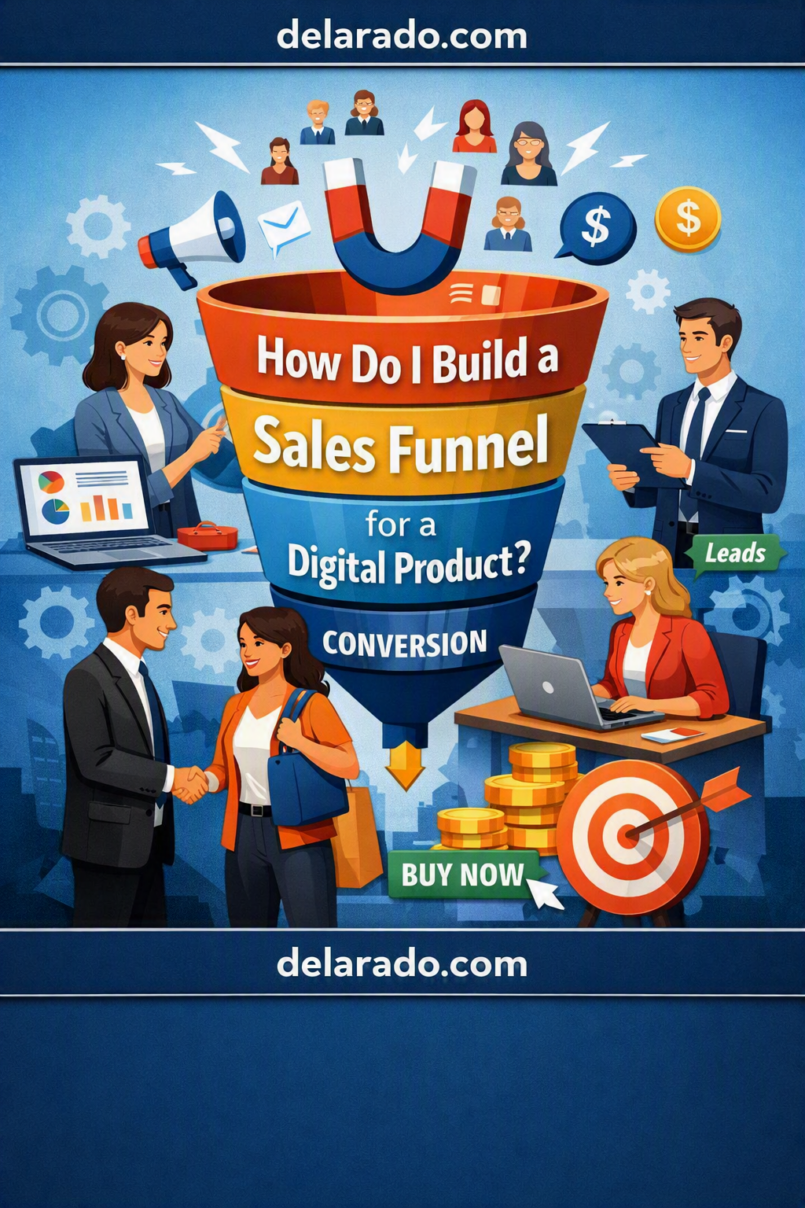
A digital-product sales funnel is a step-by-step customer journey that helps a potential buyer discover a useful product, understand what it does, decide whether it fits their needs, complete a purchase, and successfully use what they bought. Digital products can include courses, ebooks, templates, checklists, worksheets, digital downloads, memberships, software, plugins, presets, stock assets, prompt libraries, and paid workshops.
A strong funnel does not rely on pressure, fake urgency, or exaggerated promises. It gives the right audience clear information, useful resources, honest product details, straightforward pricing, accessible support, and a relevant next step at each stage.
Lead magnets can be one part of this process: they offer a free resource, sample, or tool in exchange for contact information and can be delivered through a landing page and automated email workflow. [27]
Who Is This Topic For?
This guide is for course creators, bloggers, digital-product sellers, designers, coaches, consultants, template creators, educators, software businesses, eCommerce brands with downloadable products, affiliate marketers, and small businesses that sell digital resources.
This Article Is Helpful If You Want To:
- Sell an ebook, course, template, checklist, or worksheet
- Build an email list before launching a product
- Create a lead magnet
- Set up a landing page for a digital product
- Create a product launch sequence
- Sell downloadable resources on WordPress
- Improve a digital-product checkout process
- Offer a free trial, demo, or sample lesson
- Track product-page visits and purchases
- Create post-purchase onboarding
Examples of Digital Products
- Online courses
- Ebooks
- Checklists
- Worksheets
- Canva templates
- Notion templates
- WordPress themes or plugins
- Digital planners
- Prompt libraries
- Stock graphics
- Memberships
- Recorded workshops
- Audio downloads
- Software subscriptions
What Is a Digital Product Funnel?
A digital product funnel is the sequence of pages, content, emails, and actions that guide a potential customer from first learning about a topic to purchasing and using a digital product.
Basic Funnel Flow
Helpful content → Lead magnet or product page → Email follow-up or product education → Sales page → Checkout → Product delivery → Customer onboarding and support
Not every digital product needs every step. A low-cost checklist may work with a simple product page and checkout. A higher-priced course, membership, or software product may need educational content, a lead magnet, email nurturing, testimonials, a webinar, a demo, or a consultation before purchase.
Simple Example
A beginner blogger reads an article titled “How to Start a WordPress Website.”
They download a free Website Launch Checklist.
They receive helpful emails about domains, hosting, WordPress setup, and content planning.
They are later offered a paid WordPress Website Setup Course.
After purchase, they receive course access, a welcome email, a setup guide, and support instructions.
The funnel should help the person make a better decision, whether they buy immediately, buy later, or decide the product is not right for them.
Benefits of a Digital Product Funnel
Creates a Clear Path to Purchase
A funnel helps visitors understand what to do after reading a blog post, watching a video, downloading a free resource, or discovering your product on social media.
Builds Trust Before the Sale
Useful educational content, realistic product demonstrations, sample lessons, clear FAQs, transparent pricing, and honest product limitations can help customers decide with more confidence.
Grows an Owned Audience
An email list can help you communicate with people who requested a free resource or expressed interest. Unlike a social-media post, an email sequence can deliver resources and follow-up information directly to subscribers who opted in.
Supports Product Education
Digital products often need explanation. A funnel can show what is included, who the product is for, how it works, what results are realistic, and how the buyer can access or use it.
Improves Customer Onboarding
Automated delivery emails, account instructions, download links, tutorials, and support information can help buyers start using the product immediately after purchase.
Helps Identify Friction
Tracking can show whether people leave on the landing page, abandon a form, fail to open product emails, leave a sales page, or abandon checkout. Google Analytics funnel reports can show steps users take toward a conversion and the points where they drop off. [support.google](https://support.google.com/analytics/answer/13012015?hl=en)
Can Make Content More Purposeful
A funnel helps connect awareness content, lead magnets, product education, sales pages, and customer support so that each resource has a clear role.
Risks and Limitations
A Funnel Cannot Fix a Weak Product
Landing pages, email sequences, sales copy, and automation cannot replace a useful product, accurate content, clear delivery process, responsive support, or realistic customer expectations.
Overpromising Creates Refunds and Complaints
Do not promise guaranteed income, rankings, followers, health outcomes, business growth, or personal transformation unless you can support the exact claim and it applies realistically to the buyer.
Fake Scarcity Can Damage Trust
Do not use resettable countdown timers, false “limited enrollment” claims, fabricated customer demand, fake inventory messages, or deceptive discounts to pressure people into buying.
Too Many Funnel Steps Create Friction
Every extra form, confirmation page, popup, account requirement, email, upsell, or checkout field can cause people to leave. Keep the journey as simple as possible.
Privacy and Consent Matter
Only collect the information you need. Explain what someone is signing up for, protect customer data, and provide suitable unsubscribe options for marketing messages.
Automation Needs Regular Review
Automated emails can contain expired links, outdated product details, incorrect prices, unsupported claims, or broken download buttons if they are not reviewed and updated.
Customer Support Is Still Required
Digital delivery does not mean a customer should be left without help. Buyers may need download support, login assistance, product-access guidance, billing help, troubleshooting, or clarification about what they purchased.
Funnel Stages for Digital Products
| Stage | Customer Need | Useful Funnel Asset |
|---|---|---|
| Awareness | Learn about a problem or topic | Blog post, YouTube tutorial, social post, podcast, guide |
| Lead capture | Get a useful free resource | Lead magnet, signup page, free checklist, sample lesson |
| Consideration | Understand possible solutions | Email sequence, comparison guide, case study, webinar, FAQ |
| Conversion | Decide whether to purchase | Sales page, product demo, product curriculum, checkout page |
| Onboarding | Access and use the product successfully | Welcome email, access instructions, tutorial, support page |
| Retention | Continue receiving value | Updates, advanced resources, support, membership content |
Step-by-Step Process
Step 1: Choose One Product and One Goal
Start with one product and one primary action. Do not try to build a funnel that sells every product, service, affiliate offer, course, and membership at once.
Possible Digital Product Goals
- Sell an ebook
- Sell an online course
- Sell a template bundle
- Sell a Notion workspace
- Sell a downloadable planner
- Sell a paid workshop recording
- Start a membership subscription
- Get trial signups for software
- Get demo requests for a digital service
Example Goal
Sell a beginner WordPress Website Setup Course to people who have downloaded the free Website Launch Checklist.
A single clear goal makes it easier to design your content, lead magnet, landing page, email sequence, sales page, checkout, and tracking.
Step 2: Define the Ideal Buyer
Describe the person your product is built to help. Focus on their current problem, knowledge level, desired outcome, and common barriers.
Buyer Questions
- Who is this product for?
- What problem are they trying to solve?
- What do they already know?
- What do they need before purchasing?
- What may prevent them from acting?
- What result do they want?
- What is the product not suitable for?
- What support might they need after purchase?
Example Buyer Profile
New bloggers and small-business owners who want to set up a first WordPress website but feel overwhelmed by domains, hosting, themes, plugins, contact pages, backups, and launch tasks.
The more specific your buyer is, the easier it becomes to create a useful product and funnel. A product designed for “everyone” often becomes unclear to everyone.
Step 3: Define the Product Promise
Write a clear and realistic statement explaining what the product helps a customer do. Focus on the product’s actual scope, not an exaggerated outcome.
Weak Product Promise
Build a successful online business fast.
Stronger Product Promise
Learn a step-by-step process for planning, building, and launching a basic WordPress website, including domains, hosting, essential pages, beginner-friendly plugins, backups, and launch checks.
Product Promise Checklist
- Is the promise specific?
- Is it realistic?
- Does it match what the product includes?
- Does it avoid guarantees?
- Does it explain who the product helps?
- Does it explain the main outcome?
- Does it make clear what is not included?
Do not make income, ranking, traffic, health, legal, financial, or performance promises that your product cannot reliably support.
Step 4: Create a Free Lead Magnet
A lead magnet is a free, useful resource that gives visitors a reason to subscribe before they are ready to buy. It should solve a small but meaningful problem related to your paid product.
Mailchimp describes a lead magnet as a lead-generation tool that trades a free resource, sample, or tool for contact information, and notes that a landing page, signup form, and automated delivery can support this process. [27]
Lead Magnet Ideas
- Checklist
- Quick-start guide
- Template
- Worksheet
- Mini email course
- Sample lesson
- Calculator
- Resource list
- Planning guide
- Free webinar
- Starter toolkit
- Quiz with useful results
Lead Magnet Example
Free Website Launch Checklist: A clear checklist covering domain selection, hosting comparison, WordPress setup, essential pages, contact forms, backups, legal pages, and final launch checks.
Good Lead Magnet Rules
- Make it relevant to the paid product
- Solve one small but real problem
- Give it a specific title
- Deliver it immediately
- Make it easy to use
- Do not hide the resource behind misleading claims
- Do not collect more personal information than necessary
Step 5: Build the Opt-In Landing Page
Your lead magnet landing page should have one primary goal: explain the free resource and give the visitor a simple way to request it.
Landing Page Elements
- Specific headline
- Short explanation of the free resource
- Who it is for
- What the visitor will receive
- Preview image or checklist snapshot
- Simple signup form
- Clear button text
- Privacy and email expectations
- Relevant frequently asked questions
Weak Headline
Get the Ultimate Success Resource
Stronger Headline
Download the Free Website Launch Checklist for Beginner WordPress Users
Example Button Text
Send Me the Free Checklist
Be clear about what happens after signup. For example: “You will receive the checklist by email and occasional beginner website tips. You can unsubscribe at any time.”
Step 6: Deliver the Lead Magnet Immediately
The first email should deliver what the person requested. Do not make subscribers wait several days for a resource they expected immediately.
First Email Structure
- Clear subject line
- Brief thank-you message
- Direct download or access link
- Simple explanation of how to use the resource
- One useful next step
- Support contact information if appropriate
Example Email
Subject: Your Website Launch Checklist Is Ready
Thanks for requesting the Website Launch Checklist. You can download it here: [Download Link].
Start with the first section, “Define Your Website Goal,” before comparing hosting companies or choosing a theme.
Over the next few days, I’ll send practical tips about domains, hosting, WordPress setup, and website launch steps.
Mailchimp’s lead-magnet guidance notes that businesses can create a dedicated landing page, add a signup form, and automate delivery of the requested resource. [27]
Step 7: Create an Email Nurture Sequence
A nurture sequence gives subscribers useful information after they request the lead magnet. It should help people make an informed decision rather than repeatedly pressure them to buy.
Simple Five-Email Sequence
- Deliver the resource and explain how to use it
- Teach one quick win related to the product topic
- Explain a common mistake and how to avoid it
- Share a practical example, tutorial, or case-study lesson
- Introduce the paid product as a relevant next step
Example Sequence for a Website Course
| Topic | Purpose | |
|---|---|---|
| 1 | Your Website Launch Checklist | Deliver the promised resource |
| 2 | Start With Your Website Goal | Help the subscriber define what the site needs to do |
| 3 | Three Hosting Mistakes Beginners Should Avoid | Teach a useful beginner concept |
| 4 | What a Basic Website Launch Plan Looks Like | Show a realistic process and reduce uncertainty |
| 5 | Want Guided Help Building Your Website? | Introduce the relevant paid course |
Use an unsubscribe option and make sure the email content matches what the subscriber reasonably expected when signing up.
Step 8: Build a Clear Sales Page
A sales page helps a potential buyer decide whether the product is right for them. It should be clear, specific, honest, and easy to scan.
Sales Page Elements
- Clear product title
- Specific product promise
- Who the product is for
- Who the product is not for
- What the buyer will learn or receive
- Product modules, lessons, files, or features
- Format and access details
- Price and payment details
- Refund or cancellation policy
- Support details
- Real testimonials with permission
- Frequently asked questions
- Clear purchase button
Example Product Description
The Beginner WordPress Website Setup Course includes short video lessons, a launch checklist, website-planning worksheets, and demonstrations of basic setup tasks. It is designed for beginners who want a structured learning path. It does not include custom website design, one-on-one technical support, hosting fees, or a guarantee of traffic, sales, or search rankings.
Clear boundaries reduce misunderstandings and help buyers make a more informed decision.
Step 9: Use Honest Proof
Social proof can help potential buyers understand how others use a product, but it must be real, relevant, and not misleading.
Appropriate Proof
- Real customer testimonials with permission
- Verified product reviews
- Approved case-study lessons
- Real screenshots with private data removed
- Accurate course curriculum previews
- Sample product pages or sample lessons
- Real product-use demonstrations
Do Not Use:
- Fake reviews
- AI-generated customer testimonials
- Stock models presented as customers
- Fabricated sales screenshots
- False before-and-after results
- Invented student success stories
- Misleading income or traffic claims
- Fake scarcity indicators
The FTC says people who are compensated to promote or review a product should disclose that connection, and material connections between endorsers and marketers should be disclosed. [26]
Step 10: Create a Simple Checkout
Checkout should make it easy for the buyer to understand what they are purchasing, what it costs, what happens next, and how to get support.
Checkout Checklist
- Clear product name
- Accurate price
- Currency shown clearly
- Any taxes or fees explained before payment
- Payment options
- Refund or cancellation policy link
- Secure payment process
- Clear purchase button
- Support contact details
- Simple form fields
- Mobile-friendly layout
- Order confirmation page
Do not add surprise charges, preselected add-ons, hidden subscription terms, or confusing upsells that make the final purchase different from what the buyer reasonably expected.
Step 11: Deliver the Product
Digital product delivery should be immediate and clear whenever possible. Buyers should know how to access what they purchased and where to go if they need help.
Delivery Options
- Download page
- Order confirmation email
- Member dashboard
- Course platform login
- Private resource library
- Access email with clear instructions
- Software account setup page
- Calendar invitation for a live workshop
Post-Purchase Email Example
Subject: Your WordPress Setup Course Access
Thank you for purchasing the Beginner WordPress Website Setup Course.
You can access your lessons here: [Course Login Link].
Start with Module 1: Plan Your Website Goal. If you need help accessing the course, contact [Support Email].
Test purchase flow, email delivery, downloads, login access, mobile formatting, and links before sending real customers through the funnel.
Step 12: Build Customer Onboarding
Onboarding helps customers use the digital product successfully. This is especially important for courses, memberships, software, templates, and products that require setup.
Onboarding Content May Include:
- Welcome email
- Quick-start guide
- Account setup instructions
- How-to-use video
- Frequently asked questions
- Support contact information
- Implementation checklist
- Recommended first lesson or action
- Progress reminders
- Product update emails
Example Onboarding Sequence
- Welcome and access details
- Explain the first recommended action
- Share a common beginner tip
- Offer support resources
- Invite feedback after the buyer has had time to use the product
Good onboarding can improve product adoption and reduce avoidable support requests.
Step 13: Track the Funnel
Set up measurement for the meaningful actions in your funnel. This can help you identify where customers experience friction.
Useful Events to Track
- Blog article view
- Lead magnet landing-page view
- Signup form submission
- Lead magnet download
- Email link click
- Sales-page view
- Checkout start
- Purchase completion
- Course login or member access
- Support-page visit
- Refund request
- Repeat purchase or renewal
Simple Funnel Example
Article view → Checklist landing page → Signup → Email click → Course sales page → Checkout → Purchase → Course access
Google Analytics funnel reporting can help show the user steps in a conversion journey. Common eCommerce actions include viewing a product, adding it to a cart, beginning checkout, and completing a purchase. [30]
Conversion Formula
\[
\text{Conversion Rate} = \frac{\text{People Who Completed the Action}}{\text{People Who Reached the Previous Step}} \times 100
\]
Example
If 300 people visit a course sales page and 12 purchase the course:
\[
\frac{12}{300} \times 100 = 4\%
\]
Interpret numbers carefully. Look at customer fit, refund rates, course completion, support needs, and feedback—not only the number of sales.
Step 14: Improve One Step at a Time
Use funnel data and customer feedback to identify the biggest source of friction. Improve one major item at a time so you can understand what changed.
| Problem | Possible Cause | What to Review |
|---|---|---|
| Few people download the lead magnet | Offer is unclear or unrelated to the content | Headline, title, value, relevance, form placement |
| People sign up but do not open emails | Unclear expectations or weak subject lines | Signup language, sender identity, first email, email relevance |
| People click emails but do not buy | Sales page does not answer important questions | Product scope, pricing, sample content, FAQs, product fit |
| People abandon checkout | Unexpected cost, technical issue, low trust, complex checkout | Fees, form fields, payment methods, page speed, policy clarity |
| Refunds are high | Product expectations do not match delivery | Sales claims, product description, onboarding, content quality |
| Customers do not use the product | Onboarding is unclear or product is overwhelming | Welcome email, quick-start guide, product navigation, support |
Do not respond to a low conversion rate by adding more pressure. First review whether the product, audience, promise, page clarity, pricing, checkout, and onboarding are aligned.
Programs That Can Help
WordPress
WordPress can host blog content, lead-magnet pages, sales pages, thank-you pages, product documentation, resource libraries, and customer support pages.
WooCommerce
WooCommerce can help WordPress websites sell digital downloads, manage checkout, process orders, create coupons, and provide customer order records when configured appropriately.
Easy Digital Downloads
Easy Digital Downloads is a WordPress-focused option for selling downloadable products such as ebooks, templates, software files, graphics, music, and other digital resources.
LearnDash, LifterLMS, or Tutor LMS
Learning-management plugins can help deliver online courses, organize lessons, manage learner access, provide quizzes, and create course dashboards.
MailerLite, ConvertKit, or Brevo
Email marketing tools can create signup forms, deliver lead magnets, automate welcome sequences, segment subscribers, send product updates, and manage unsubscribes.
Mailchimp
Mailchimp can support lead magnets by creating landing pages, collecting contact information through signup forms, and automating resource delivery. [27]
Stripe or PayPal
Payment processors can help accept payments for digital products. Review current fee structures, payout timing, available payment methods, and country-specific requirements before choosing one.
Google Analytics
Google Analytics can help track funnel events, product-page visits, checkout starts, purchases, and drop-off points when configured with appropriate privacy practices. [support.google](https://support.google.com/analytics/answer/13012015?hl=en)
Canva
Canva can help create lead magnets, course worksheets, ebook layouts, template covers, promotional graphics, email visuals, product mockups, and social-media content.
Calendly or Similar Tools
Scheduling tools can help sell or qualify higher-priced digital products through a consultation, demo, onboarding call, or workshop registration flow.
Common Mistakes
Building the Funnel Before Validating the Product
Do not spend weeks building complex automation before confirming that the product solves a real problem for a clearly defined audience.
Using a Generic Lead Magnet
Make the free resource specific and useful. A clear “Website Launch Checklist” is more compelling than a vague “Success Guide.”
Creating a Lead Magnet Unrelated to the Product
Your free resource should attract people who may genuinely benefit from the paid product. An unrelated giveaway can create a large but unqualified email list.
Overpromising Results
Do not promise guaranteed income, traffic, rankings, sales, course completion, or personal transformation. Explain what the buyer receives and what effort, context, or outside factors may affect results.
Using Fake Testimonials
Never create AI-generated reviews, fake student stories, stock-photo testimonials, fabricated sales screenshots, or invented product outcomes.
Hiding Important Product Details
Clearly explain the format, price, access period, software requirements, refund policy, support boundaries, and what is included before purchase.
Making Checkout Too Complicated
Reduce unnecessary fields, explain charges before payment, test the checkout on mobile, and make the purchase process easy to understand.
Not Testing Delivery
Test purchase confirmation, download links, login creation, course access, email delivery, receipts, mobile access, and support links before customers use the funnel.
Ignoring Post-Purchase Support
Digital-product buyers may need help accessing files, logging in, understanding the product, or using a template. Provide simple onboarding and support options.
Not Tracking the Funnel
Without tracking, you may not know whether the main issue is traffic quality, weak landing-page messaging, low email engagement, checkout friction, or a mismatch between the offer and the audience.
Not Disclosing Material Relationships
If you use affiliate links, sponsored endorsements, gifted products, or compensated reviews inside your funnel, disclose the relationship clearly where people can see it. The FTC notes that compensated promoters and reviewers should disclose their connection to the promoted product or brand. [26]
Frequently Asked Questions
What is a digital product sales funnel?
A digital product sales funnel is the sequence of content, landing pages, emails, product pages, checkout steps, and onboarding resources that guide someone from discovering a topic to purchasing and using a digital product.
Do I need a lead magnet to sell a digital product?
Not always. A low-cost product with clear demand may sell directly from a product page. A lead magnet can be useful when buyers need more education, trust, or time before deciding. It should be closely related to the paid product. [27]
What is the best lead magnet for a digital product?
The best lead magnet solves a small, immediate problem for the same audience your product helps. Examples include a checklist, template, worksheet, sample lesson, resource list, quick-start guide, or mini email course.
How many emails should be in a digital-product funnel?
There is no fixed number. Start with a short sequence that delivers the promised resource, provides useful education, answers common questions, and introduces the paid product when relevant. Add emails only when they provide genuine value.
Should I show the price on my sales page?
For most digital products, clear pricing helps buyers decide and reduces surprises at checkout. If pricing varies by use case, package, or consultation, explain the pricing process clearly.
How do I sell an ebook or template on WordPress?
You can create a product page, use a digital-download or eCommerce plugin, connect a payment processor, create a checkout page, and deliver the file through a secure confirmation page or email. Test the entire purchase and delivery process before launch.
How do I improve digital-product conversions?
Start by improving product-audience fit, product clarity, landing-page messaging, pricing transparency, checkout simplicity, mobile usability, customer proof, support information, and onboarding. Do not rely on misleading pressure tactics.
What should a digital-product sales page include?
Include a clear product title, who it is for, what it includes, the main outcome, limitations, delivery format, access details, price, refund or cancellation policy, support information, real testimonials where applicable, FAQs, and a clear purchase action.
How do I deliver a digital product after purchase?
Use an order confirmation page, confirmation email, secure download link, member portal, course platform, or account dashboard. Explain exactly how the customer accesses the product and where they can get help.
How do I track a digital-product funnel?
Track important actions such as landing-page views, lead magnet signups, email link clicks, sales-page views, checkout starts, completed purchases, product access, refunds, and repeat purchases. Funnel reports can help identify where users drop off. [support.google](https://support.google.com/analytics/answer/13012015?hl=en)
Can I use affiliate links in a digital-product funnel?
Yes, if the recommendations are relevant and you clearly disclose any commission or material relationship. Do not make affiliate recommendations appear independent if you may earn compensation. [26]
What should I avoid in a digital-product funnel?
Avoid fake testimonials, misleading claims, hidden charges, false scarcity, complicated checkout processes, unrelated lead magnets, excessive data collection, unclear refund policies, unsupported income claims, and failure to deliver promised files or access.