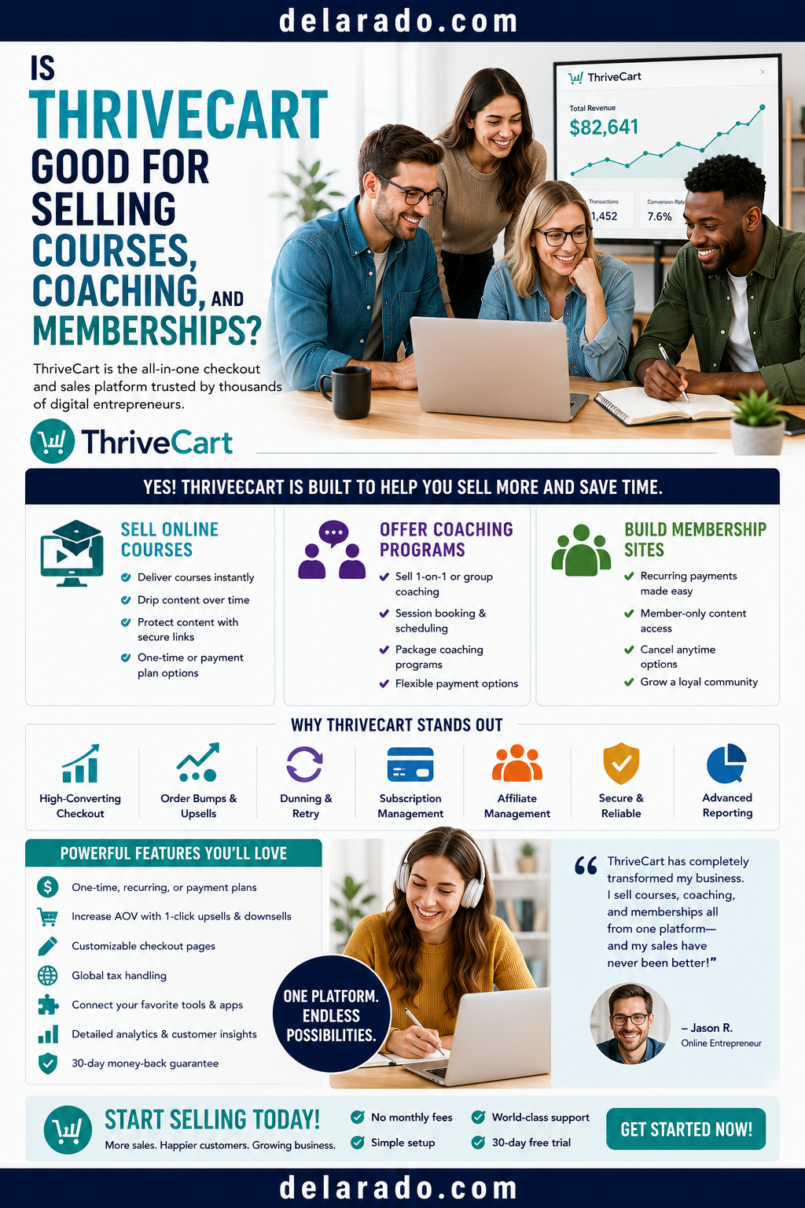
ThriveCart can be a good option for selling courses, coaching, and memberships when you need checkout pages, flexible pricing, payment collection, upsells, order bumps, affiliate management, customer access, and course delivery tools in a connected system. It is especially useful for creators who sell digital offers and want the checkout process to work closely with product access and follow-up.
It may be less suitable as a complete solution for businesses that need advanced community moderation, large enterprise learning-management systems, live coaching calendars, complex CRM pipelines, extensive content marketing, or a highly customized branded website. In those cases, ThriveCart may work best alongside WordPress, a scheduling tool, a CRM, a help desk, or a dedicated community platform.
ThriveCart currently offers its checkout, upsell, order-bump, affiliate, automation, and learning-related tools across different products and plans. It also states that its original ThriveCart Learn platform will retire for existing users at the end of 2026, with ThriveAcademy positioned as its newer course and community platform. Verify your current account, plan, migration options, and feature availability before choosing a setup. [153][169]
Who Is This Topic For?
This guide is for course creators, membership owners, coaches, consultants, educators, agencies, workshop hosts, digital-product sellers, affiliate marketers, and creators who want to sell online education, paid access, or coaching offers.
This Article Is Helpful If You Want To:
- Sell an online course
- Sell a coaching package
- Create a paid membership
- Offer recurring subscriptions
- Sell workshop recordings
- Sell group coaching programs
- Create a course bundle
- Accept payment plans
- Create order bumps and upsells
- Build an affiliate program
- Give students digital access after payment
- Create onboarding email workflows
What Is ThriveCart?
ThriveCart is a checkout and sales platform for digital products, services, subscriptions, and online offers. It can help creators create checkout pages, set prices, collect payments, offer order bumps and one-click upsells, manage affiliates, deliver digital products, and connect customers to course or membership access.
ThriveCart May Help With:
- Checkout pages
- Course sales
- Membership sales
- Coaching offers
- One-time payments
- Subscriptions
- Payment plans
- Free trials
- Order bumps
- One-click upsells
- Affiliate programs
- Customer receipts
- Automations
- Course enrollment
- Membership access management
ThriveCart lists features including one-click upsells, order bumps, A/B tests, recurring billing, affiliates, learning-management tools, and automations. [153]
Quick Answer
ThriveCart is generally a good fit when selling digital offers is central to your business and you value flexible checkout, post-purchase offers, affiliate tools, and connected access workflows. It is not automatically the best platform for every course, coaching, or membership business because the best setup depends on how you teach, support customers, run community, schedule sessions, publish content, and manage relationships.
| Business Model | Is ThriveCart Likely a Good Fit? | Why |
|---|---|---|
| Simple self-paced course | Possibly | It can support checkout, course delivery, access, email notifications, and affiliate workflows. |
| Digital course bundle | Likely | Checkout, bundles, order bumps, upsells, and course access can work together. |
| Group coaching program | Possibly | Useful for enrollment and payment plans, but you may need a scheduling and meeting tool. |
| One-on-one coaching | Possibly | Useful for payment and onboarding, but Calendly, Zoom, or another tool may handle scheduling and delivery. |
| Paid membership community | Possibly | ThriveAcademy is positioned for courses and community, but confirm current plan features, migration options, and community needs. |
| Large education business | Maybe | May need a dedicated enterprise LMS, CRM, community tool, support desk, or analytics stack. |
| Content-heavy SEO website | Use alongside another platform | WordPress or another CMS may work better for primary content publishing. |
Courses, Coaching, Memberships
Courses, coaching, and memberships can use similar checkout systems, but they are different offers with different delivery requirements.
| Offer Type | What the Customer Buys | Common Delivery Needs |
|---|---|---|
| Course | Structured lessons, modules, worksheets, recordings, or assessments | Course platform, login access, progress tracking, content release schedule |
| Coaching | Guidance, feedback, calls, accountability, or personalized support | Scheduling, video meetings, client notes, agreements, communication process |
| Membership | Recurring access to content, community, events, resources, or benefits | Recurring billing, member access, cancellation flow, community support, retention content |
ThriveCart can support payment and access workflows for all three, but you may still need separate tools depending on your teaching format and customer-support needs.
Benefits for Course Creators
Flexible Checkout Options
Course creators can use one-time payment, split-pay plans, subscriptions, free trials, coupons, order bumps, and upsells where appropriate. Every pricing option should be clear before the buyer pays.
Course Access After Payment
ThriveCart can connect purchase completion with enrollment in a course or membership platform. ThriveCart says its fulfillment workflow can automatically enroll buyers in a membership or course platform at checkout, including ThriveCart Learn and ThriveAcademy. [165]
Order Bumps and Upsells
You can offer relevant optional resources such as worksheets, templates, workshop recordings, advanced modules, or implementation guides during or after checkout.
Affiliate Management
Course creators can invite approved affiliates to promote an offer through tracked links. ThriveCart advertises native affiliate onboarding, tracking, agreements, revenue splits, and payout tools. [153]
Course Bundles
Creators can package related courses, worksheets, bonuses, and resources together. This can simplify a customer’s buying decision when the bundle genuinely matches their needs.
Customer Access and Billing Support
ThriveCart’s newer customer tools may allow students to manage payments, invoices, and subscriptions from the Learn dashboard. Confirm your plan and current feature availability before promising this to customers. [166]
Benefits for Coaching Businesses
Payment Collection
ThriveCart can help coaches sell a one-time coaching session, a multi-session package, a payment plan, a group program, or a recurring coaching membership.
Program Enrollment
After payment, customers can receive an onboarding email, client agreement, scheduling instructions, workbook, call details, and access to related course or membership content.
Optional Resources
Coaches can include worksheets, call-preparation guides, session recordings where appropriate, implementation templates, and resource libraries alongside the core coaching offer.
Affiliate and Referral Workflows
For approved programs, a coach may use affiliate links or referral relationships to reward partners who refer suitable clients. Ensure promotions are accurate and disclosures are clear.
Important Limitation
ThriveCart is not a full coaching-management system. You may need a scheduling tool, video-conferencing tool, CRM, client portal, contract tool, note-taking system, and secure communication process.
Benefits for Memberships
Recurring Billing Options
Membership businesses can use recurring payment structures to provide ongoing monthly, quarterly, or annual access. Explain the recurring charge, billing schedule, renewal process, cancellation method, and member benefits clearly before payment.
Course and Community Access
ThriveAcademy is positioned as a course and community platform within the ThriveCart ecosystem. ThriveCart says its membership setup can combine paid community access with courses, discussions, events, and exclusive content. [171]
Member Onboarding
New members can receive a welcome email, access instructions, community guidelines, a start-here lesson, event calendar, support information, and clear cancellation details.
Retention Support
Membership owners can use content schedules, onboarding, progress resources, office hours, community prompts, new-resource announcements, and feedback collection to help members receive ongoing value.
Important Limitation
Memberships require more than payment collection. You need a clear reason for members to stay, a realistic content plan, member support, reliable community moderation, and a transparent cancellation process.
ThriveCart Learn and ThriveAcademy
ThriveCart’s course-delivery tools are evolving. Its support documentation says the original ThriveCart Learn is available to all users, while Learn+ is a paid advanced version. It also says ThriveCart Learn will be fully retired for existing users at the end of 2026 and recommends exploring ThriveAcademy for new course builds. [169]
What This Means
- Check which course platform your current account uses
- Do not assume older Learn workflows will remain unchanged
- Review migration options before moving existing students
- Confirm video, file, student, community, and access limits
- Test new course delivery before launching
- Tell students clearly where they will access content
ThriveAcademy Features May Include
- Course builder
- Prebuilt templates
- Drip content
- Quizzes
- Certificates
- Community spaces
- Activity feeds
- Member directory
- Gamification features
- Magic-link authentication
- Native ThriveCart checkout integration
ThriveCart’s current Academy comparison materials describe course-building, content-dripping, quizzes, certificates, community features, magic-link login, and checkout integration, with availability varying by plan. [167][170]
Risks and Limitations
A Checkout Platform Cannot Create a Good Course
Course quality depends on curriculum, lesson structure, examples, instructional design, accuracy, accessibility, student support, updates, and realistic expectations—not checkout software.
Coaching Requires Human Delivery
ThriveCart can collect payment and provide onboarding, but it cannot replace your actual coaching, scheduling, communication, boundaries, expertise, client records, or professional obligations.
Memberships Need Ongoing Value
A membership is not a one-time product. Members need a clear reason to stay, predictable benefits, useful content, support, community care, and an easy way to manage or cancel recurring access.
Feature Availability May Change
Course platforms, Learn access, Academy features, community tools, affiliate management, video hosting, certificates, pricing, and migration paths may depend on current plans and product updates.
Subscription Compliance Is Important
Recurring memberships, coaching subscriptions, payment plans, and free trials require clear disclosure of material terms and appropriate customer consent before charges occur.
Course Migration Can Be Work
If you are moving from another LMS or from ThriveCart Learn to ThriveAcademy, plan for student communication, content migration, testing, login changes, support, billing changes, and access verification.
Customer Support Is Still Your Responsibility
Students and members may need help with payments, access, passwords, downloads, course navigation, subscriptions, cancellations, and technical issues.
When ThriveCart Is a Good Fit
Self-Paced Courses
ThriveCart can be a good fit when you sell a structured course and need checkout, access, email notifications, course enrollment, order bumps, and affiliate tracking in connected workflows.
Course Bundles
It can work well when you sell multiple related courses, templates, workshops, or resources as a package.
Coaching Programs With Digital Resources
It may be useful for a coaching offer that includes payment plans, a client workbook, recorded lessons, member access, or a course library alongside live calls.
Paid Memberships
It may fit a membership that combines recurring payment with structured content, community, workshops, resources, or member-only training.
Affiliate-Driven Launches
It may be useful if you plan to work with approved affiliates and need tracked links, payout workflows, promotional terms, and affiliate management.
Digital Product Funnels
ThriveCart may work well when your main marketing system sends visitors from content or email to a product checkout page, with optional relevant order bumps and post-purchase offers.
When Another Tool May Be Better
You Need Advanced Community Features
A dedicated community platform may be better if your business depends heavily on live discussion, member discovery, moderation, events, messaging, community analytics, and sophisticated engagement tools.
You Need Advanced LMS Administration
A dedicated learning-management system may be better if you need detailed learning paths, institutional reporting, multiple instructors, enterprise permissions, compliance training, SCORM support, academic grading, or advanced certification workflows.
You Need a Full CRM
Coaches, agencies, and high-ticket service businesses with long sales cycles may need a dedicated CRM for pipelines, contracts, proposals, sales-team management, client notes, and follow-up tasks.
You Need a Full eCommerce Store
Shopify or WooCommerce may be a better primary platform for a large physical-product catalog, inventory management, shipping rules, product variations, subscriptions, retail integrations, and store browsing.
You Need a Content-Heavy Website
WordPress or another CMS may be the better primary platform for blogging, SEO, long-form resources, custom design, content categories, and a large public knowledge base.
Step-by-Step: Sell an Online Course
Step 1: Define the Course Outcome
Write a realistic statement explaining what the course helps students learn or do. Avoid broad promises about income, rankings, health, career outcomes, or business success.
Weak Course Promise
Build a successful online business quickly.
Stronger Course Promise
Learn a step-by-step process for planning and launching a basic WordPress website, including domain selection, hosting comparison, essential pages, beginner plugins, website backups, and launch checks.
Course Planning Questions
- Who is the course for?
- What does the student know before enrolling?
- What will they learn?
- What is included?
- What is not included?
- How long does the course take?
- Is it self-paced, live, or hybrid?
- What support is available?
- What equipment or software is needed?
- How long does access last?
Step 2: Build the Course Content
Create the actual lessons, worksheets, resources, and access structure before promoting the course. Do not sell a course that is not ready unless you clearly state that it is a future release or live cohort with accurate dates.
Course Content Checklist
- Clear module structure
- Accurate lessons
- Current screenshots and demonstrations
- Readable worksheets
- Captions for video lessons
- Transcripts where useful
- Accessible visual text
- Working downloads and links
- Clear student instructions
- Support information
- Update plan for changing information
Example Course Structure
Module 1: Define Your Website Goal
Module 2: Domains and Hosting Basics
Module 3: Install and Configure WordPress
Module 4: Create Essential Pages
Module 5: Add Contact Forms, Backups, and Security Basics
Module 6: Complete Your Website Launch Review
Step 3: Create the Course Product
Create a digital course product in ThriveCart and configure pricing, payment options, checkout settings, support details, and access or fulfillment rules.
Product Details to Add
- Course name
- Course description
- Price
- Currency
- One-time payment or payment plan
- Access period
- Support email
- Refund policy link
- Terms link
- Course platform connection
- Affiliate settings if applicable
ThriveCart’s product setup guidance says products need a price, payment processor connection, and support contact information. [148]
Step 4: Connect Course Access
Connect the checkout product to the course platform or membership area so successful buyers are enrolled automatically.
Access Workflow
Customer completes payment → Customer receives course enrollment → Customer receives access email → Customer logs in → Customer starts the first lesson
Access Checklist
- Does successful payment trigger enrollment?
- Does the access email arrive?
- Does the login link work?
- Can students access the right course?
- Can they see the first recommended lesson?
- Are download links available?
- Is support information visible?
- Does access work on mobile?
ThriveCart says buyers can be automatically enrolled in a membership or course platform at checkout through fulfillment settings. [165]
Step 5: Build a Clear Sales Page
Create a page that helps potential students understand whether the course is right for them. Explain the course clearly rather than relying on hype.
Course Sales Page Elements
- Clear course title
- Specific course outcome
- Who the course is for
- Who the course is not for
- Module or lesson breakdown
- Course format
- Access duration
- Support details
- Price and payment plans
- Refund policy
- Frequently asked questions
- Real testimonials with permission
- Clear enrollment action
Example Course Description
The Beginner WordPress Website Setup Course includes six modules, planning worksheets, setup demonstrations, and a website launch checklist. It is designed for beginners who want a structured learning path. It does not include custom website design, hosting fees, one-on-one technical support, or a guarantee of traffic, sales, rankings, or income.
Step 6: Add Ethical Order Bumps
Offer an order bump only if it directly supports the course. It must be optional, clearly priced, and easy to decline.
Course Order Bump Ideas
- Implementation worksheet pack
- Editable planning templates
- Workshop recording
- Resource library
- Printable course workbook
- Additional checklist bundle
- Audio-only lesson version
Example
Yes, add the Website Planning Worksheet Pack for $12. It includes editable worksheets for page planning, website content, goals, and launch tasks. Optional—your course includes all core lessons without this add-on.
Do not preselect paid add-ons, hide recurring charges, or make the customer feel the add-on is required to receive the course they already selected.
Step 7: Create Post-Purchase Offers Carefully
A one-click upsell can offer a higher-level but relevant next step after purchase. It should not delay course access or pressure the buyer.
Course Upsell Ideas
- Advanced course module
- Content planning workshop
- Template system
- Group coaching upgrade
- Course bundle
- Recorded Q&A session
- Resource library access
Example
Add the Website Content Planning Workshop Recording for $19. This optional workshop helps you organize homepage, service-page, and contact-page content after you complete the basic WordPress setup lessons.
Make the price, optional status, and access details clear. A buyer who declines should proceed immediately to their course access page.
Step 8: Onboard New Students
Course onboarding starts after purchase. A clear welcome process can improve student confidence and reduce support requests.
Student Onboarding Elements
- Welcome email
- Course access instructions
- Start-here lesson
- Expected course pace
- Workbook or download links
- Support contact information
- Community guidelines if applicable
- Progress reminders
- Accessibility resources
- Refund and cancellation information
Example Welcome Email
Subject: Your WordPress Setup Course Access
Thank you for enrolling in the Beginner WordPress Website Setup Course.
Start with Module 1: Define Your Website Goal. You can access the course here: [Login Link].
If you need help accessing your account, contact support@example.com.
Step-by-Step: Sell a Coaching Offer
Step 1: Define the Coaching Scope
Explain exactly what the coaching offer includes. Coaching should not be marketed as unlimited support or guaranteed outcomes unless that is truly and realistically what you provide.
Coaching Offer Details
- Who the coaching is for
- Coaching topic
- Number of sessions
- Session length
- Delivery method
- Between-session support details
- Program duration
- Client responsibilities
- Price and payment plan
- Cancellation and rescheduling policy
- Refund policy
- What coaching does not provide
Example
The Website Planning Coaching Package includes three 60-minute video calls over six weeks, a website planning workbook, and email support for questions directly related to the workbook. It does not include custom web development, legal advice, financial advice, or a guarantee of website traffic, sales, rankings, or business outcomes.
Step 2: Create a Coaching Checkout Product
Create a digital product or service checkout page with the coaching package name, price, payment terms, support contact information, agreement requirements, and post-purchase instructions.
Coaching Checkout Checklist
- Coaching package name
- Clear scope
- Price and payment plan
- Refund or cancellation policy
- Rescheduling policy
- Client agreement link
- Support contact information
- Booking instructions
- Privacy expectations
- Clear purchase button
For sensitive, regulated, legal, health, or financial coaching, seek qualified legal and professional guidance about claims, disclaimers, privacy, recordkeeping, and scope of service.
Step 3: Connect Scheduling and Client Onboarding
ThriveCart can process payment, but most coaching businesses also need a scheduling tool and a clear onboarding workflow.
Useful Coaching Tools
- Calendly or another scheduling tool
- Zoom or Google Meet
- Client intake form
- Client agreement
- Secure client portal
- Project management system
- CRM or client record system
- Email onboarding sequence
Coaching Onboarding Flow
Client purchases package → Client receives agreement and intake form → Client books first session → Client receives calendar confirmation and preparation instructions → Coaching begins
Make sure customers know whether scheduling is included immediately, what happens if they miss a session, and how they can contact support.
Step-by-Step: Sell a Membership
Step 1: Define the Membership Value
A membership needs a clear ongoing benefit. Avoid launching a recurring program with no content plan, community strategy, or reason for members to remain subscribed.
Membership Value Questions
- What does the member receive each month?
- How often is new content added?
- Is there a community?
- Are live events included?
- Are courses included?
- Are templates or resources included?
- What support is available?
- Who is the membership for?
- Who is it not for?
- How can members cancel?
Example Membership
The Website Builder Membership includes a monthly live Q&A, a growing library of WordPress tutorials, planning templates, a member discussion area, and one new resource each month. It is for beginner website owners who want ongoing learning support. It does not include custom web design or unlimited personal technical support.
Step 2: Set Recurring Billing Clearly
Set the billing schedule and make all material terms clear before someone joins.
Membership Checkout Must Explain:
- Monthly or annual price
- Currency
- Billing frequency
- Trial terms if any
- Renewal date or process
- How to cancel
- What happens after cancellation
- Whether access continues through the paid period
- Refund policy
- Support contact information
Do not hide recurring charges in small text or use unclear purchase buttons. Members should actively agree to recurring billing with a clear understanding of the terms.
Step 3: Create Member Access
Connect successful membership payments to the correct access level in your course or community system.
Membership Access Checklist
- Does payment grant the right access level?
- Does the welcome email arrive?
- Can members enter the community?
- Can members access included courses or resources?
- Are recurring payments connected to access status?
- Does cancellation change future access appropriately?
- Are members informed about any changes?
- Is support information visible?
ThriveCart says that its newer membership workflow can connect recurring payment, community access, course content, and subscription management within the ThriveCart ecosystem. [171]
Step 4: Create Member Onboarding
New members need clear instructions. Do not expect them to explore a large course or community space without guidance.
Member Onboarding Content
- Welcome email
- Start-here page
- Community guidelines
- Event calendar
- Content library tour
- First recommended action
- Support details
- Membership benefit summary
- Billing and cancellation information
- Feedback survey after an appropriate period
Example Welcome Message
Welcome to the Website Builder Membership. Start by watching the “Start Here” video, then download the Website Goal Worksheet. You can find the upcoming Q&A dates in the member calendar. If you need access help, contact support@example.com.
Programs That Can Help
ThriveCart
ThriveCart can support checkout, pricing, recurring billing, order bumps, one-click upsells, affiliates, automation, digital delivery, and course or membership access workflows. [153][165]
ThriveAcademy
ThriveAcademy is ThriveCart’s newer course and community platform. Current materials describe tools for courses, content drip, quizzes, certificates, community spaces, gamification, magic-link login, and native checkout integration, with plan-based availability. [167][170]
Calendly
Calendly can help coaches and consultants offer booking links, collect pre-call information, send reminders, and reduce manual scheduling work.
Zoom or Google Meet
Video meeting tools can support live coaching, group sessions, workshops, office hours, webinars, and remote consultations.
WordPress
WordPress can host blog posts, SEO content, course sales pages, coaching pages, resource libraries, FAQs, support articles, and landing pages that direct visitors to checkout.
MailerLite, ConvertKit, or Brevo
Email platforms can help send lead magnets, course onboarding, coaching reminders, membership updates, launch sequences, event notices, and customer communication.
Canva
Canva can help create course worksheets, workbooks, slides, checklists, coaching resources, membership graphics, launch assets, templates, and social-media promotion materials.
Google Analytics
Google Analytics can help measure sales-page visits, checkout starts, purchases, conversion paths, content engagement, and traffic sources when configured with appropriate privacy practices.
Common Mistakes
Choosing a Platform Before Defining the Offer
Do not build a course, coaching package, or membership solely because software makes it easy to create checkout pages. Start with a real audience problem and a clear delivery plan.
Making Broad Outcome Promises
Do not promise guaranteed income, traffic, rankings, sales, health outcomes, business growth, client results, or career outcomes. Describe what customers will learn or receive instead.
Creating a Course Without Structure
Organize lessons into a clear sequence. Explain where students should start, what materials they need, how long the work may take, and what support is available.
Using Unclear Coaching Boundaries
Clearly define session numbers, duration, communication methods, response times, rescheduling, cancellations, refunds, and what the coaching does and does not include.
Launching a Membership Without Ongoing Value
Members need a reason to continue paying. Create a realistic content, community, event, resource, and support plan before launching recurring billing.
Hiding Subscription Terms
Show recurring prices, billing frequency, renewal terms, cancellation method, access changes, and refund policies clearly before the customer pays.
Using Fake Testimonials
Do not use AI-generated reviews, fabricated student stories, stock models presented as customers, fake earnings screenshots, or invented outcome claims.
Adding Too Many Upsells
One relevant optional order bump or upsell may help. Long chains of offers, countdown timers, fake urgency, and pressure tactics can reduce trust.
Not Testing Student Access
Test payment, course enrollment, membership access, emails, receipts, download links, mobile login, cancellation changes, and support paths before inviting customers.
Ignoring the ThriveCart Learn Transition
ThriveCart says Learn will retire at the end of 2026 for existing users. If you use Learn, review current migration information and test ThriveAcademy or another replacement before making promises to new students. [169]
Not Supporting Customers After Purchase
Provide clear access instructions, start-here guidance, support contact details, billing help, and accessible course materials. A sale is the beginning of the customer relationship.
Frequently Asked Questions
Is ThriveCart good for selling online courses?
ThriveCart can be a good fit for selling courses because it supports checkout, pricing, payment plans, order bumps, upsells, affiliate management, and enrollment or fulfillment workflows. Check the current course platform and plan features before building your course. [153][165]
Can ThriveCart host courses?
ThriveCart has offered course hosting through ThriveCart Learn and Learn+. Its support documentation says Learn will retire for existing users at the end of 2026 and recommends ThriveAcademy for new course development. [169]
What is ThriveAcademy?
ThriveAcademy is ThriveCart’s newer course and community platform. Current ThriveCart materials describe features such as course creation, content drip, quizzes, certificates, community spaces, member tools, and native checkout integration, with capabilities varying by plan. [167][170]
Can I sell coaching with ThriveCart?
Yes. ThriveCart can process payment for coaching sessions, packages, group programs, and payment plans. You may still need scheduling, video meeting, CRM, client agreement, intake, and communication tools to deliver the coaching service effectively.
Can I create a membership with ThriveCart?
Yes. ThriveCart can support recurring billing and connect members to course or community access. ThriveCart’s current membership materials describe paid recurring access to exclusive content, courses, community, and events through ThriveAcademy. [171]
Can I offer payment plans for courses or coaching?
Yes. ThriveCart supports split payments and recurring billing structures. Clearly explain the total price, payment amount, billing dates, cancellation process, late-payment consequences, access terms, and refund policy before purchase. [148]
Can I use ThriveCart for course affiliates?
Yes. ThriveCart advertises affiliate-management tools for eligible plans and accounts. Create clear affiliate terms, require truthful promotion and appropriate disclosures, and prohibit misleading claims or spam. [153]
Can I create order bumps and upsells for a course?
Yes. You can offer relevant optional resources such as worksheets, templates, bonus lessons, workshops, or advanced modules. Keep them optional, clearly priced, and easy to decline. [153]
Does ThriveCart replace WordPress?
Not necessarily. ThriveCart is primarily a checkout and digital-offer platform. WordPress may still be useful for blog content, SEO, public website pages, support articles, resource libraries, and long-form product education.
What should I check before selling a course or membership?
Verify pricing, payment setup, terms, refund policy, course access, membership billing, cancellation process, support contact details, course content, accessibility, affiliate rules, product delivery, mobile access, and plan-specific ThriveCart features.
What should I avoid when selling coaching or memberships?
Avoid vague scope, unsupported outcome claims, hidden recurring charges, unclear cancellation terms, fake testimonials, excessive upsells, incomplete onboarding, insufficient customer support, and launching before the content or delivery plan is ready.
Further Reading
- How to Build a Successful Online Business: A Complete Guide to Sustainable Growth
- Affiliate Marketing Mistakes Beginners Should Avoid
- Do You Need to Use Products Before Recommending Them as an Affiliate?
- How to Write an Affiliate Disclosure
- Affiliate Marketing vs. Dropshipping: What Is the Difference?
- Affiliate Marketing With Social Media: A Beginner Guide
- Affiliate Marketing With YouTube: A Beginner Guide
- How to Get Traffic to Affiliate Content
- How to Promote Affiliate Links Without Being Salesy
- How to Create Helpful Affiliate Content
- How Do Affiliate Commissions and Payments Work?