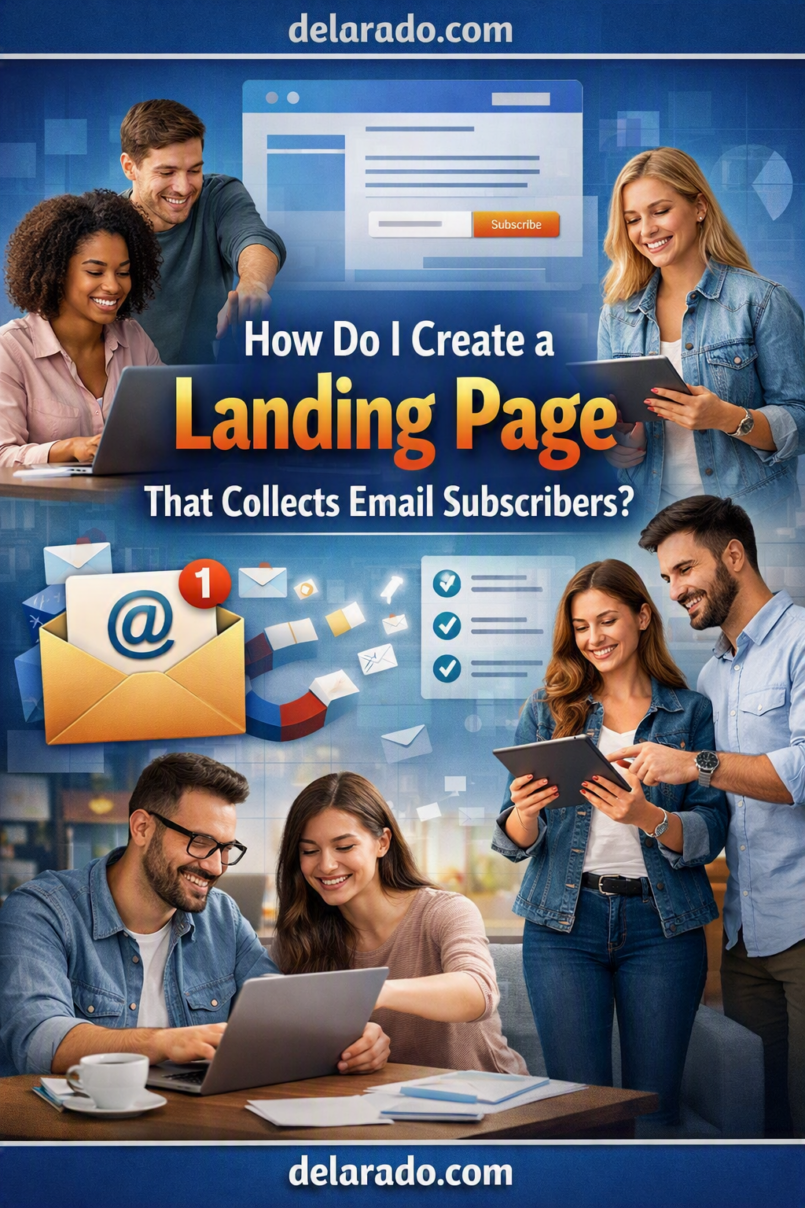
To create a landing page that collects email subscribers, offer one clear and useful reason to sign up, explain exactly what the visitor will receive, use a simple form, deliver the promised resource promptly, and follow up with relevant emails. The page should focus on one primary action: subscribing.
A good email-signup landing page does not need complicated design or aggressive sales language. It needs a specific offer, a clear headline, a short explanation, a trustworthy form, mobile-friendly formatting, and an honest statement about what happens after someone enters their email address.
Mailchimp’s landing-page workflow lets users create a landing page, connect it to an audience, and add signup forms to collect contacts. Its lead-magnet guidance describes lead magnets as free resources or tools offered in exchange for information such as an email address. [81][27]
Who Is This Topic For?
This guide is for bloggers, affiliate marketers, small-business owners, course creators, digital-product sellers, consultants, agencies, local businesses, coaches, creators, eCommerce businesses, and anyone who wants to build an email list.
This Article Is Helpful If You Want To:
- Build an email list
- Create a lead magnet
- Collect newsletter subscribers
- Create a free checklist or guide
- Promote a webinar registration
- Offer a template or worksheet
- Start an email welcome sequence
- Generate consultation leads
- Grow an audience before launching a product
- Create a sales funnel entry point
What Is an Email Landing Page?
An email landing page is a focused webpage designed to collect a visitor’s email address or another limited amount of contact information. Unlike a homepage, it usually has one main message, one offer, and one call to action.
Basic Landing Page Flow
Visitor sees a helpful offer → Visitor enters an email address → Visitor receives the promised resource → Visitor receives relevant follow-up emails → Visitor chooses whether to take another appropriate step
Examples of Email-Signup Offers
- Free checklist
- Quick-start guide
- Template
- Worksheet
- Resource list
- Mini email course
- Free webinar registration
- Sample lesson
- Calculator
- Industry report
- Discount code
- Product waitlist
The offer should be useful to the same audience you want to serve later. A random giveaway may attract email addresses, but it may not attract people who care about your actual products, services, or content.
Benefits of Email Landing Pages
Creates an Owned Audience
An email list gives you a direct way to communicate with people who asked to hear from you. You are not dependent only on social-media reach, search rankings, or changing platform algorithms.
Helps Deliver Useful Resources
A landing page can give visitors access to a checklist, template, beginner guide, worksheet, webinar, or sample lesson that helps solve a real problem.
Supports Sales Funnels
Email signup can be the first step in a funnel. After someone receives a useful resource, they may choose to read related content, attend a webinar, view a product page, book a consultation, or purchase a relevant product.
Helps Segment Audiences
Different lead magnets can show what someone is interested in. For example, a person who downloads a WordPress checklist may need different follow-up content than someone who signs up for social-media marketing tips.
Can Improve Content Planning
Signups, clicks, replies, surveys, and resource downloads can help you identify what topics your audience finds useful.
Supports Product Launches
Email lists can help businesses communicate with interested people before, during, and after a course launch, digital-product release, service update, event, or new offer.
Creates a Useful Follow-Up System
Automated email sequences can deliver a resource, answer common questions, share relevant tutorials, and introduce an offer when appropriate.
Risks and Limitations
More Subscribers Do Not Always Mean Better Results
A large list of people who are not interested in your topic may be less valuable than a smaller list of subscribers who genuinely want your content, product, or service.
Vague Offers Reduce Trust
People are less likely to subscribe if the offer is unclear. “Get the Ultimate Success Blueprint” is vague; “Download the Free Website Launch Checklist” explains what someone will receive.
Too Many Form Fields Create Friction
Asking for a phone number, address, company size, budget, job title, and several other details in exchange for a simple checklist can discourage signups and create unnecessary privacy concerns.
Sending Emails Without Clear Expectations Can Harm Trust
Tell visitors what they will receive after subscribing. Do not offer a free checklist and then immediately send unrelated promotional emails without setting expectations.
Deliverability Is Not Guaranteed
Even good email platforms cannot guarantee that every email reaches an inbox. Deliverability depends on permission practices, sender reputation, list quality, authentication, content, engagement, sending behavior, and other factors.
Privacy and Consent Rules Matter
Only collect information you need, explain how you will use it, protect it appropriately, and follow the rules that apply to your location and audience.
Automated Emails Need Maintenance
Check links, product details, prices, policies, downloads, forms, and email content regularly. An automated sequence can become outdated without anyone noticing.
What Makes a Good Lead Magnet?
A lead magnet is the free resource or offer that gives a visitor a reason to subscribe. It should solve a small, specific problem for the audience you want to serve.
Good Lead Magnet Qualities
- Specific
- Useful
- Easy to understand
- Relevant to your audience
- Related to your paid offer or expertise
- Quick to use
- Delivered promptly
- Accurate and current
- Designed clearly
- Not based on exaggerated claims
Weak Lead Magnet
Get My Secret Guide to Online Success
Stronger Lead Magnet
Free Website Launch Checklist: A Beginner Guide to Domains, Hosting, WordPress Setup, Essential Pages, Backups, and Launch-Day Tasks
Lead Magnet Ideas by Business Type
| Business Type | Lead Magnet Example |
|---|---|
| Website designer | Small Business Website Planning Checklist |
| Course creator | Free Worksheet or Sample Lesson |
| Local service business | Appointment Preparation Checklist |
| Affiliate marketer | Buyer’s Comparison Checklist |
| eCommerce business | Product Care Guide or Gift Guide |
| Consultant | Business Audit Checklist |
| Social media manager | 30-Day Content Calendar Template |
| Financial professional | General Budget Organization Worksheet, reviewed for applicable compliance |
Mailchimp describes a lead magnet as a free product, service, sample, or tool offered to encourage someone to provide contact information. [27]
Landing Page Structure
A good email landing page should make one promise and provide one action. Avoid sending visitors to unrelated pages or overwhelming them with too many choices.
Essential Landing Page Elements
- Specific headline
- Short supporting explanation
- Clear benefit list
- Preview or relevant visual
- Simple signup form
- Clear button text
- Email and privacy expectations
- Optional trust-building information
- Accessible design and mobile formatting
Simple Landing Page Wireframe
Headline: Download the Free Website Launch Checklist
Supporting text: A beginner-friendly checklist to help you plan a WordPress website, choose a domain and hosting, create essential pages, set up backups, and prepare for launch.
What you will get: A printable checklist, beginner setup steps, and a basic launch review.
Form: First name and email address
Button: Send Me the Free Checklist
Expectation text: You will receive the checklist by email and occasional beginner website tips. Unsubscribe anytime.
Step-by-Step Process
Step 1: Choose One Goal
Define the single most important action you want the visitor to take. For this type of landing page, the primary goal is usually a signup.
Possible Goals
- Get email subscribers
- Deliver a checklist
- Register people for a webinar
- Build a product waitlist
- Offer a sample lesson
- Start a free email course
- Collect consultation leads
- Send a discount code
- Promote a free trial
Example Goal
Collect email subscribers from beginner website owners who want a free Website Launch Checklist.
Do not make the landing page ask visitors to sign up, book a call, buy a course, follow several social accounts, and share the page at the same time.
Step 2: Define the Audience
Decide who the page is for before writing the headline. A landing page designed for everyone is usually too vague to persuade anyone.
Audience Questions
- Who is the visitor?
- What problem are they trying to solve?
- What is their experience level?
- What words do they use to describe the problem?
- What result do they want?
- What would make them trust the resource?
- What would stop them from signing up?
Example Audience
New bloggers and small-business owners who want to build their first WordPress website but do not understand domains, hosting, basic website pages, backups, or the launch process.
Use customer questions, comments, support tickets, sales calls, surveys, search queries, and feedback to improve your understanding of the audience.
Step 3: Create the Lead Magnet
Create the actual resource before promoting it. It should be complete, easy to access, accurate, and useful on its own.
Lead Magnet Checklist
- Does it solve a specific small problem?
- Does the title explain what it is?
- Is the information accurate?
- Is the design readable on desktop and mobile?
- Does it include relevant next steps?
- Does it match the landing-page promise?
- Does it avoid unsupported claims?
- Does it include your business name or website?
- Does it contain working links?
- Is it ready to deliver immediately?
Example Lead Magnet Outline
Title: Website Launch Checklist for Beginners
Section 1: Define your website goal
Section 2: Choose a domain name
Section 3: Compare hosting options
Section 4: Install and configure WordPress
Section 5: Create essential pages
Section 6: Set up backups and security basics
Section 7: Complete final launch checks
A lead magnet should provide real value. Do not use a one-page promotional brochure that promises help but gives no useful information.
Step 4: Write a Specific Headline
Your headline should quickly explain the resource and who it is for. Avoid vague or exaggerated language.
Weak Headlines
- Unlock Your Success Today
- Get the Ultimate Secret Guide
- Transform Your Business Fast
- Grow Instantly With This Free Gift
Stronger Headlines
- Download the Free Website Launch Checklist for Beginner WordPress Users
- Get the Free 30-Day Social Media Content Calendar Template
- Download the Small Business Website Planning Worksheet
- Get the Product Photography Checklist for Online Store Owners
- Register for the Free Beginner Email Marketing Workshop
Headline Formula
Get [specific resource] for [specific audience] who want to [specific outcome]
Example
Get the Free Website Launch Checklist for Beginners Who Want to Build a WordPress Site
Step 5: Write Supporting Copy
The supporting copy should explain why the resource is useful, what it contains, and what the visitor can expect after signing up.
Supporting Copy Formula
This free [resource type] helps [audience] understand [specific topic]. You will receive [specific items] so you can [practical next step].
Example
This free Website Launch Checklist helps new WordPress users organize the first steps of building a website. You will receive a practical checklist for domains, hosting, essential pages, backups, and launch preparation so you can plan your site with more confidence.
Keep Copy Honest
- Describe the actual resource
- Use clear language
- Avoid “secret” or “guaranteed” claims
- Do not promise results you cannot control
- Do not use fake urgency
- Do not hide future email expectations
Step 6: Add a Clear Benefits List
Use short bullets to show what the visitor receives. Focus on practical value rather than broad hype.
Example Benefits
- Plan your website before purchasing tools
- Understand the difference between a domain and hosting
- Review essential website pages
- Set up basic backup reminders
- Use a simple launch-day checklist
- Keep track of your first website tasks
Benefits to Avoid
- Make money automatically
- Get instant traffic
- Guaranteed website success
- Become number one on Google
- Build a profitable business overnight
Specific, realistic benefits are more trustworthy than broad claims that cannot be verified.
Step 7: Use a Relevant Visual
A visual can help people understand what they will receive. Use a real preview, clean cover design, sample page, checklist image, or relevant illustration.
Useful Visual Options
- Lead magnet cover image
- Preview of a checklist page
- Screenshot of a worksheet
- Course lesson preview
- Template preview
- Book or guide mockup
- Simple diagram
- Original product image
Do Not Use:
- Fake customer screenshots
- Fake download counts
- Fake product dashboards
- AI-generated people presented as customers
- Stock office photos presented as your business
- Misleading before-and-after images
- Invented results or social proof
If you use AI-generated visual elements, use them as illustrations rather than evidence of real people, products, results, locations, or events.
Step 8: Create a Simple Form
Ask for the least amount of information needed to deliver the offer and begin relevant follow-up communication.
For a Free Checklist or Guide
- Email address
- First name, if you will use it meaningfully
For a Consultation or Quote Request
- Name
- Email address
- Business name, if relevant
- Website address, if relevant
- Short description of the need
- Preferred contact method
Form Best Practices
- Use clear field labels
- Mark required fields clearly
- Use accessible form labels
- Explain errors clearly
- Make the form work on mobile
- Avoid unnecessary fields
- Do not ask for sensitive information for a basic signup
- Test the form before publishing
Asking for unnecessary data can reduce trust and increase your responsibility to protect information you did not need in the first place.
Step 9: Write a Clear Call to Action
The call-to-action button should tell visitors what happens when they click. Avoid generic button labels when a clearer label is possible.
Weak Button Text
- Submit
- Click Here
- Continue
- Learn More
Stronger Button Text
- Send Me the Free Checklist
- Get the Free Template
- Register for the Free Workshop
- Join the Email Course
- Download the Planning Guide
- Get My Website Audit Worksheet
Use button text that reflects the visitor’s benefit and the immediate result of clicking.
Step 10: Set Email Expectations
Tell people what will happen after they subscribe. This helps build trust and sets an appropriate basis for follow-up messages.
Example Expectation Text
You will receive the Website Launch Checklist by email, along with occasional practical website setup tips. You can unsubscribe at any time.
Expectation Checklist
- What resource will they receive?
- When will they receive it?
- Will they receive future emails?
- What topics will those emails cover?
- How can they unsubscribe?
- Where can they review privacy information?
For commercial email, the FTC says messages must include a clear and conspicuous explanation of how recipients can opt out of future marketing emails, and opt-out requests must be honored promptly. [80]
Step 11: Create a Thank-You Page
After someone submits the form, redirect them to a thank-you page. Confirm that the signup worked and explain the next step.
Thank-You Page Elements
- Confirmation message
- Instructions to check email
- Expected delivery timeframe
- Spam or promotions-folder reminder when appropriate
- Optional link to a related article or video
- Support contact option
Example Thank-You Message
Your Website Launch Checklist is on its way.
Check your inbox in the next few minutes for the download link. If you do not see it, check your spam or promotions folder.
While you wait, read: What Is the Difference Between a Domain Name and Web Hosting?
Keep the thank-you page focused. One related resource is enough; do not overwhelm new subscribers with multiple unrelated offers.
Step 12: Deliver the Resource
The first email should provide the lead magnet or clearly explain how to access it. Do not make people wait for the resource they requested.
First Email Structure
- Clear subject line
- Short thank-you
- Direct access link
- One sentence explaining how to use the resource
- Optional next step
- Support contact details
Example Email
Subject: Your Website Launch Checklist Is Ready
Thanks for requesting the Website Launch Checklist.
Download it here: [Download Link]
Start with the first section, “Define Your Website Goal,” before comparing hosting plans or choosing a WordPress theme.
Test delivery with a separate email address before promoting the page publicly.
Step 13: Create a Welcome Sequence
A welcome sequence gives new subscribers helpful information after receiving the lead magnet. It should match the reason they signed up.
Simple Five-Email Welcome Sequence
- Deliver the resource
- Share a useful quick-start tip
- Explain a common mistake
- Link to a helpful guide or tutorial
- Introduce a relevant product, service, or next step
Example Sequence
| Topic | Purpose | |
|---|---|---|
| 1 | Your Website Launch Checklist | Deliver the requested resource |
| 2 | Start With Your Website Goal | Help the subscriber plan before choosing tools |
| 3 | Three Hosting Mistakes Beginners Should Avoid | Provide practical education |
| 4 | What a Simple Website Setup Process Looks Like | Give context and build trust |
| 5 | Want More Guided Help? | Introduce a relevant offer without pressure |
Do not send unrelated promotions immediately after someone signs up for a free resource. Build the sequence around the topic and expectation that caused them to subscribe.
Step 14: Make the Page Mobile-Friendly
Many visitors will see the landing page on a phone. Test the page on small screens before publishing.
Mobile Checklist
- Is the headline readable?
- Is the form easy to complete?
- Are buttons large enough to tap?
- Does the page load quickly?
- Are images optimized?
- Does text remain readable without zooming?
- Does the form submit correctly?
- Does the thank-you page display properly?
- Does the email look correct on mobile?
Do not assume a page works because it looks good on your desktop monitor.
Step 15: Add Accessibility Basics
Make the landing page easier to use for more people by using readable text, clear structure, accessible forms, meaningful labels, and appropriate contrast.
Accessibility Checklist
- Use a clear heading structure
- Use readable font sizes
- Use sufficient text contrast
- Do not use color alone to communicate errors
- Label form fields clearly
- Provide useful error messages
- Add alt text to meaningful images
- Make buttons descriptive
- Ensure keyboard navigation works where possible
- Avoid autoplay audio or distracting motion
Accessible design is good customer experience. It can reduce confusion for all visitors, not only people who use assistive technology.
Step 16: Track the Funnel
Track the most important actions so you can understand whether people see the page, submit the form, receive the resource, and engage with the follow-up.
Useful Events to Track
- Landing-page view
- Form view
- Form submission
- Thank-you page view
- Lead magnet delivery
- Email open
- Email link click
- Offer-page visit
- Purchase, booking, or inquiry
Google Analytics supports customized funnel reports that can visualize user journeys across defined steps. [79]
Simple Signup Rate Formula
\[
\text{Signup Rate} = \frac{\text{Number of Form Submissions}}{\text{Number of Landing Page Visitors}} \times 100
\]
Example
If 300 people visit your landing page and 18 submit the form:
\[
\frac{18}{300} \times 100 = 6\%
\]
Do not view this number alone. Consider the relevance of subscribers, email engagement, support questions, product interest, purchases, and long-term customer satisfaction.
Step 17: Improve One Element at a Time
Use data and feedback to find the largest barrier. Test one meaningful improvement at a time so you can understand what changed.
| Problem | Possible Cause | What to Review |
|---|---|---|
| Few people reach the landing page | Weak promotion or irrelevant traffic | Content links, social posts, email links, SEO, campaign targeting |
| Visitors leave without signing up | Offer is unclear or not useful enough | Headline, resource title, benefits, design, trust, page speed |
| Visitors start but do not complete the form | Form is too long or confusing | Field count, labels, error messages, privacy concerns, mobile usability |
| Subscribers do not receive the resource | Email delivery or automation issue | Automation rules, sender settings, spam filtering, links, form integration |
| Subscribers do not engage with emails | Expectations and email content do not match | Subject lines, sending frequency, relevance, sender identity, email content |
Do not try to fix low signups by adding pressure, misleading claims, or fake urgency. Improve clarity, value, relevance, usability, and trust.
Programs That Can Help
Systeme.io
Systeme.io can help create landing pages, sales funnels, signup forms, email campaigns, automation rules, and lead-magnet delivery workflows. Its current free plan supports core funnel and email features within defined limits.
MailerLite
MailerLite can help create landing pages, signup forms, email campaigns, automations, subscriber groups, lead magnet delivery, and newsletters.
ConvertKit
ConvertKit can help creators build forms, landing pages, email sequences, subscriber tags, automations, digital-product workflows, and creator-focused email marketing systems.
Brevo
Brevo can help manage email campaigns, signup forms, automation, audience lists, transactional emails, and marketing communication workflows.
Mailchimp
Mailchimp can help create landing pages, connect pages to an audience, collect contacts through forms, and deliver lead magnets through email automation. [81][27]
WordPress
WordPress can host landing pages, articles, blog posts, lead-magnet pages, service pages, resource libraries, and email-form integrations through plugins or page builders.
Elementor, Kadence, or Similar Builders
Page builders can help create custom WordPress landing pages with forms, branded design, responsive layouts, call-to-action buttons, and integrations with email providers.
Canva
Canva can help create lead magnets, checklist PDFs, worksheets, ebook covers, landing-page graphics, visual previews, social-media promotions, and branded email assets.
Google Analytics
Google Analytics can help measure landing-page visits, form submissions, thank-you page views, email-driven traffic, and later conversion steps. Its funnel reporting tools can visualize defined user journeys. [79]
Common Mistakes
Using a Vague Offer
People are more likely to subscribe when they understand exactly what they will receive. Use a specific resource title and clear explanation.
Trying to Collect Too Much Information
Use short forms for simple resources. Only request additional information when it is genuinely needed for a consultation, quote, application, or other higher-intent action.
Using Generic Button Text
Replace “Submit” with text that describes the benefit, such as “Send Me the Free Checklist” or “Get the Template.”
Not Delivering the Lead Magnet
Test every form submission and email automation. The subscriber should receive the promised resource promptly.
Not Explaining Future Emails
Tell people whether they will receive additional tips, promotions, newsletters, or product updates after receiving the resource.
Using Deceptive Subject Lines
Do not use false “urgent,” “invoice,” “account issue,” “shipping notice,” or personal-message subject lines to make people open promotional email.
Making Unsubscribe Difficult
Commercial email must include a clear explanation of how recipients can opt out, and the FTC says opt-out requests must be honored promptly. [80]
Ignoring Mobile Design
Check the headline, form, button, page speed, images, thank-you page, and email design on a phone before publishing.
Using Fake Social Proof
Do not use fabricated subscriber counts, fake testimonials, AI-generated customer reviews, fake download numbers, false scarcity, or misleading success claims.
Not Testing the Complete Funnel
Test the landing page, form, thank-you page, email delivery, downloads, links, campaign timing, unsubscribe process, and any follow-up offer before promoting the page.
Frequently Asked Questions
What is an email landing page?
An email landing page is a focused webpage designed to collect a visitor’s email address or limited contact information in exchange for a useful resource, newsletter, webinar registration, waitlist position, or other clear offer.
What should I offer to get email subscribers?
Offer a specific resource that solves a small problem for your target audience. Common examples include checklists, templates, guides, worksheets, sample lessons, resource lists, webinars, calculators, and email courses.
How many fields should an email signup form have?
For a simple lead magnet, ask for as little as possible—usually an email address and optionally a first name. Add fields only when the information is genuinely needed for the next step.
What should a landing page headline say?
State the specific resource and audience benefit. For example: “Download the Free Website Launch Checklist for Beginner WordPress Users.” Avoid vague or exaggerated language.
Do I need a lead magnet to build an email list?
Not always. A newsletter with clear value can attract subscribers. A lead magnet can help when you want to offer an immediate, specific resource in exchange for an email address.
What should happen after someone signs up?
Send them to a thank-you page, deliver the promised resource by email, explain how to use it, and send relevant follow-up content that matches the reason they subscribed.
How do I deliver a lead magnet automatically?
Use an email platform or funnel tool to connect the signup form to an automation. When someone submits the form, the system sends a delivery email with a download link, access instructions, or the resource itself.
Do I need an unsubscribe link in emails?
For commercial marketing emails in the United States, the FTC says emails must provide a clear and conspicuous way to opt out of future marketing messages, and requests must be honored promptly. Rules vary by location, so review requirements that apply to your business. [80]
How do I know if my landing page is working?
Track landing-page visits, form submissions, thank-you page views, email delivery, email opens, email clicks, and later actions such as bookings, purchases, or downloads. Also review subscriber quality and feedback.
What is a good landing page conversion rate?
There is no universal benchmark. Rates vary based on traffic quality, audience fit, offer value, device, page design, industry, and source. Compare your own results over time and focus on whether subscribers engage and benefit.
Can I use a landing page for affiliate marketing?
Yes. You can offer a useful checklist, comparison guide, or educational resource and later recommend relevant affiliate products. Disclose any affiliate relationship clearly and close to the recommendation or link.
Further Reading
- How to Build a Successful Online Business: A Complete Guide to Sustainable Growth
- Is ThriveCart Good for Selling Courses, Coaching, and Memberships?
- How Do I Use ThriveCart to Sell Digital Products?
- How Do I Reduce Cart Abandonment?
- What Is a One-Click Upsell and When Should I Use One?
- What Is an Order Bump and How Does It Increase Average Order Value?
- How Do I Build an Email List From Scratch?
- What Is an Email Lead Magnet and How Do You Create One?
- How Do I Create a Landing Page That Collects Email Subscribers?
- What Is the Difference Between ClickFunnels and Systeme.io?
- Is Systeme.io Good for Building Sales Funnels and Email Campaigns?