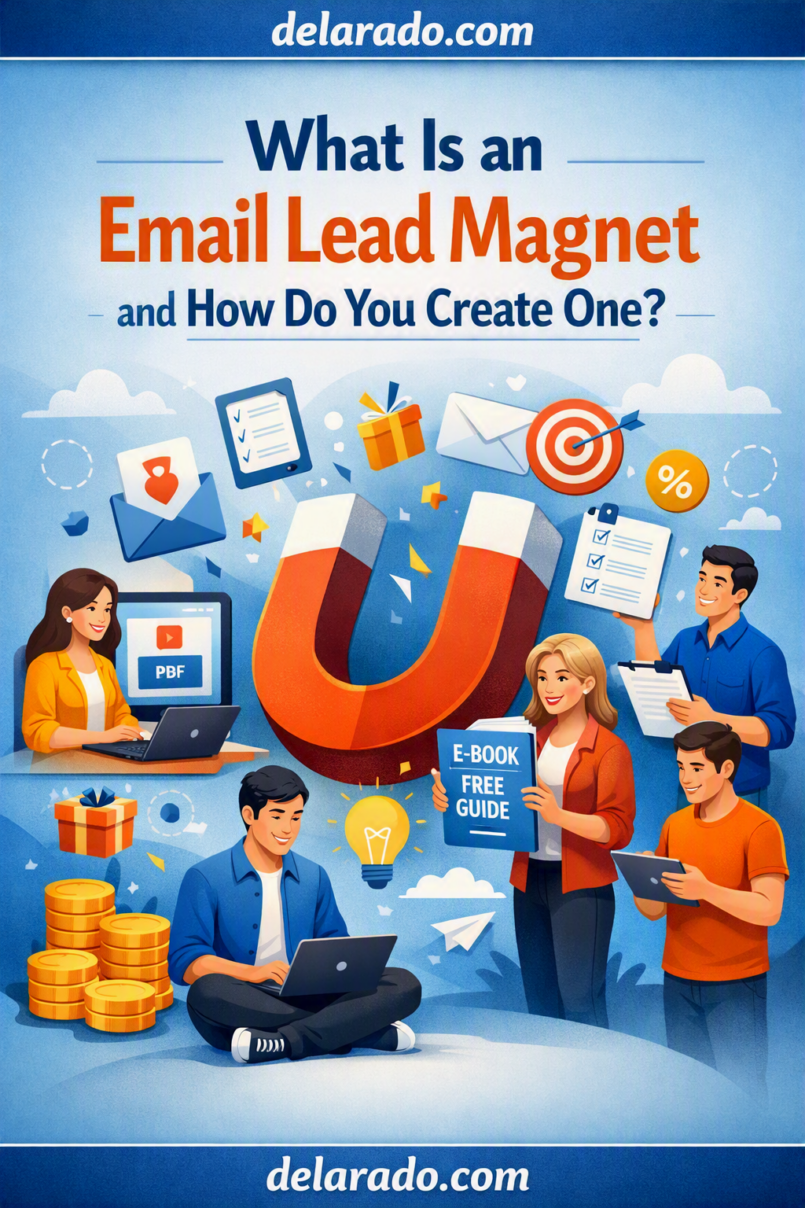
An email lead magnet is a free, useful resource offered in exchange for a visitor’s email address or permission to follow up. It can be a checklist, template, guide, worksheet, webinar, sample lesson, calculator, resource list, or other tool that helps a specific audience solve a small problem.
A strong lead magnet is not simply a promotional PDF. It gives immediate value, matches the visitor’s current need, and connects naturally to the content, product, service, or topic you plan to discuss later. Mailchimp describes lead magnets as free tools, samples, or resources used to encourage people to share contact information. [27]
Who Is This Topic For?
This guide is for bloggers, affiliate marketers, course creators, digital-product sellers, consultants, coaches, agencies, local businesses, eCommerce brands, freelancers, nonprofit teams, educators, and anyone building an email list.
This Article Is Helpful If You Want To:
- Grow an email list
- Create a free resource for website visitors
- Build a lead-generation funnel
- Promote a digital product or course
- Generate consultation inquiries
- Create a newsletter signup offer
- Offer templates or worksheets
- Register people for a webinar
- Build an audience before a launch
- Follow up with potential customers by email
What Is an Email Lead Magnet?
An email lead magnet is an incentive offered to a visitor in return for their email address or consent to receive communications. It gives the visitor a clear reason to subscribe because they receive something useful immediately.
Simple Lead Magnet Flow
Visitor sees useful content → Visitor sees a related free resource → Visitor submits an email address → Visitor receives the resource → Visitor receives relevant future communication
Example
A person reads an article called “How to Start a WordPress Website.” At the end of the article, they see an offer for a free Website Launch Checklist. They enter their email address, receive the checklist, and later receive useful beginner website tips.
The checklist is the lead magnet. The email signup is the action that allows the business to deliver it and, with appropriate expectations and permissions, continue the relationship.
Why Use a Lead Magnet?
Gives Visitors a Useful Reason to Subscribe
Most people will not subscribe simply because a website says, “Join our newsletter.” A specific resource gives them a clear benefit for sharing an email address.
Builds an Owned Audience
An email list gives you a direct communication channel with people who chose to hear from you. You are less dependent on social-media reach, paid advertising, or search-engine visibility alone.
Helps Qualify Interest
The resource someone chooses can indicate what they are interested in. For example, someone who downloads a “Website Launch Checklist” may be interested in domains, hosting, WordPress, or website planning.
Supports Useful Follow-Up
You can send related tips, tutorials, updates, product education, webinar invitations, or relevant offers after the person receives the lead magnet.
Can Improve Content Strategy
Signup activity, email clicks, replies, and customer questions can reveal which topics people care about most.
Can Support Sales Funnels
A lead magnet can be an entry point into a larger funnel. After receiving useful information, a subscriber may choose to view a product page, book a consultation, register for a course, or purchase a relevant product.
Benefits of Lead Magnets
Creates a Clear Value Exchange
The visitor receives a practical resource. In return, they share contact information or permission for future communications.
Works With Many Business Models
Lead magnets can support digital products, local services, online courses, affiliate content, coaching, consulting, eCommerce, memberships, software, and educational websites.
Can Be Reused Across Content
One useful checklist, template, worksheet, or guide can be promoted within blog posts, YouTube descriptions, social media, webinars, email signatures, resource libraries, and relevant landing pages.
Helps Segment Subscribers
Different lead magnets can be connected to tags or audience groups. This lets you send more relevant content rather than sending the same email to every subscriber.
Can Support Product Launches
A lead magnet can build an interested audience before you launch a course, product, workshop, membership, service package, or new offer.
Can Be Simple to Create
A useful lead magnet does not need to be a 100-page ebook. A clear one-page checklist, simple template, or short worksheet may be more useful because it is easy to understand and use.
Risks and Limitations
More Subscribers Do Not Always Mean Better Leads
A large list of people who only wanted a generic giveaway may be less useful than a smaller list of people who are genuinely interested in your expertise, offer, or topic.
Generic Lead Magnets Attract Weak Interest
A vague resource such as “The Ultimate Success Guide” may attract curiosity but does not clearly identify who it helps or what problem it solves.
The Lead Magnet Must Deliver Value
Do not offer a free guide and deliver a thin promotional document. Visitors should receive the useful resource promised on the landing page.
Privacy and Consent Matter
Collect only the information you need, explain what will happen after signup, protect subscriber data, and follow applicable laws and regulations.
Email Deliverability Is Not Guaranteed
A good lead magnet does not guarantee inbox placement. Deliverability depends on permission, sender reputation, list quality, authentication, subscriber engagement, content, sending behavior, and other factors.
Automation Needs Maintenance
Check delivery links, download files, product details, email content, prices, policies, and calls to action regularly so subscribers do not receive outdated or broken information.
Lead Magnets Are Not a Substitute for a Good Offer
A free checklist can start a relationship, but it cannot fix a poor product, unclear service, weak customer support, misleading marketing, or an offer that does not solve a real problem.
Types of Lead Magnets
Checklists
Checklists are easy to create and useful for tasks with a clear sequence of steps.
Examples
- Website Launch Checklist
- Product Photography Checklist
- Social Media Post Checklist
- New Client Onboarding Checklist
- Course Launch Checklist
Templates
Templates save people time by providing a reusable starting point.
Examples
- Content calendar template
- Email welcome sequence template
- Project proposal template
- Website planning template
- Social caption template
Worksheets
Worksheets help a person think through a decision, goal, plan, or process.
Examples
- Business goal worksheet
- Website planning worksheet
- Customer persona worksheet
- Product idea worksheet
- Content pillar worksheet
Quick-Start Guides
A quick-start guide gives a short, organized introduction to a topic.
Examples
- Beginner Guide to WordPress Setup
- Quick Start Guide to Email Marketing
- Starter Guide to Creating Reels
- First-Time Online Course Creator Guide
Resource Lists
Resource lists organize useful tools, links, or materials for a specific task.
Examples
- Beginner Website Tools List
- Content Creation Resource List
- Remote Work Tool Guide
- Small Business Marketing Resource List
Mini Email Courses
A mini email course delivers a short lesson series across several days.
Examples
- Five-Day Website Planning Email Course
- Seven-Day Content Planning Challenge
- Three-Day Beginner SEO Course
- Five Email Lessons on Starting an Email List
Webinars and Live Training
A webinar registration can be a lead magnet when the event gives attendees useful educational content.
Sample Lessons or Product Previews
Course creators can offer one useful lesson, module preview, worksheet, or excerpt to help potential students understand the course style and topic.
Calculators and Quizzes
Calculators and quizzes can be useful when they provide a genuinely helpful result, such as an estimate, planning score, or next-step recommendation. Do not use a quiz merely to collect excessive personal information.
How to Choose the Right Lead Magnet
The best lead magnet is related to a real audience problem and connects naturally to your business or future offer.
Ask These Questions
- What question do customers ask repeatedly?
- What small problem can I help solve quickly?
- What task would a checklist or template simplify?
- What does a beginner need before buying my product or service?
- What resource would attract the right audience?
- What free content can lead naturally to my paid offer?
- Can I deliver this resource accurately and immediately?
- Will it still be useful in six months?
Example: Website Design Business
| Audience Problem | Lead Magnet | Possible Paid Next Step |
|---|---|---|
| New business needs a website but does not know where to start | Small Business Website Planning Checklist | Website planning consultation |
| Business has unclear website messaging | Homepage Copy Worksheet | Website copywriting service |
| Business needs a website redesign | Website Audit Checklist | Website redesign package |
Example: Course Creator
| Audience Problem | Lead Magnet | Possible Paid Next Step |
|---|---|---|
| Beginners do not know what to learn first | Course Topic Roadmap | Full beginner course |
| Audience wants help applying a concept | Practical worksheet | Course module or workshop |
| Audience wants a quick preview | Sample lesson | Course enrollment |
Choose a lead magnet that attracts people who may genuinely benefit from your future content, product, or service—not simply people who want anything free.
Step-by-Step Process
Step 1: Define the Goal
Choose one primary goal for the lead magnet. A clear goal helps you decide what to create and who to promote it to.
Possible Goals
- Grow an email list
- Prepare for a course launch
- Generate consultation leads
- Build an affiliate audience
- Promote a digital product
- Register people for a webinar
- Segment people by interest
- Support a new service launch
- Provide customer education
Example Goal
Build an email list of beginner website owners who may benefit from a WordPress setup course or website-planning consultation.
Do not try to use one lead magnet to serve every audience and every offer. A focused resource usually works better.
Step 2: Define the Audience Problem
Identify a narrow, immediate problem your audience wants help with. This should come from real customer questions, not only guesses.
Sources of Lead Magnet Ideas
- Customer emails
- Support tickets
- Sales calls
- Frequently asked questions
- Search queries
- YouTube comments
- Social-media comments
- Product reviews
- Community forums
- Course student questions
- Consultation notes
Example Problem
Beginner website owners do not know what tasks must be completed before launching a WordPress website.
Lead Magnet Solution
A practical Website Launch Checklist that organizes each task into planning, setup, content, testing, and launch stages.
Step 3: Choose the Format
Select the format that best solves the problem. Do not create a long ebook if a simple template or checklist would be more useful.
| If the Audience Needs To… | Useful Lead Magnet Format |
|---|---|
| Remember steps | Checklist |
| Complete a task faster | Template |
| Think through a decision | Worksheet |
| Learn basic concepts | Quick-start guide |
| Find recommended tools or links | Resource list |
| Learn a short process over time | Mini email course |
| See expertise in action | Webinar or sample lesson |
| Get a tailored starting point | Quiz or calculator |
Choose the simplest format that gives the visitor useful progress.
Step 4: Write a Specific Title
The title should explain what the resource is and what problem it helps with.
Weak Titles
- The Ultimate Success Guide
- My Top Secrets
- Free Business Resource
- Grow Faster Today
Stronger Titles
- Website Launch Checklist for Beginner WordPress Users
- 30-Day Social Media Content Calendar Template
- Small Business Homepage Copy Worksheet
- Beginner Email Marketing Quick-Start Guide
- Online Course Planning Template
- Product Photography Checklist for Online Stores
Title Formula
[Specific resource] for [specific audience] who want to [practical outcome]
Example
Website Launch Checklist for Beginners Who Want to Build a WordPress Site
Step 5: Create the Resource
Create the lead magnet before promoting it. Make sure it is accurate, complete enough to be useful, visually readable, and easy to access.
Lead Magnet Quality Checklist
- Does it solve a real small problem?
- Does it match the title and landing-page promise?
- Is the information accurate?
- Are links current?
- Are instructions clear?
- Is it readable on mobile?
- Are design elements accessible?
- Does it include your business name or website?
- Does it have a relevant next step?
- Does it avoid unsupported claims?
Example Checklist Sections
Website Launch Checklist
1. Define your website goal
2. Select a domain name
3. Compare hosting requirements
4. Install and configure WordPress
5. Create essential pages
6. Add contact information and forms
7. Create backups and security basics
8. Test the website on mobile
9. Review links and page content
10. Publish and monitor the launch
A lead magnet should provide real help. Do not create a resource that is only an advertisement for your paid product.
Step 6: Create a Landing Page
Create a dedicated landing page where visitors can request the lead magnet. The page should focus on one action: signing up.
Landing Page Elements
- Specific headline
- Short description
- Who the resource is for
- Benefits or contents
- Preview image
- Simple signup form
- Clear call-to-action button
- Email expectations
- Privacy information where appropriate
Example Landing Page Copy
Headline: Download the Free Website Launch Checklist
Supporting text: A beginner-friendly checklist to help you plan your website, choose a domain and hosting, set up WordPress, create essential pages, and prepare for launch.
What you will receive: A printable checklist, beginner setup steps, and a launch review guide.
Button: Send Me the Free Checklist
Expectation text: You will receive the checklist by email and occasional beginner website tips. You can unsubscribe at any time.
Mailchimp’s landing-page workflow allows users to create a page, connect it to an audience, and use it to collect contacts. [81]
Step 7: Keep the Signup Form Simple
Ask only for information you need to deliver the resource and communicate appropriately afterward.
For a Basic Lead Magnet
- Email address
- First name, if you will use it meaningfully
For a Higher-Intent Offer
- Name
- Email address
- Business name, if relevant
- Website address, if relevant
- Short description of their need
Form Rules
- Use visible labels
- Mark required fields clearly
- Make error messages easy to understand
- Test the form on mobile
- Do not request sensitive data for a simple download
- Explain how you will use email information
- Use consent language where applicable
Collecting unnecessary information can reduce signups and increases the amount of personal information you are responsible for handling.
Step 8: Create a Thank-You Page
After someone signs up, show a thank-you page that confirms the request and explains what happens next.
Thank-You Page Elements
- Confirmation message
- Delivery expectations
- Instruction to check email
- Spam or promotions-folder reminder if appropriate
- One optional related resource
- Support contact method
Example
Your Website Launch Checklist is on its way.
Check your inbox in the next few minutes for the download link. If you do not see it, check your spam or promotions folder.
While you wait, read: What Is the Difference Between a Domain Name and Web Hosting?
Keep the thank-you page focused. Do not fill it with unrelated upsells, popups, and competing calls to action.
Step 9: Deliver the Lead Magnet by Email
The first email should deliver the resource immediately or provide clear access instructions.
Delivery Email Checklist
- Clear subject line
- Short thank-you message
- Direct download or access link
- Simple instructions
- Support contact option
- Accurate sender information
- Working unsubscribe method for commercial email where applicable
Example Email
Subject: Your Website Launch Checklist Is Ready
Thanks for requesting the Website Launch Checklist.
Download it here: [Download Link]
Start with the first section, “Define Your Website Goal,” before comparing hosting providers or choosing a WordPress theme.
Always test the delivery email using a separate address before promoting your lead magnet.
Step 10: Build a Welcome Sequence
After delivering the lead magnet, create a brief sequence that helps new subscribers make progress on the topic they care about.
Simple Five-Email Sequence
- Deliver the lead magnet
- Share a useful quick-start tip
- Explain one common mistake
- Link to a related guide or tutorial
- Introduce a relevant next step or offer
Example Sequence
| Topic | Purpose | |
|---|---|---|
| 1 | Your Website Launch Checklist | Deliver the promised resource |
| 2 | Start With Your Website Goal | Help the subscriber plan before choosing tools |
| 3 | Three Hosting Mistakes Beginners Should Avoid | Provide practical education |
| 4 | What a Simple Website Setup Process Looks Like | Give context and build trust |
| 5 | Want More Guided Help? | Introduce a relevant course, template, or consultation |
Do not use a lead magnet to justify irrelevant promotional email. The follow-up should match the topic and expectations established on the signup page.
Step 11: Add a Relevant Call to Action
Your lead magnet should have one helpful next step. It does not need to sell immediately, but it can guide people toward related resources.
Useful Calls to Action
- Read the complete guide
- Watch the beginner tutorial
- Download the related worksheet
- Join the free workshop
- Compare available options
- View the course curriculum
- Book a consultation
- Request a quote
- Start a free trial
Example
When you have completed the checklist, read the full beginner guide to choosing WordPress hosting or view the Website Setup Course curriculum for more structured support.
The next step should be relevant. Do not offer an unrelated product simply because it has a high price.
Step 12: Track Performance
Track the lead magnet funnel so you can understand whether people are visiting the page, signing up, receiving the resource, and engaging with follow-up email.
Useful Metrics
- Landing-page visits
- Form views
- Form submissions
- Thank-you page views
- Lead magnet delivery
- Email opens
- Email clicks
- Replies
- Offer-page visits
- Consultation bookings
- Product purchases
- Unsubscribe activity
Google Analytics provides a lead-generation funnel example that can include steps such as page views, form starts, and form submissions using the form_submit event. [87]
Simple Signup Formula
\[
\text{Signup Rate} = \frac{\text{Form Submissions}}{\text{Landing Page Visitors}} \times 100
\]
Example
If 400 people visit a lead magnet page and 24 submit the form:
\[
\frac{24}{400} \times 100 = 6\%
\]
Do not evaluate the lead magnet only by signup rate. Review the quality of subscribers, email engagement, replies, support questions, product interest, and long-term customer value.
Lead Magnet Ideas by Business Type
For Bloggers and Affiliate Marketers
- Beginner buyer’s checklist
- Tool comparison worksheet
- Keyword research template
- Website launch checklist
- Affiliate disclosure guide
- Content planning calendar
- SEO basics guide
- Beginner blogging roadmap
For Course Creators
- Sample lesson
- Module worksheet
- Course topic roadmap
- Beginner assessment quiz
- Workshop registration
- Learning plan template
- Course planning workbook
- Lesson recap guide
For Local Businesses
- Appointment preparation checklist
- Seasonal maintenance guide
- Local resource list
- New customer guide
- Service comparison worksheet
- Home care checklist
- Frequently asked questions guide
- Event registration resource
For eCommerce Businesses
- Product care guide
- Gift guide
- Size or fit guide
- Product-use checklist
- Seasonal buying guide
- Style guide
- Recipe or project guide
- Product comparison worksheet
For Consultants and Agencies
- Business audit checklist
- Project planning worksheet
- Website review checklist
- Marketing planning template
- Consultation preparation guide
- Content strategy worksheet
- Brand messaging checklist
- Service process guide
Programs That Can Help
Canva
Canva can help create checklists, worksheets, templates, ebook covers, lead magnet PDFs, social-media graphics, and branded resource designs.
Systeme.io
Systeme.io can help create lead-magnet landing pages, signup forms, thank-you pages, email campaigns, automation rules, and basic funnel workflows.
MailerLite
MailerLite can help create landing pages, signup forms, email sequences, subscriber groups, lead magnet delivery, and newsletters.
ConvertKit
ConvertKit can help creators build signup forms, landing pages, automated sequences, tags, segments, and digital-product email workflows.
Brevo
Brevo can help manage email campaigns, automation, subscriber lists, signup forms, and transactional or marketing-email workflows.
Mailchimp
Mailchimp can help create landing pages, connect a page to an audience, collect contacts, and automate lead magnet delivery. [81][27]
WordPress
WordPress can host lead-magnet pages, blog posts, resource libraries, landing pages, and integrations with email marketing services.
Google Analytics
Google Analytics can track landing-page visits, form activity, submissions, thank-you page views, and later funnel actions. Its lead-generation guidance includes tracking form_submit events in Funnel Exploration. [87]
Common Mistakes
Creating a Generic Resource
A vague freebie may attract curiosity but not the right audience. Create a specific resource tied to a real problem.
Using a Lead Magnet Unrelated to Your Offer
If you sell a WordPress course, a lead magnet about unrelated social-media trends may create a list that is not interested in your course.
Making the Resource Too Long
Do not create a long ebook when a one-page checklist, useful template, or short guide would solve the immediate problem more effectively.
Making the Resource Too Promotional
The lead magnet should provide practical value. It should not be a disguised sales brochure with little useful information.
Asking for Too Much Information
For a basic free download, ask only for what you need. Long forms can reduce trust and signups.
Not Delivering the Resource Immediately
Test the form and delivery email. Subscribers should receive the promised resource promptly.
Not Explaining Future Emails
Tell visitors whether they will receive future tips, newsletters, promotions, or product information after they subscribe.
Using Deceptive Marketing
Do not use false scarcity, fake countdown timers, misleading subject lines, fake testimonials, fabricated subscriber counts, or unsupported income and performance claims.
Not Including an Unsubscribe Option
For commercial email in the United States, the FTC says messages must include a clear and conspicuous explanation of how recipients can opt out of future marketing messages. [80]
Ignoring Mobile and Accessibility
Check landing pages, forms, download files, buttons, and emails on mobile. Use clear labels, readable text, good contrast, accessible PDFs, and simple page structure.
Measuring Only Signups
Track email engagement, subscriber quality, product interest, bookings, purchases, refund patterns, and customer feedback—not just the number of new email addresses.
Frequently Asked Questions
What is an email lead magnet?
An email lead magnet is a free resource, tool, sample, or incentive offered in exchange for a visitor’s email address or permission to follow up. Common examples include checklists, templates, guides, webinars, sample lessons, and worksheets. [27]
Why are lead magnets important?
Lead magnets give visitors a clear reason to subscribe, help businesses build an audience of interested people, and provide a starting point for useful follow-up communication.
What makes a good lead magnet?
A good lead magnet solves a specific small problem, has a clear title, provides immediate practical value, matches the audience’s interest, connects naturally to your expertise or offer, and is delivered promptly.
What is the easiest lead magnet to create?
A checklist, worksheet, resource list, or simple template is often the easiest starting point because it can solve a focused problem without requiring a long ebook or complex production process.
How do I deliver a lead magnet automatically?
Use an email platform or funnel tool to connect a signup form to an automation. When someone submits the form, the system sends an email containing the resource, download link, or access instructions.
Do I need a landing page for a lead magnet?
A dedicated landing page is useful because it focuses on one offer and one action. You can also use embedded forms in blog posts or popups, but a landing page gives you a clear place to explain the resource.
How many form fields should a lead magnet have?
For most lead magnets, request only an email address and optionally a first name. Ask for more only when the information is genuinely needed for the next step.
Can I promote affiliate products after someone downloads a lead magnet?
Yes, if the recommendations are relevant to the subscriber’s interest and you disclose any affiliate relationship clearly. Do not use a lead magnet to send unrelated or misleading promotions.
Do I need to include an unsubscribe link?
For commercial email in the United States, the FTC says messages must provide a clear and conspicuous way to opt out of future marketing email. Check the rules that apply to your location and audience. [80]
How do I track whether my lead magnet works?
Track landing-page visits, form submissions, thank-you page views, email delivery, email opens, link clicks, replies, bookings, purchases, and subscriber quality. Google Analytics can include form_submit events in a lead-generation funnel report. [87]
What should I avoid when creating a lead magnet?
Avoid vague offers, unrelated giveaways, deceptive claims, fake testimonials, overly long forms, broken delivery links, hidden follow-up expectations, unnecessary data collection, inaccessible files, and lead magnets that provide little real value.