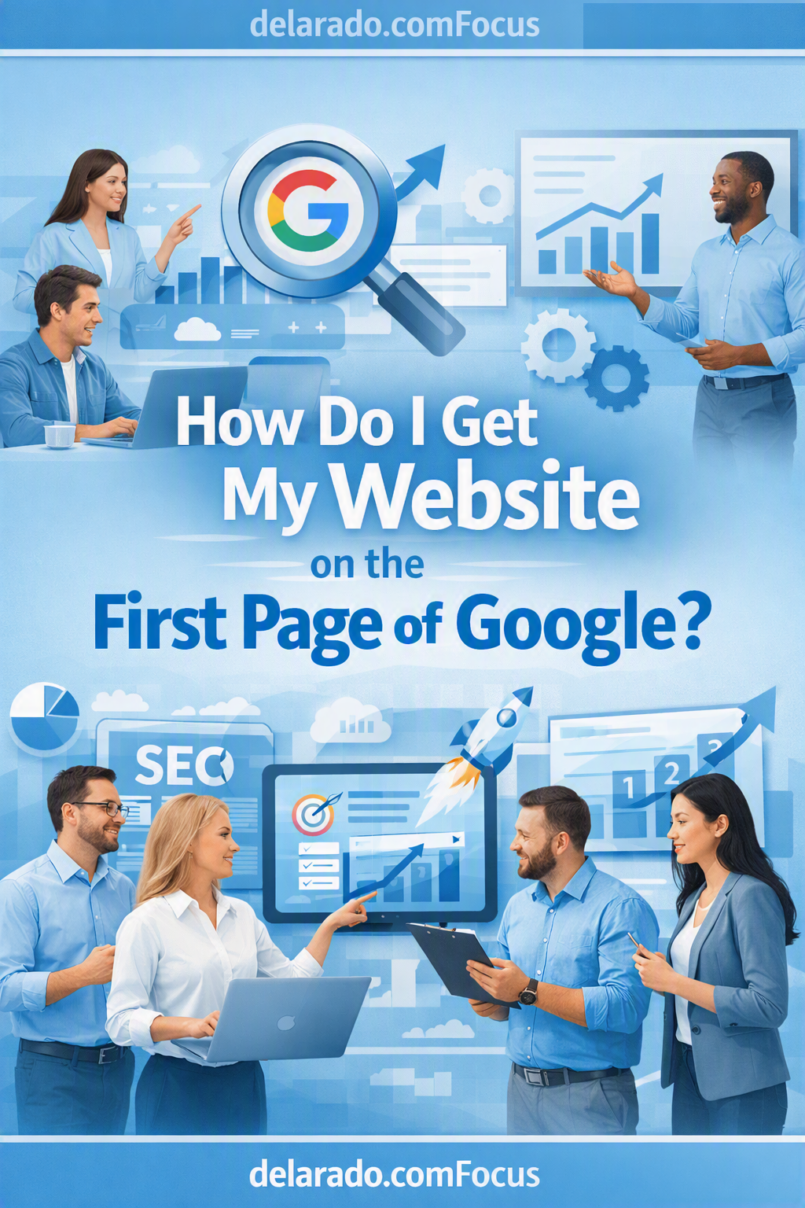
Getting a website onto the first page of Google usually requires more than adding keywords to a page. You need to create content that matches what people are searching for, make your website easy for Google to crawl and understand, provide a better answer than competing pages, and improve your content based on real performance data.
The goal should not be to rank for every possible keyword. The goal is to earn visibility for searches that are relevant to your audience, your business, and the problem you are qualified to help solve.
Google’s Search Essentials explain that following its technical requirements, spam policies, and SEO best practices can help make content eligible to appear in Google Search, but Google does not guarantee that a page will be indexed or rank highly. [194]
Who Is This For?
This article is for WordPress users, bloggers, affiliate marketers, small businesses, local service providers, freelancers, consultants, online store owners, creators, course sellers, and beginners who want to improve their chances of appearing in relevant Google search results.
This Guide Is Useful If You Want To:
- Get more organic traffic to your website
- Rank blog posts for relevant searches
- Attract local customers
- Generate leads or consultation requests
- Grow an affiliate website
- Promote digital products or courses
- Build a content-based business
- Understand why pages do not rank
- Improve older articles with low traffic
- Use Google Search Console to find SEO opportunities
Can You Guarantee First-Page Rankings?
No. You cannot guarantee that a page will rank on the first page of Google. Rankings change depending on the search query, the person searching, location, device, language, freshness of information, competition, and Google’s assessment of which pages may best meet the searcher’s needs.
A first-page result for one person may not look identical for another person. Google may also display maps, videos, shopping listings, featured snippets, news, forums, images, AI features, ads, and other result types before traditional organic listings.
What You Can Control
- How useful and accurate your content is
- How well you understand search intent
- The technical health of your website
- Your page titles, headings, internal links, and structure
- Your site’s mobile usability and speed
- Your topic focus and content quality
- How clearly you explain your experience and expertise
- How consistently you improve existing pages
How Google Chooses Search Results
Before a page can rank, Google must be able to discover it, crawl it, process it, and decide whether it may be useful for a particular query.
Basic Search Process
- Google discovers pages through links, sitemaps, and other sources
- Google crawls the page and reads available content
- Google may index the page if it is eligible
- Google evaluates pages against a specific search query
- Google displays results it considers relevant and useful
Google explains that Search works through crawling, indexing, and serving results—and not every discovered page makes it through every stage. [737]
This is why a page may be published but not immediately appear in search results. It may not yet be discovered, may not be indexed, may have technical issues, or may not yet be considered a strong match for the query.
Benefits of First-Page Visibility
More Relevant Traffic
First-page visibility can increase the chance that people searching for a relevant topic see your website. The best traffic comes from visitors who genuinely need the information, product, or service you provide.
Better Brand Awareness
Even when people do not click immediately, consistently appearing for useful searches can make your business more recognizable over time.
More Leads and Sales Opportunities
Visitors who arrive through a relevant search may be more likely to join an email list, request a quote, schedule a consultation, purchase a product, or explore related resources.
Long-Term Marketing Value
A helpful page can continue receiving organic traffic over time. This can make SEO a useful complement to paid advertising, email marketing, referrals, social media, and partnerships.
Useful Audience Insights
Search performance data can show the questions people ask, the pages they visit, and topics that may need more explanation or improvement.
Risks and Limitations
Competition Can Be Significant
Broad, high-value topics often have strong competition from established brands, publishers, government sites, retailers, and experienced specialists. New websites may have better opportunities by starting with specific, focused questions.
SEO Takes Time
SEO is generally not immediate. Search engines need time to crawl and process pages, while a new site needs time to build useful content, trust, relevance, and a clear topical focus.
Search Results Change
Competitors update their pages, search behavior changes, and Google changes result layouts and ranking systems. A page that performs well today may need improvements later.
Traffic Does Not Automatically Create Revenue
A page can attract visitors without producing leads or sales. You also need clear offers, trustworthy information, relevant calls to action, usable forms, strong customer service, and a good conversion process.
Shortcuts Can Create Problems
Keyword stuffing, copied content, purchased low-quality backlinks, deceptive redirects, fake reviews, fake urgency, and mass-produced low-value AI pages can harm trust and may violate search engine spam policies.
Step-by-Step Ranking Process
Step 1: Choose a Focused Website Topic
Start with a topic that connects your audience, your knowledge, and your business model. A focused website makes it easier to create a useful content library and show visitors what you help with.
Focused Topic Examples
- WordPress tutorials for beginner bloggers
- Website design for local service businesses
- Home organization for small apartments
- Budget meal planning for families
- Email marketing for creators
- Photography education for beginners
- Affiliate marketing education for new bloggers
Weak vs. Focused Topic
Too broad: A website about business, health, travel, money, parenting, and technology.
More focused: A website that helps local service businesses improve their websites and get more qualified inquiries.
Step 2: Understand Your Audience
Before choosing keywords, understand the person behind the search. Think about their problem, experience level, questions, and the next step they need.
Audience Questions
- Who is searching for this topic?
- What problem are they trying to solve?
- Are they a beginner, intermediate user, or expert?
- What questions do they ask before making a decision?
- What information would help them trust your guidance?
- What should they do after reading the page?
Example
A beginner blogger wants to start a website but feels overwhelmed by domains, hosting, WordPress, plugins, and SEO. They need clear, accurate, non-technical guidance and a logical next step.
Step 3: Find Search Opportunities
Look for topics your audience is already searching for. For a newer website, long-tail keywords and specific questions may be more realistic targets than broad, competitive terms.
Examples of Broad and Specific Keywords
| Broad Topic | More Specific Search Opportunity |
|---|---|
| SEO | How to do SEO for a new WordPress website |
| WordPress hosting | Best WordPress hosting for beginner bloggers on a budget |
| Email marketing | How to start an email list for a small business website |
| Web design | How much does a small business website cost? |
| Affiliate marketing | How to add an affiliate disclosure to a WordPress blog |
Keyword Research Sources
- Google autocomplete suggestions
- Google “People also ask” questions
- Google Search Console data
- Google Trends
- Customer questions and support emails
- Relevant online communities and forums
- SE Ranking, Ahrefs, Semrush, or other keyword tools
- Competitor content research
Do not choose a topic only because it has high search volume. Choose topics that you can answer well and that fit the needs of your target audience.
Step 4: Check Search Intent
Search intent is the purpose behind a search. Before writing, search your target phrase and study the type of results Google currently displays.
Common Search Intent Types
- Informational: “What is SEO?”
- How-to: “How do I optimize an old blog post?”
- Commercial research: “SE Ranking vs Semrush”
- Transactional: “Buy WordPress hosting”
- Local: “SEO consultant near me”
- Navigational: “Google Search Console login”
Why Search Intent Matters
If a search result page is dominated by tutorials, your page should probably be a tutorial. If it is dominated by product comparison pages, a basic blog post may not match what searchers want.
For example, someone searching “how to find keywords” likely needs a step-by-step guide. Someone searching “best keyword research tool” likely needs a comparison, pricing context, pros, cons, and alternatives.
Step 5: Create a Better, More Helpful Page
Do not copy competing pages. Use search results to understand what visitors expect, then create a page that answers the question clearly, accurately, and helpfully.
Ways to Improve on Existing Results
- Answer the main question near the beginning
- Use clearer, beginner-friendly language
- Add step-by-step instructions
- Include real examples
- Explain common mistakes
- Answer related questions in an FAQ
- Add original screenshots or images where useful
- Update outdated information
- Explain important limitations
- Link to more detailed supporting articles
Google’s people-first content guidance emphasizes creating satisfying content for an intended audience while also using SEO best practices to help people find it. [179]
Step 6: Optimize Your Title and Headings
Your title and headings should help visitors quickly understand what the page covers. They also help search engines interpret the page topic.
On-Page Optimization Checklist
- Use one clear primary topic per page
- Write a descriptive title tag
- Use one H1 heading
- Use H2 headings for main sections
- Use H3 headings for supporting details
- Include the topic naturally in the introduction
- Use a readable URL slug
- Write a useful meta description
- Use related phrases naturally where they fit
- Avoid repeating the same keyword unnaturally
Example
Weak title: Google Tips
Stronger title: How Do I Get My Website on the First Page of Google?
Step 7: Improve Site Experience
A ranking page needs to be usable. Visitors should be able to read content, navigate the site, use forms, and view pages comfortably on desktop and mobile devices.
Website Experience Checklist
- Use HTTPS
- Use a mobile-friendly design
- Keep navigation clear
- Use readable font sizes
- Make buttons easy to tap
- Compress oversized images
- Avoid excessive pop-ups
- Limit distracting ads
- Fix broken pages and links
- Test contact and signup forms
Do not make changes only for a tool score. Make changes that improve the real visitor experience.
Step 8: Build Internal Links
Internal links connect pages on your website. They help visitors find related information and help search engines understand how your content fits together.
Internal-Link Examples
- Link from an SEO beginner guide to a keyword research tutorial
- Link from a hosting comparison to a WordPress setup guide
- Link from a product review to an alternatives article
- Link from a local service page to a case study
- Link from a pillar page to specific supporting articles
Use descriptive anchor text, such as “learn how to find low-competition keywords,” rather than vague links like “click here.”
Step 9: Earn Relevant Mentions and Backlinks
Backlinks are links from other websites to your pages. Relevant links can help search engines discover pages and may be one signal that other people find your content useful.
Ethical Ways to Earn Links
- Publish original and useful resources
- Create helpful checklists, templates, calculators, or guides
- Write original research or surveys
- Build relationships with relevant businesses and creators
- Contribute useful guest articles where appropriate
- Earn local business directory listings
- Get listed by relevant professional organizations
- Create resources others genuinely want to cite
Avoid:
- Buying large packages of random backlinks
- Participating in link farms
- Using automated comment spam
- Exchanging links only for ranking purposes
- Creating low-quality guest posts at scale
- Using private blog networks
Step 10: Set Up Google Search Console
Google Search Console gives you direct information about your site’s presence in Google Search. It can help you see which pages are receiving impressions and clicks, which search terms bring visitors, and whether Google reports indexing issues.
Use Search Console To:
- Verify your website ownership
- Submit your XML sitemap
- Inspect individual URLs
- Check indexing status
- Review clicks and impressions
- Find search queries that bring visitors
- Identify low click-through-rate pages
- Find pages with growing impressions
- Review security and manual action reports
Google’s Search Console Performance report shows key data about how a site performs in Search, including clicks, impressions, search queries, click-through rate, and page performance. [507]
Step 11: Improve Existing Pages
Updating existing content is often one of the most practical SEO activities. Look for pages with impressions but few clicks, pages ranking on the second or third page, or pages with information that has become outdated.
Content Improvement Checklist
- Check whether the page matches current search intent
- Improve the title to make it clearer and more useful
- Update outdated facts, prices, screenshots, and examples
- Add missing subtopics or FAQs
- Improve the introduction
- Add useful internal links
- Remove repetitive or weak sections
- Add a relevant call to action
- Check mobile usability
- Request reindexing in Search Console when appropriate
Step 12: Track Meaningful Results
First-page rankings are not the only metric that matters. Track whether traffic contributes to the goal of your website.
Important Metrics
- Organic clicks
- Organic impressions
- Average position trends
- Click-through rate
- Email signups
- Contact form submissions
- Consultation bookings
- Sales
- Affiliate link clicks
- Revenue, where relevant and tracked responsibly
Basic Conversion Formula
Conversion rate = Completed actions ÷ Total visitors × 100
For example, if 500 visitors view a service page and 20 request a quote, the page’s quote-request conversion rate is 4%.
Programs That Can Help
Google Search Console
Google Search Console is a free tool for monitoring indexing, search performance, website issues, and page-level search opportunities. It is an essential starting point for any website owner.
Google Analytics
Google Analytics can help you measure traffic sources, visitor engagement, landing page performance, and important actions such as signups, purchases, and contact form submissions.
WordPress
WordPress can support content publishing, blog posts, pillar pages, product reviews, local landing pages, email signup forms, and resource libraries. Use a lightweight theme, maintain updates, and avoid unnecessary plugins.
SE Ranking
SE Ranking can help you research keywords, track rankings, review competitors, audit your website, research backlinks, and organize SEO work. It may be useful for small businesses and affiliate marketers who want a broader SEO toolkit.
Rank Math and Yoast SEO
Rank Math and Yoast SEO can help WordPress users manage SEO titles, descriptions, XML sitemaps, schema settings, redirects, and page-level SEO checks. They support good implementation but do not guarantee rankings.
Google Trends
Google Trends can help you identify seasonal interest, compare topics, and discover related searches that may help with content planning.
Canva
Canva can help create original graphics, charts, lead magnets, social media content, Pinterest pins, and visual assets that make your content easier to understand and promote.
Common Mistakes
Targeting Only Broad Keywords
New websites often struggle to rank for broad phrases such as “SEO,” “marketing,” or “WordPress hosting.” Start with more specific questions and long-tail searches that fit your audience.
Writing Without Checking Search Intent
Before publishing, review what currently ranks and identify the searcher’s likely goal. Match the page format and depth to the search need.
Keyword Stuffing
Repeating a phrase unnaturally can make content unreadable. Use the topic naturally and focus on giving a complete, useful answer.
Publishing Generic AI Content
AI can help brainstorm and draft, but generic, unedited, inaccurate, or repetitive AI content is unlikely to create trust. Review every page, add original insight, fact-check important claims, and make the article genuinely helpful.
Ignoring Existing Content
Do not focus only on new articles. Older pages may already have impressions and can often improve with better titles, updated information, clearer structure, and internal links.
Buying Low-Quality Links
Buying bulk backlinks, participating in link schemes, or using automated link-building services can create long-term problems. Prioritize useful content and relevant relationships instead.
Ignoring Mobile Experience
Test every major page on a real phone. Visitors should be able to read content, navigate menus, use forms, and click buttons easily.
Tracking Rankings but Not Results
Rankings and traffic are useful indicators, but they do not show whether a page supports your business. Track email signups, inquiries, bookings, sales, and other meaningful actions.
Frequently Asked Questions
How long does it take to get on the first page of Google?
There is no fixed timeline. It can depend on competition, search demand, website age, content quality, technical health, topical relevance, and whether your page better serves the searcher’s needs than alternatives. It may take weeks, months, or longer.
Can a new website rank on the first page of Google?
Yes, a new website can rank for some searches, especially focused and less competitive topics. It is usually more realistic to target specific questions and long-tail keywords before competing for broad, high-competition terms.
How many words should a first-page article have?
There is no required word count. Your article should be as long as necessary to answer the question clearly and completely. A simple question may need a short answer, while a complicated topic may require a detailed guide.
Do I need backlinks to rank on the first page?
Relevant backlinks can help, but they are not the only factor. Content quality, search intent, technical accessibility, internal links, page usability, and your site’s topical relevance also matter. Do not buy low-quality link packages.
Can I pay Google to rank organically on the first page?
No. Google Ads can place paid advertisements in designated ad positions, but paid ads do not directly buy an organic ranking. Organic visibility is separate from advertising.
Why is my website not showing up on Google?
Your site may be new, not indexed, blocked from crawling, using a noindex setting, missing internal links, experiencing technical problems, or targeting searches where stronger pages already meet the need. Use Google Search Console to check indexing and page issues.
What is the fastest way to improve Google rankings?
There is no guaranteed fast method. Practical early actions include fixing indexing problems, targeting relevant low-competition topics, improving pages that already receive impressions, matching search intent, strengthening titles and content, adding internal links, and improving mobile usability.
Should I use AI to write SEO articles?
You can use AI as an assistant for brainstorming, outlines, drafts, editing, and organizing research. Do not publish content without human review. Add accuracy, real examples, original insights, clear explanations, and a useful perspective for your audience.
What is a good Google Search Console metric to check first?
Start with impressions, clicks, search queries, pages, click-through rate, and average position. Pages with growing impressions but low clicks may benefit from better titles, clearer descriptions, or improved search-intent alignment. [507]
Should I update old blog posts?
Yes. Updating older content can improve accuracy, usefulness, internal linking, titles, calls to action, and relevance. Prioritize pages that already have impressions, rankings, backlinks, or business value.