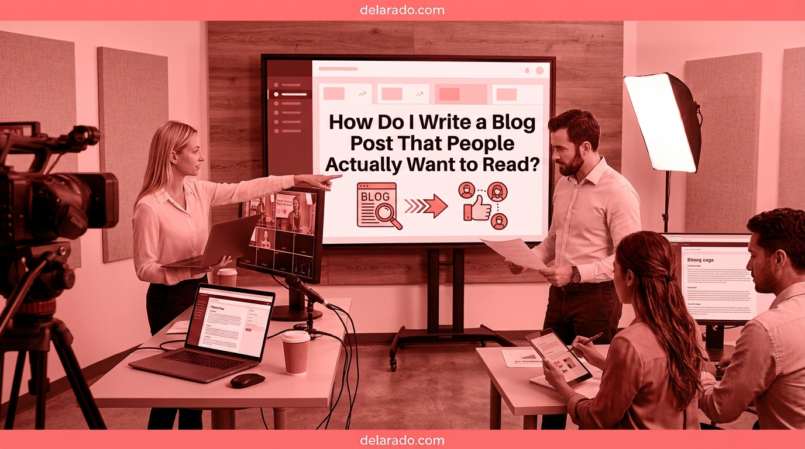
People want to read blog posts that answer a real question, solve a specific problem, use clear language, respect their time, and provide a useful next step. A strong article does not need to be dramatic, overly long, or packed with keywords. It needs to be helpful, easy to scan, accurate, and relevant to the reader’s reason for visiting.
The best blog posts begin with a clear audience and a clear purpose. They use an honest title, answer the main question early, organize the information with useful headings, include examples and practical steps, explain limitations, and guide readers to related resources when appropriate.
Web readers commonly scan rather than read every word. Research from Nielsen Norman Group found that concise writing, scannable layouts, and objective language improve usability; headings, lists, highlighted terms, and tables can make content easier to scan. [1127][1128]
Who Is This Topic For?
This guide is for bloggers, affiliate marketers, small business owners, freelancers, consultants, local businesses, eCommerce sellers, course creators, students, creators, and anyone publishing articles on a website.
This Article Is Helpful If You Want To:
- Write more useful blog posts
- Keep readers on your website longer
- Create content that builds trust
- Improve blog post structure
- Make articles easier to scan
- Answer reader questions clearly
- Write better titles and introductions
- Use examples and calls to action effectively
- Improve blog content for search and social media
- Turn readers into subscribers, leads, or customers
What Makes a Blog Post Worth Reading?
A blog post is worth reading when it provides a better answer than the reader could easily find elsewhere. It should be useful, clear, accurate, focused, and written for a specific person with a specific need.
Readers Usually Want a Blog Post To:
- Answer a question
- Explain a confusing topic
- Help them complete a task
- Compare options
- Help them avoid a mistake
- Give a practical checklist
- Provide examples
- Help them make a decision
- Save them time
- Point them toward a useful next step
Weak Blog Topic
Everything You Need to Know About Marketing
Stronger Blog Topic
How Do I Create a Social Media Content Calendar for a Small Business?
The stronger topic is specific. It tells readers what they will learn, who it is for, and what problem it addresses.
Benefits of Writing Better Blog Posts
Builds Trust
Helpful, accurate content shows readers that your website understands their questions and respects their time. Over time, this can build credibility for your business or brand.
Supports Search Visibility
Search engines aim to show useful results. Clear articles that match search intent and answer questions thoroughly may have more long-term visibility potential than thin, generic pages.
Creates Social Media Content
A detailed blog post can become Reels, TikToks, YouTube Shorts, carousels, Pinterest Pins, LinkedIn posts, Facebook posts, email newsletters, checklists, and lead magnets.
Improves Customer Education
Blog posts can answer questions before customers contact you. This can make sales conversations, onboarding, product use, and customer support more efficient.
Supports Email List Growth
Useful articles can offer relevant lead magnets, such as checklists, templates, worksheets, guides, webinars, and mini-courses.
Helps Generate Leads and Sales
Blog posts can lead readers toward a relevant service page, product page, consultation form, product comparison, or email signup offer after they receive useful information.
Risks and Limitations
Longer Is Not Always Better
A long post with filler is less useful than a shorter post that answers the question clearly. Write enough to help the reader, then remove repetition and unnecessary sections.
SEO Does Not Replace Helpfulness
Adding a keyword repeatedly does not make a post useful. Write for the person searching first, then use SEO practices to make the topic clear and discoverable.
AI Drafts Need Human Review
AI can help with outlines and first drafts, but it can make factual errors, create generic writing, use outdated information, or invent details. Review every AI-assisted article before publishing.
Bad Advice Can Harm Trust
Do not publish unsupported health, legal, financial, safety, or professional advice. Use reliable sources, disclose limitations, and direct readers to qualified help when appropriate.
Outdated Content Can Mislead Readers
Software features, product prices, legal rules, recommendations, and screenshots change. Review and update high-value blog posts regularly.
Too Many Sales Messages Can Push Readers Away
Use calls to action that match the article. A helpful post should not become a long sales pitch that prevents readers from getting an answer.
Step-by-Step Blog Writing Process
Step 1: Choose a Specific Audience
Before choosing a title, decide who the article is for. Writing for a specific audience makes the article clearer and more useful.
Audience Questions
- Who is the reader?
- What is their experience level?
- What problem are they trying to solve?
- What questions do they have?
- What language do they use?
- What mistakes are they trying to avoid?
- What would help them take the next step?
Example Audience
A beginner blogger who wants to create a WordPress website, has a limited budget, does not understand hosting or SEO, and needs simple practical guidance.
Once the audience is clear, you can choose topics that actually help them.
Step 2: Choose One Main Question
A strong blog post usually answers one main question. Supporting questions can appear in subheadings or FAQs, but the core purpose should remain clear.
Good Main Questions
- How do I start a WordPress blog?
- How do I find low-competition keywords?
- What pages does a small business website need?
- How do I create an email signup form?
- How do I write a product review?
- How do I create a social media content calendar?
- How do I secure a WordPress website?
Too Broad
Tell me everything about websites.
Focused
What Pages Does a Local Service Business Website Need?
Focused questions make it easier to write a helpful article, create a clear title, and give readers a direct answer.
Step 3: Check Search Intent
Search intent is the reason someone is looking for information. Before writing, search the topic and review what currently appears in results.
Common Search Intent Types
- Informational: “What is SEO?”
- How-to: “How do I create a WordPress blog?”
- Commercial research: “Best WordPress hosting for beginners”
- Transactional: “Buy WordPress hosting”
- Local: “Website designer near me”
Example
A person searching “How do I find low-competition keywords?” likely wants a step-by-step guide. A person searching “SE Ranking pricing” likely wants current plan information, features, limits, and a buying decision guide.
Match your article format to the reader’s likely need. A mismatch can cause readers to leave even if the writing is good.
Step 4: Research Before Writing
Good blog posts are built on accurate information. Research the topic before drafting, especially when discussing products, pricing, policies, software, law, finance, health, safety, or other changing subjects.
Useful Research Sources
- Official product documentation
- Government websites
- Professional organizations
- Original studies and reports
- Qualified expert sources
- Firsthand testing
- Customer interviews with permission
- Your own documented experience
- Customer support questions
- Google Search Console data
Research Checklist
- Is this information current?
- Can I verify this claim?
- Does the source support the statement?
- Do I need to explain limitations?
- Do I have firsthand experience to add?
- What would a beginner find confusing?
- What information would help someone act safely and confidently?
Do not make up facts, statistics, sources, product features, customer outcomes, or expert credentials.
Step 5: Create a Useful Outline
An outline keeps your article focused and helps readers find information quickly. It also prevents you from repeating the same point in several sections.
Helpful Blog Post Outline
- Introduction and direct answer
- Who the article is for
- Benefits and limitations
- Definitions or important context
- Step-by-step process
- Examples
- Tools or resources
- Common mistakes
- Frequently asked questions
- Related resources or call to action
Example Outline
Title: How Do I Create a Social Media Content Calendar?
Introduction → Who it is for → Benefits → Content pillars → Planning process → Calendar columns → Example schedule → Tools → Common mistakes → FAQs → Further reading.
Use headings that describe what the reader will find. Avoid vague headings such as “More Information” or “Other Things to Know.”
Step 6: Write a Clear Title
Your title should accurately describe the article and give the right person a reason to click. Avoid clickbait titles that promise something the article does not provide.
Strong Title Characteristics
- Clear topic
- Specific audience or use case
- Useful benefit
- Accurate promise
- Natural language
- Relevant key phrase when appropriate
Weak Titles
- Website Tips
- SEO Secrets
- Everything You Need to Know
- This Will Change Your Business
Stronger Titles
- How Do I Start a WordPress Blog? A Beginner’s Guide
- How Do I Find Low-Competition Keywords for a New Website?
- What Pages Does a Small Business Website Need?
- How Do I Create a Social Media Content Calendar?
Google-related SEO guidance recommends that each page have a descriptive title, while headings should organize the content for readability and accessibility rather than serve as a keyword-stuffing tactic. [1125][1131]
Step 7: Write an Introduction That Helps
The introduction should quickly show readers that they are in the right place. Answer the core question or explain what they will learn within the first few paragraphs.
Strong Introduction Formula
Direct answer: Give a short useful answer.
Context: Explain why the topic matters.
Expectation: Tell readers what the article covers.
Weak Introduction
In today’s fast-paced digital world, there are many things to know about content calendars. In this article, we will look at some helpful information that may help your business.
Stronger Introduction
A social media content calendar helps you plan what to post, when to publish it, and what business goal each post supports. It can reduce last-minute posting, save time, and help you balance helpful content with promotions, website traffic, and lead-generation goals.
Start with the most important information. Web-writing guidance commonly recommends an “inverted pyramid” approach, where key information appears early and details follow. [1126]
Step 8: Write for Scanning
Most readers do not read every word of a web page. They scan headings, first sentences, lists, bold terms, visuals, and links to decide whether the article is useful.
Make Articles Easier to Scan
- Use descriptive H2 and H3 headings
- Keep paragraphs short
- Use lists for related information
- Use tables for comparisons
- Start paragraphs with important information
- Use plain language
- Explain unfamiliar terms
- Use examples
- Add images only when they help understanding
- Use internal links to related resources
Hard-to-Scan Paragraph
When you are trying to choose hosting, there are many things that you may want to consider, and it can be difficult because different hosts have different features and you should probably consider all of those features carefully before making your decision because choosing hosting can be an important decision for your blog.
Improved Version
When choosing WordPress hosting, compare support, backup options, security features, site speed, and room to grow. The lowest price is not always the best long-term choice for a new website.
Nielsen Norman Group reports that web users scan pages and that concise writing, scannable layouts, and objective language improve usability. [1127][1129]
Step 9: Use Clear Headings
Headings help readers navigate an article. They should explain the section clearly and make sense even when someone scans the page quickly.
Weak Headings
- More Information
- Tips
- What You Should Know
- Other Things
Stronger Headings
- How to Choose a WordPress Hosting Plan
- Common WordPress Hosting Mistakes
- What to Compare Before Buying Hosting
- How Much Does WordPress Hosting Cost?
Heading Structure Example
H1: How Do I Create a Social Media Content Calendar?
H2: What Is a Content Calendar?
H2: How to Plan Content Topics
H3: Choose Content Pillars
H3: Add Important Campaign Dates
H2: Common Content Calendar Mistakes
Use headings to organize the reader experience. Do not create headings only to repeat keywords.
Step 10: Use Examples and Specific Details
Examples make abstract advice easier to understand. They show readers what a tip looks like in practice.
Vague Advice
Create better calls to action in your content.
Specific Advice
At the end of a beginner WordPress article, use a call to action such as: “Download the free Website Launch Checklist to organize your domain, hosting, essential pages, and first content steps.”
Useful Types of Examples
- Step-by-step examples
- Before-and-after writing examples
- Sample titles
- Sample captions
- Sample checklists
- Comparison tables
- Customer questions
- Case studies with permission
- Original screenshots
- Real scenarios
Use examples that are accurate and clearly labeled. Do not invent customer stories, product results, reviews, or testimonials.
Step 11: Add Original Value
Original value is what makes a blog post more useful than a generic rewrite of information already available online.
Ways to Add Original Value
- Share firsthand experience
- Explain your testing process
- Add original screenshots
- Provide a checklist or template
- Use your own examples
- Answer questions competitors missed
- Compare options with clear criteria
- Explain limitations honestly
- Interview qualified experts
- Use current information
Example
Instead of writing a generic list of “best email marketing tools,” explain which tools you personally tested, what you used them for, what features were useful, what limitations you found, and which type of business each option may suit.
Original value helps readers make better decisions and can make your content more worth returning to, sharing, or linking to.
Step 12: Use Images and Visuals Carefully
Images, screenshots, diagrams, tables, videos, and infographics can make content easier to understand. Use them when they add clarity—not only to make the article look longer.
Useful Visuals
- Original screenshots
- Step-by-step diagrams
- Comparison tables
- Checklists
- Product photos
- Simple infographics
- Video tutorials
- Process illustrations
- Charts with sourced data
Visual Checklist
- Is the image relevant?
- Do you have the right to use it?
- Is it readable on mobile?
- Does it need alt text?
- Does it show accurate current information?
- Could it mislead readers?
- Does it help the reader complete a task?
Do not use AI-generated visuals as fake evidence of real customers, employees, product results, business locations, or events.
Step 13: Add Internal Links
Internal links connect related pages on your website. They help readers find more useful content and help create a clearer content structure.
Internal Link Examples
- Link a WordPress hosting guide to a domain-name guide
- Link a keyword research article to an SEO pillar article
- Link a product review to a comparison article
- Link a blog post to a relevant service page
- Link a social media guide to a content calendar template
- Link a lead magnet article to an email signup page
Weak Anchor Text
Click here for more information.
Stronger Anchor Text
Read our step-by-step guide to finding low-competition keywords for a new website.
Use links when they genuinely help the reader continue learning or take the next step.
Step 14: Include a Relevant Call to Action
After helping the reader, give them a useful next step. The right call to action depends on the topic and the reader’s stage.
Awareness Calls to Action
- Read a related guide
- Watch the tutorial
- Save the checklist
- Follow for more tips
Email List Calls to Action
- Download the free checklist
- Join the email list
- Get the template
- Register for the webinar
Service Calls to Action
- Request a quote
- Book a consultation
- View services
- Contact our team
Product Calls to Action
- View product details
- Compare plans
- Start a free trial
- Shop the collection
Example
After a beginner article about WordPress setup, offer a free Website Launch Checklist. After a product comparison, link to the relevant product page or a transparent review guide.
Do not force a sales message into every article. Make the next step relevant to what the reader just learned.
Step 15: Edit Ruthlessly
First drafts are rarely the best version. Editing helps remove filler, clarify ideas, correct errors, improve flow, and make the article easier to read.
Editing Checklist
- Does the title match the article?
- Does the introduction answer the main question?
- Are paragraphs short and focused?
- Are headings clear?
- Are there unnecessary repeated points?
- Are technical terms explained?
- Are facts accurate and current?
- Are examples useful?
- Are links working?
- Are disclosures included where needed?
- Does the call to action fit the article?
- Does the article work on mobile?
Remove Common Filler
- In today’s fast-paced world
- It is important to note
- Unlock your potential
- Game-changing solution
- Take your business to the next level
- Seamlessly transform
- Everything you need to know
Replace filler with useful steps, examples, definitions, comparisons, limitations, and clearer language.
Step 16: Format for Mobile Readers
Many readers will open your blog post on a phone. Test the final page on a real mobile device before promoting it.
Mobile Checklist
- Headings are easy to scan
- Text is readable without zooming
- Paragraphs are not too long
- Images fit the screen
- Tables can be viewed or scrolled easily
- Buttons are easy to tap
- Links work
- Forms are easy to complete
- Pop-ups do not block the article
- Page loads reasonably quickly
A useful article can lose readers if the mobile experience is frustrating.
Step 17: Update Old Posts
Blog posts are not finished forever. Review important posts periodically and update them when facts, products, prices, screenshots, policies, or reader questions change.
Update a Post When:
- Product features or pricing change
- Links are broken
- Examples become outdated
- New questions appear in Search Console
- Readers ask for clarification
- Competitors provide more useful information
- New internal links are available
- Calls to action need improvement
Updating an existing post can be as valuable as publishing a new one, especially if the page already receives search impressions, traffic, backlinks, or leads.
Programs That Can Help
WordPress
WordPress can help publish blog posts, create categories, organize internal links, manage images, add tables, update content, and create landing pages or lead magnet pages.
Google Search Console
Google Search Console can help identify search queries, organic clicks, impressions, indexing issues, and pages that may need improvement or updating.
Google Analytics
Google Analytics can help measure page traffic, engagement, email signups, form submissions, purchases, bookings, and other outcomes connected to blog content.
SE Ranking
SE Ranking can help with keyword research, competitor analysis, rank tracking, website audits, content planning, and search opportunity research.
ChatGPT and Other AI Writing Tools
AI writing tools can help brainstorm ideas, create outlines, draft sections, improve readability, create headlines, and repurpose content. Fact-check and edit all output before publishing.
Grammarly and Hemingway Editor
Grammarly and Hemingway Editor can help improve grammar, clarity, sentence structure, and readability. They should support human editing, not replace research or accuracy checks.
Canva
Canva can help create blog graphics, checklists, comparison charts, infographics, Pinterest Pins, lead magnet covers, screenshots, and social media content that promotes your article.
Google Docs or Notion
Google Docs and Notion can help organize research, content briefs, outlines, drafts, editorial calendars, customer questions, and update schedules.
Common Mistakes
Writing for Everyone
Vague articles often help no one. Define a clear audience and write for their specific questions, needs, and experience level.
Starting With a Long Generic Introduction
Readers want to know quickly whether the article will help them. Answer the main question early and avoid unnecessary background.
Using Vague Headings
Use headings that explain what the section covers. Readers should be able to scan the page and find the information they need.
Writing Large Blocks of Text
Long paragraphs are difficult to read online. Use short paragraphs, lists, tables, examples, and headings to improve scanning.
Adding Filler to Make Posts Longer
More words do not make a post more useful. Remove repetition and add only the details that help the reader understand or act.
Ignoring Search Intent
Make sure the article format matches what the reader wants. A how-to search needs practical steps, while a product comparison needs criteria, pros, cons, prices, and alternatives.
Publishing AI Drafts Without Review
AI can create factual errors, generic writing, and fabricated information. Edit, fact-check, and add original value before publishing.
Not Adding Examples
Examples make advice easier to apply. Show readers what a strong title, call to action, checklist, comparison, or process looks like.
Not Updating Old Content
Outdated facts, prices, screenshots, links, and recommendations can reduce trust. Review important evergreen content regularly.
Using the Wrong Call to Action
Match the next step to the article. A beginner guide may need a checklist, while a service-focused article may need a consultation or quote request.
Frequently Asked Questions
How do I make my blog post more interesting?
Make it specific, useful, and easy to scan. Start with a clear question or problem, use examples, organize the article with headings, include practical steps, and remove generic filler.
How long should a blog post be?
Write as much as needed to answer the reader’s question clearly. A simple question may need a short article, while a complicated topic may require a detailed guide, examples, tools, common mistakes, and FAQs.
What should I write about on my blog?
Write about real customer questions, common mistakes, how-to topics, comparisons, product decisions, service explanations, beginner guides, and problems your audience is trying to solve.
How do I write a good blog title?
Use a clear, accurate title that explains the topic and benefit. For example, “How Do I Create a Social Media Content Calendar?” is clearer than “Social Media Tips.”
Do people still read long blog posts?
People read long articles when they are useful, well organized, easy to scan, and directly relevant to their needs. Use headings, short paragraphs, lists, tables, examples, and a clear structure.
Should I use AI to write blog posts?
AI can help with brainstorming, outlines, drafting, editing, and repurposing. Do not publish AI output without fact-checking, editing, adding original insight, and making sure it serves your audience.
How do I make blog posts easier to scan?
Use descriptive headings, short paragraphs, bullets, numbered steps, tables, bold terms sparingly, examples, visuals, and clear links. Readers often scan web content before deciding whether to read more closely. [1127][1128]
How often should I publish blog posts?
Publish at a pace you can maintain while keeping posts accurate and useful. One strong article per week or month can be more valuable than many weak posts.
How do I get readers to take action after a blog post?
Use a relevant call to action. Offer a checklist, template, related guide, email signup, consultation, product page, webinar, or comparison that fits the article topic and reader’s likely need.
How do I know if my blog posts are working?
Track organic traffic, search impressions, time on page, internal link clicks, email signups, lead magnet downloads, form submissions, bookings, sales, comments, and customer questions.