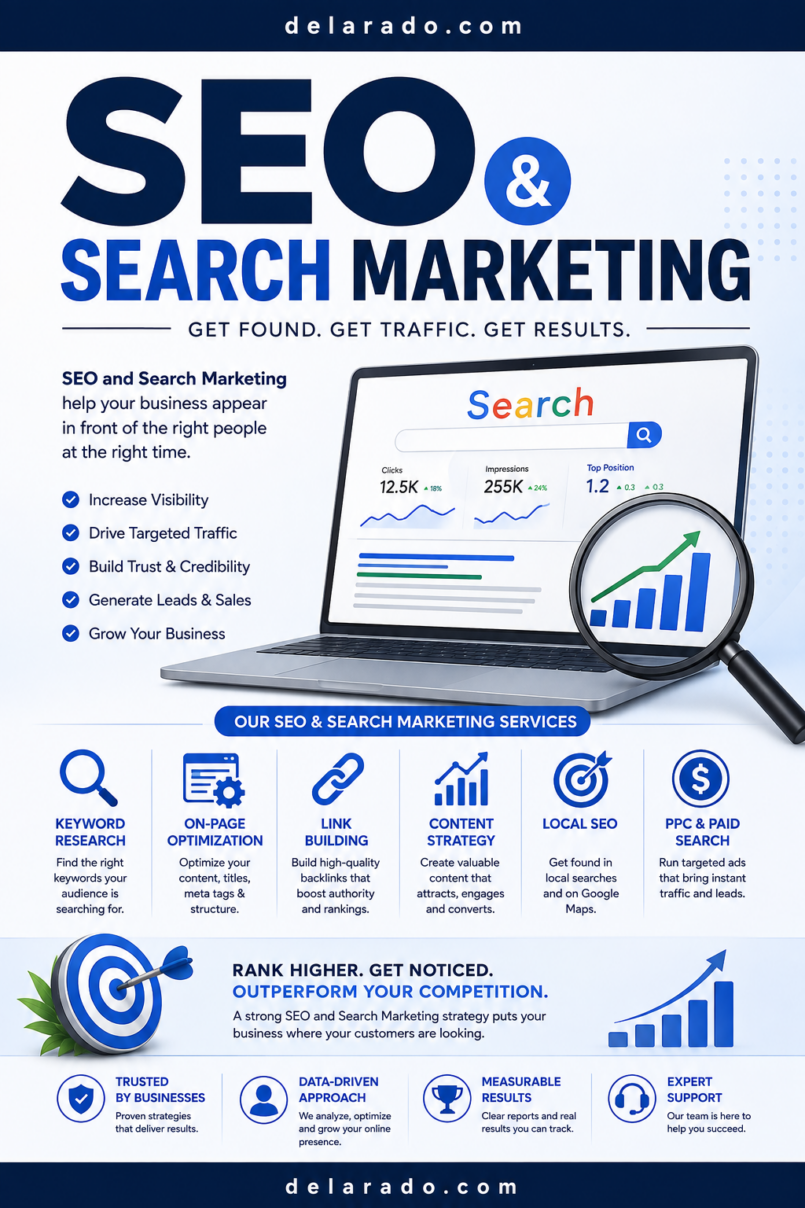
SEO and marketing work together to help the right people discover your website, understand what you offer, and take a useful next step. SEO, or search engine optimization, focuses on making your website easier for search engines and people to find and use. Marketing focuses on communicating your value, building trust, reaching an audience, and guiding people toward actions such as subscribing, requesting a quote, booking a call, or buying a product.
A successful website does not need to chase every platform or publish content only to rank. The stronger approach is to understand your audience, create helpful content, make your site technically accessible, distribute that content through appropriate channels, measure results, and improve over time.
Google’s Search Essentials describe foundational practices that can help make a site eligible to appear in Google Search, though no website is guaranteed indexing or rankings.
Who Is This Topic For?
This guide is for beginner bloggers, WordPress users, affiliate marketers, freelancers, consultants, local businesses, creators, coaches, eCommerce sellers, course creators, and small-business owners who want to grow their website through ethical SEO and practical marketing.
This Guide Is Helpful If You Want To:
- Grow organic search traffic
- Start a blog or content website
- Promote products, services, or digital products
- Build an email list
- Create a local business website
- Improve a WordPress website
- Understand keywords and search intent
- Use content marketing to build trust
- Track traffic, leads, and sales
- Build an affiliate marketing website responsibly
What Are SEO and Marketing?
SEO is the process of improving a website so search engines can discover, understand, index, and potentially rank its pages for relevant searches. It includes technical website setup, content quality, keyword research, page structure, internal links, user experience, and trustworthy information.
Marketing is the broader process of reaching an audience and communicating why your product, service, content, or offer is useful. It can include SEO, email marketing, social media, video, local marketing, partnerships, paid advertising, content creation, public relations, and referral strategies.
Simple Example
A local web designer creates a helpful article titled “How Much Does a Small Business Website Cost?” The article is optimized for a relevant search query, answers common questions clearly, links to the designer’s services, includes a consultation call to action, and is shared through email and social media.
SEO helps people find the article through search. Marketing helps turn that attention into trust, email subscribers, consultations, or clients.
Benefits of SEO and Marketing
Builds Long-Term Visibility
Useful search-focused content can continue attracting visitors after publication. Unlike a single social post, a well-maintained article may remain discoverable over time if it serves a real search need.
Helps the Right Audience Find You
Keyword and audience research help you create pages for people actively looking for information, solutions, products, services, or comparisons.
Builds Trust Before the Sale
Helpful articles, clear service pages, real examples, transparent pricing information, FAQs, policies, and honest recommendations can help visitors make informed decisions.
Supports Multiple Business Goals
SEO and marketing can support email list growth, leads, product sales, affiliate income, local inquiries, appointments, digital-product sales, and brand awareness.
Provides Useful Data
Analytics and Search Console data can help you understand which pages attract visitors, what queries people use, where visitors come from, and which actions they take.
Can Reduce Reliance on One Platform
Building a website, email list, and searchable content library gives your business assets that are not entirely dependent on social-media algorithms or paid advertising costs.
Risks and Limitations
Results Take Time
SEO is usually a long-term process. New websites may need time for search engines to crawl, index, assess, and rank pages. There is no legitimate way to guarantee first-page rankings.
Low-Quality Content Can Waste Resources
Publishing many thin, repetitive, inaccurate, or generic articles can create little value for visitors. Focus on fewer, stronger pages that solve real problems.
Algorithm and Platform Changes
Search engines, social networks, email platforms, and advertising systems change regularly. Avoid depending entirely on one source of traffic.
Misleading Claims Can Damage Trust
Avoid guaranteed ranking claims, exaggerated income promises, unsupported product claims, fake testimonials, false urgency, or misleading before-and-after examples.
Privacy and Disclosure Responsibilities
If you collect emails, use analytics, run ads, promote affiliate products, accept sponsorships, or sell online, you may have legal and privacy obligations depending on your location and audience.
The FTC states that material relationships between an endorser and a marketer should be disclosed clearly and conspicuously when that relationship could affect how consumers evaluate an endorsement.
The SEO and Marketing Process
Step 1: Define Your Website Goal
Start with a clear business or website goal. A site without a goal can attract traffic without creating meaningful results.
Possible Goals
- Grow an email list
- Book consultations
- Generate service inquiries
- Sell digital products
- Promote affiliate products
- Increase local calls or appointments
- Build authority in a topic
- Sell physical products
- Grow a newsletter
- Build a content-based business
Goal Statement Template
This website helps [audience] solve [problem] and encourages them to [main action].
Example
This website helps beginner bloggers learn WordPress and encourages them to join an email list for practical website-building resources.
Step 2: Define Your Audience
SEO and marketing work better when you know who you are trying to help. Avoid creating content for “everyone.”
Audience Questions to Answer
- Who is the person you want to reach?
- What problem are they trying to solve?
- What questions do they ask before purchasing?
- What is their experience level?
- What language do they use to describe the problem?
- What tools, products, or services are they considering?
- What would make them trust your advice?
- What action should they take next?
Example Audience Profile
A beginner blogger who wants to create a professional WordPress website, has a limited budget, feels overwhelmed by technical setup, and needs clear step-by-step guidance.
Step 3: Choose a Focused Topic or Niche
A focused site makes it easier for visitors and search engines to understand what you cover. You can expand later, but begin with a clear subject area.
Examples of Focused Topics
- WordPress for beginner bloggers
- Website design for local service businesses
- Meal planning for busy families
- Budget travel for solo travelers
- Home organization for small spaces
- Email marketing for creators
- Productivity systems for freelancers
- Photography education for beginners
Your topic should connect to the audience, content you can create, and a realistic way to monetize or support the project.
Step 4: Set Up a Search-Friendly Website
Before creating many articles, make sure the website has a solid technical foundation. Search engines need to be able to access your pages, and visitors need a site that is secure and usable.
Basic Website Checklist
- Use a custom domain
- Enable HTTPS
- Use reliable hosting
- Choose a mobile-friendly theme
- Create clear navigation
- Use readable page URLs
- Create an About page
- Create a Contact page
- Create a Privacy Policy
- Create Terms of Use
- Create an Affiliate Disclosure if relevant
- Set up backups and security tools
Google notes that sites following Search Essentials are more likely to appear in Google Search, although appearance and rankings are not guaranteed.
Step 5: Set Up Google Search Console
Google Search Console is a free tool that helps site owners monitor how their websites appear in Google Search. It can show search performance, indexing information, security issues, and other site-level reports.
Basic Search Console Setup
- Create or sign in to a Google account
- Open Google Search Console
- Add your website property
- Verify site ownership
- Submit a sitemap if available
- Review indexing reports
- Check for security issues and manual actions
- Review performance data regularly
Google states that verified Search Console owners can view reports about performance, indexing, security issues, and other information that can affect how a site appears in Search.
Step 6: Research Keywords and Search Intent
Keywords are the words and phrases people enter into search engines. Search intent is the reason behind the search. Good SEO does not mean repeating a keyword excessively; it means creating the page that best serves the searcher’s purpose.
Common Types of Search Intent
- Informational: “How to start a WordPress blog”
- Commercial: “Best WordPress hosting for beginners”
- Transactional: “Buy WordPress hosting”
- Navigational: “WordPress login”
- Local: “Web designer near me”
Keyword Research Sources
- Google Search suggestions
- Google “People also ask” questions
- Google Search Console performance data
- Google Trends
- AnswerThePublic
- Keyword Planner
- Ahrefs
- Semrush
- Customer emails and support questions
- Comments, forums, and community discussions
Keyword Research Example
Main topic: WordPress hosting for beginners
Supporting topics: shared hosting vs managed WordPress hosting, how much WordPress hosting costs, how to choose a domain, WordPress hosting mistakes, and how to move a WordPress site.
Step 7: Build Topic Clusters
A topic cluster is a group of connected pages around one broad subject. A pillar article explains the main subject broadly, while supporting articles answer narrower questions and link back to the pillar.
Example Topic Cluster
Pillar page: How to Start a WordPress Blog
Supporting articles: How to Choose a Domain Name, How to Choose WordPress Hosting, How to Install WordPress, Essential WordPress Plugins, How to Write Your First Blog Post, and How to Secure a WordPress Website.
Why Topic Clusters Help
- They create a clearer content structure
- They help visitors find related answers
- They create useful internal-link opportunities
- They help you avoid publishing random unrelated topics
- They encourage deeper, more useful content coverage
Step 8: Create Helpful Content
Create content that answers the visitor’s question fully and accurately. Add original explanations, real examples, screenshots where appropriate, current information, clear steps, and practical limitations.
Helpful Content Checklist
- Answer the main question early
- Use clear headings
- Explain important terms
- Use examples where useful
- Include actionable steps
- Link to related articles
- Use original experience or research
- Update information when it changes
- Avoid unnecessary filler
- Be transparent about limitations
Do not create pages solely to target a phrase. Create them because they help a real audience solve a relevant problem.
Step 9: Optimize Each Page On-Page
On-page SEO means improving the content and structure of an individual page so visitors and search engines can understand it.
On-Page SEO Checklist
- Use one clear main topic per page
- Write a descriptive page title
- Use a clear H1 heading
- Use logical H2 and H3 headings
- Include the primary topic naturally
- Write a helpful introduction
- Use short, readable paragraphs
- Add internal links to related content
- Add descriptive image alt text
- Use a readable URL slug
- Include a relevant call to action
- Check the page on mobile
Example
Weak title: WordPress Tips
Better title: How to Start a WordPress Blog: Step-by-Step Guide for Beginners
Step 10: Build Internal Links
Internal links connect one page on your website to another. They help visitors discover related resources and help search engines understand your website structure.
Internal-Link Examples
- Link a hosting review to your WordPress setup guide
- Link a keyword research article to your SEO pillar page
- Link a lead magnet article to your email marketing guide
- Link service pages to relevant case studies or FAQs
- Link supporting articles back to a pillar article
Use Descriptive Anchor Text
Instead of writing “click here,” use descriptive wording such as “read our beginner guide to WordPress website security.”
Step 11: Create a Marketing Funnel
A marketing funnel is the path someone takes from discovering your content to taking a meaningful action. Not every visitor is ready to buy immediately, so give them useful next steps.
Simple Funnel Example
Google search → Helpful blog post → Free checklist signup → Welcome email sequence → Relevant product, service, or consultation offer
Possible Calls to Action
- Download a free checklist
- Join an email newsletter
- Read a related guide
- Compare products
- Request a quote
- Book a consultation
- Start a free trial
- View a service page
- Buy a digital product
Make the next step relevant to the article. A visitor reading a beginner SEO guide may respond better to a free SEO checklist than to an unrelated product promotion.
Step 12: Build an Email List
Email marketing allows you to communicate with subscribers who have chosen to hear from you. Offer something useful in exchange for permission to send follow-up emails.
Lead Magnet Ideas
- SEO checklist
- Website launch checklist
- Content calendar template
- Keyword research worksheet
- WordPress setup guide
- Email welcome sequence template
- Local business website audit checklist
- Affiliate disclosure template
Email List Best Practices
- Explain what subscribers will receive
- Deliver the promised resource
- Use clear unsubscribe options
- Avoid deceptive signup practices
- Send useful content consistently
- Segment subscribers when appropriate
- Protect subscriber information
Step 13: Promote Your Content
Publishing an article is only the beginning. Promote it through channels where your audience is already active, but choose channels you can maintain consistently.
Content Promotion Channels
- Google Search
- Email newsletters
- YouTube
- Reddit communities, when appropriate and allowed
- Industry forums
- Partnerships and guest content
- Podcast appearances
- Local business partnerships
Do not spam groups, comments, forums, or communities with links. Add useful information first and follow each platform’s rules.
Step 14: Track Results
Tracking helps you identify what is working, what needs improvement, and which pages create meaningful business outcomes.
Important Metrics
- Organic clicks
- Search impressions
- Average position trends
- Top search queries
- Top landing pages
- Email signups
- Form submissions
- Consultation bookings
- Sales
- Affiliate link clicks
- Conversion rate
Basic Conversion Formula
Conversion rate = Completed actions ÷ Total visitors × 100
For example, if 250 visitors view a landing page and 15 join your email list, the conversion rate is 6%.
Step 15: Update and Improve Existing Content
SEO and marketing are ongoing processes. Review older content for outdated information, weak explanations, broken links, poor calls to action, missing FAQs, and new audience questions.
Content Update Checklist
- Check factual accuracy
- Update dates, pricing, features, and screenshots
- Fix broken links
- Add new relevant sections
- Improve the introduction
- Add internal links
- Improve readability
- Update affiliate disclosures if needed
- Check mobile usability
- Review performance in Search Console
Programs That Can Help
WordPress
WordPress can help you publish blog posts, pillar pages, landing pages, service pages, product pages, and resource libraries. It is especially useful for websites that depend on regular content creation and long-term flexibility.
Google Search Console
Google Search Console is a free tool for monitoring how a site performs in Google Search. It can help you review search queries, clicks, impressions, indexing information, security issues, and other search-related reports.
Google Analytics
Google Analytics can help you understand visitor behavior, traffic sources, engagement, conversions, form submissions, email signups, and sales-related actions.
Yoast SEO and Rank Math
Yoast SEO and Rank Math are WordPress plugins that can help with titles, meta descriptions, XML sitemaps, basic technical SEO settings, and on-page content checks. A plugin can support SEO work, but it cannot replace useful content, sound strategy, or real audience understanding.
Ahrefs and Semrush
Ahrefs and Semrush can help with keyword research, competitor research, content planning, backlink monitoring, rank tracking, and site audits. Review current pricing and choose tools based on your budget and actual needs.
Google Trends
Google Trends can help you compare relative search interest, identify seasonal patterns, and explore related topics.
Canva
Canva can help you create blog graphics, Pinterest pins, lead magnet covers, social media visuals, simple infographics, and branded marketing assets.
MailerLite, ConvertKit, Brevo, HubSpot, and ActiveCampaign
These tools can help create signup forms, landing pages, email automations, welcome sequences, subscriber segments, and lead follow-up workflows.
Systeme.io, ClickFunnels, and ThriveCart
These tools can support landing pages, sales funnels, checkout pages, digital product delivery, email sequences, affiliate programs, and automations. Make pricing, subscriptions, refunds, upsells, and marketing claims clear to customers.
Common SEO and Marketing Mistakes
Publishing Content Without a Clear Audience
Random content attracts random visitors. Start with a focused audience, topic, and business goal.
Keyword Stuffing
Repeating the same keyword unnaturally can make content difficult to read and less useful. Write naturally and focus on answering the searcher’s question.
Creating Thin AI Content
AI can help with brainstorming and first drafts, but publishing unedited, generic, inaccurate, or repetitive AI content can hurt trust. Add human review, relevant experience, original examples, fact-checking, and useful context.
Ignoring Search Intent
If someone searches “how to choose WordPress hosting,” they usually want a clear guide—not a page that only tries to sell hosting without answering the question.
Expecting Instant SEO Results
SEO often takes time. Focus on building a useful website and measuring long-term progress instead of looking for guaranteed quick rankings.
Using Misleading Marketing Claims
Avoid false scarcity, fake testimonials, guaranteed earnings, manipulated screenshots, unverified health claims, and promises you cannot support.
Hiding Affiliate Relationships
Disclose affiliate relationships clearly and close to the endorsement or recommendation. Do not make readers hunt for important information about how you may be compensated.
Ignoring Mobile Visitors
Test pages, forms, menus, videos, images, buttons, and checkout flows on a real phone. A poor mobile experience can reduce traffic quality and conversions.
Not Building Internal Links
Internal links help visitors find related content and help organize your website. Add them naturally as your content library grows.
Not Tracking Conversions
Traffic alone does not show whether marketing is working. Track relevant outcomes such as email signups, quote requests, bookings, sales, and affiliate link clicks.
Frequently Asked Questions
What is SEO?
SEO stands for search engine optimization. It is the process of improving your website so search engines can access, understand, index, and potentially rank pages for relevant searches.
What is the difference between SEO and digital marketing?
SEO is one part of digital marketing. SEO focuses primarily on organic search visibility, while digital marketing can include email, social media, content marketing, paid ads, video, affiliate marketing, partnerships, and other channels.
How long does SEO take?
There is no fixed timeline. Results can depend on website age, competition, technical quality, content usefulness, search demand, backlinks, resources, and how consistently you improve the site. Avoid anyone who guarantees a specific ranking date or result.
Do I need to pay for SEO tools?
No. You can begin with free tools such as Google Search Console, Google Analytics, Google Trends, Google Search suggestions, and customer research. Paid tools can save time and provide deeper data, but they are not required to publish helpful content.
Can I use AI for SEO content?
You can use AI for brainstorming, outlines, editing assistance, research organization, and drafts. However, review and improve every output for accuracy, originality, usefulness, tone, and compliance. Do not use AI to mass-produce low-value pages intended mainly to manipulate search rankings.
What is keyword research?
Keyword research is the process of identifying phrases your audience uses in search engines, understanding the purpose behind those searches, and planning content that provides a useful answer.
How many keywords should I target in one article?
Focus on one primary topic and naturally cover closely related questions and phrases. Do not force unrelated keywords into one article. A clear, comprehensive answer is more useful than a page built around repetitive keyword use.
What is a pillar page?
A pillar page is a comprehensive guide covering a broad topic. It links to more detailed supporting articles, while those supporting articles link back to the pillar page. This structure helps visitors navigate a topic and creates a logical content library.
Do backlinks still matter?
Relevant links from other sites can help search engines discover pages and understand that other people find your content useful. Focus on earning links by publishing genuinely useful resources, building relationships, creating original research, and contributing valuable content—not by buying low-quality links.
How do I market a new website?
Start by publishing useful content for a focused audience, setting up Search Console and analytics, creating an email signup offer, sharing content through one or two relevant channels, building relationships in your niche, and improving content based on questions and performance data.
Do I need social media for SEO?
Social media is not required for SEO. It can help distribute content, build awareness, and attract visitors, but a website can grow through search, email, referrals, partnerships, local visibility, and direct traffic as well.
How often should I publish content?
Publish at a pace you can sustain while maintaining quality. One detailed, useful article each week or month can be more valuable than publishing many weak articles.
What should I track first?
Start with organic clicks, impressions, top queries, indexed pages, email signups, form submissions, and the primary action that supports your business goal.
Further Reading
- How Do I Optimize an Old Blog Post for Better Rankings?
- How Often Should I Publish Blog Posts for SEO?
- How Do I Use SEO to Get Free Traffic to My Website?
- Is SE Ranking Worth It for Small Businesses and Affiliate Marketers?
- How Do I Use SE Ranking for Keyword Research?
- How Do I Find Low-Competition Keywords?
- What Is People-First Content in SEO?
- How Do I Get My Website on the First Page of Google?
- Search Engine Marketing: A Complete Guide for Small Businesses and Online Entrepreneurs
- What Are Long-Tail Keywords and Why Do They Matter?
- How Do I Create SEO-Friendly Product Reviews?
- How Do I Get Backlinks to a New Website?
- What Is Technical SEO and How Do I Fix Website Errors?
- How Do I Use Google Search Console for SEO?
- How Can My Business Appear in AI Search Results and Answer Engines?
- What Is SEO and Why Is It Important for an Online Business?
- SEO and Search Marketing: A Complete Beginner’s Guide to Growing Your Website